


PhotoAid
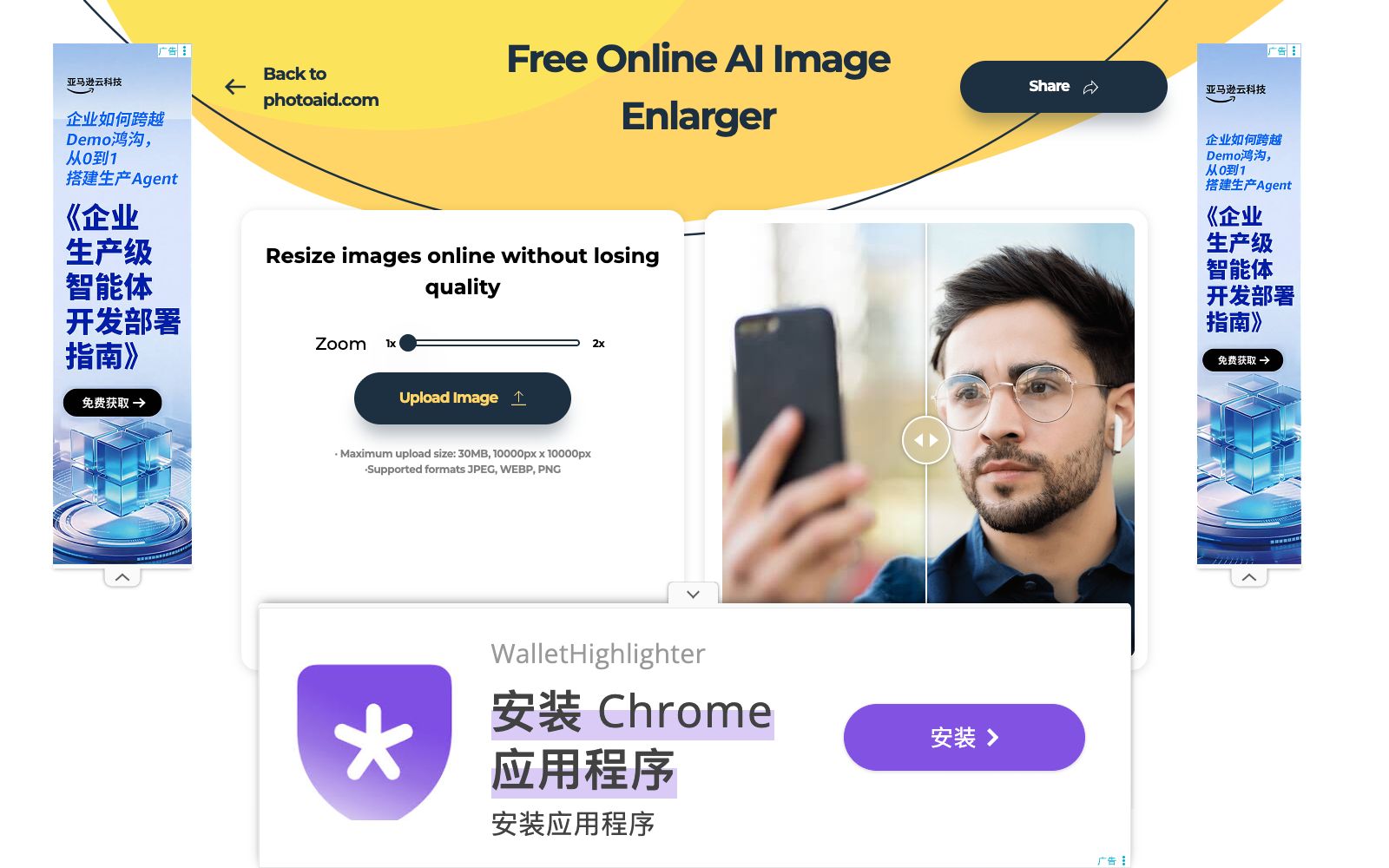
Free online image upscaling tool developed by PhotoAid. After uploading, it scales up to 2x the size. It supports JPEG, PNG, and WebP formats, with a single file size limit of 30MB. The official claims it delivers better results for human facial features, and the entire process is completed in the browser.
Updated: 2026-10-27
What is PhotoAid?
PhotoAid Image Upscaler is a free online tool launched by PhotoAid, an ID photo service provider. It only does one thing: upscale images to twice their size. According to the official explanation, such tools were originally used internally for processing ID photos and were made available to the public for free after being separated. Since it only performs a single step, its interface has no extra parameters—just upload the image, wait a few seconds, and download it. It has no account system or batch queue, and is positioned to process one image at a time.
Who is it for?
- Regular users who need to upscale old photos or screenshots: Insert low-resolution images into documents and social platforms.
- E-commerce and social media operators: Enlarge small-sized materials to usable sizes.
- ID photo and visa applicants: Process portrait materials, and the official states that the effect on portraits is better.
- People who don't want to install software: Temporarily process one or two images.
- Office workers creating presentations: Enlarge small images to projection or print sizes.
Key features
52x Upscaling
The official explanation states that the algorithm doubles the image size. For example, a 1000×1000-pixel image is output as 2000×2000 pixels, with no arbitrary scaling interpolation. There is no size input box on the page, and the scaling ratio can only be selected between 1x and 2x.
AI Detail Restoration
The official explanation states that a regular enlargement will result in blurry or pixelated images, while AI processing makes the edges smoother. It also admits that the algorithm works better on facial photos, and that it is equally applicable to non-portrait images.
Format and Size Limits
Supports JPEG, WEBP, and PNG formats. The maximum file size per image is 30MB, and the maximum pixel dimensions are 10000×10000.
Pure browser-based operation
Uploading, processing, and downloading are all completed within the webpage. There is no need to install a client, nor is registration or login required. You can download the file directly after processing and use it on the go.
Same-series mini tools
The official website also offers other free tools such as background removal, shadow removal, photo brightness adjustment (darkening and brightening), flipping, rotating, circular cropping, black-and-white conversion, and colorization.
How to use PhotoAid
- First, check the quality of the original image: 2x enlargement is not equal to restoration, and images that are severely blurred or over-compressed will have their flaws amplified along with them.
- Use it primarily for portraits.
- for landscape and text images, compare it with other super-resolution tools before making a choice.
- when posting on social media, first reverse-calculate the magnification based on the compressed size of the platform.
- If a single image exceeds 30MB or has a side length longer than 10,000 pixels, compress or crop it first before uploading.
- After processing, compare the edges with the original image.
- if there is obvious smearing, revert to the original size.
- For batch processing, upload images one by one as it does not support queues.
- If you're just sending the image to friends, you can use the original directly.
- for official uses such as ID photos, it is still recommended to go back to the official PhotoAid website and generate them according to their specifications.
- The terms of the free tool shall prevail on the official website.
Traffic & popularity
Data month Sep 2026
PhotoAid receives about 635.3K visits per month and ranks #95,737 worldwide.
Monthly visits
12 monthsTraffic sources
- Search62.0%
- Direct30.3%
- Referrals3.2%
- Social1.9%
- Mail0.9%
- Other1.6%
Top countries
- United States15.3%
- Turkey9.6%
- India8.9%
- Bangladesh7.6%
- Brazil5.5%
Estimated from third-party traffic data.
Similar tools
 AI Image UpscalingA registration-free online image enlargement tool that offers four models, 2x and 4x magnification, up to 16K output, supports transparent images and batch processing, and is suitable for restoring old photos, enlarging product images and illustration line art.
 ImageFusion AIOnline AI image fusion tool: Upload up to 5 images and select a preset style or reference image to synthesize one image. The official states that it supports PNG/JPEG output and multiple aspect ratios. The finished products can be used for social media avatars, e-commerce and marketing materials.
 EzRemoverFree online AI background removal tool: upload an image, and it will automatically remove the background and output a transparent PNG. You can change the background to white or a solid color, generate new scenes with AI, and it also offers batch processing and special modes for logos, text, anime, and more.
 neural.loveAn AI image and video toolkit in the browser that can restore old photos, enhance image quality, edit images with text commands, convert static photos into videos, and even generate resume avatars from a single selfie. All tools share a single credit system, making it ideal for people who need to edit materials and create illustrations.
 Generated PhotosGenerated Photos is a human image material library fully synthesized by AI, containing 2.67 million pre-generated human faces and 100,000 full-body images. It can also generate exclusive models according to parameters, suitable for advertising design, marketing illustrations and machine learning material collection.
 SlazzerOnline one-click background removal tool: remove image backgrounds in seconds. It also offers AI functions like upscaling, enhancement, shadow restoration, sky replacement and old photo coloring. Available on web, desktop and via API.