


ImageFusion AI
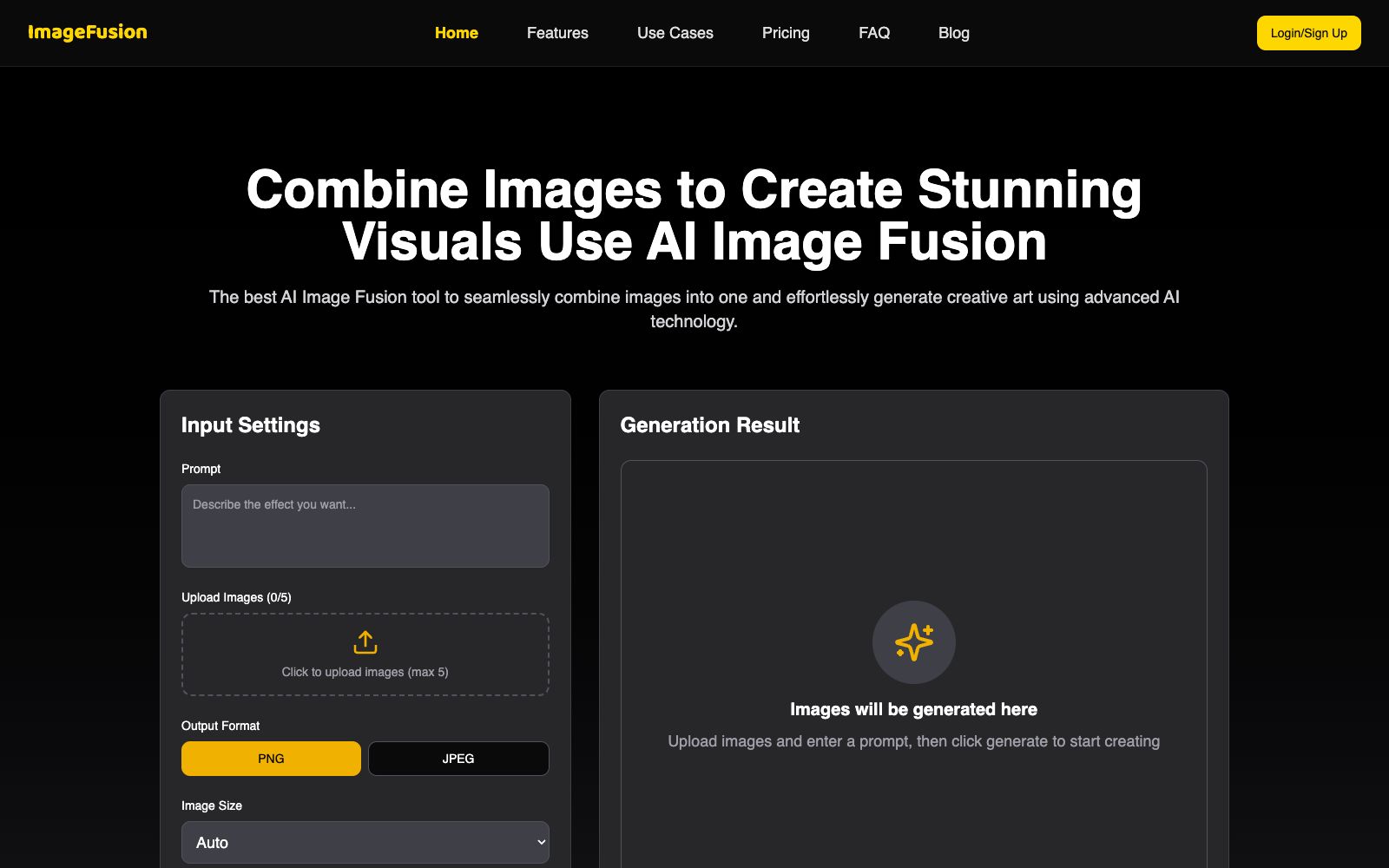
Online AI image fusion tool: Upload up to 5 images and select a preset style or reference image to synthesize one image. The official states that it supports PNG/JPEG output and multiple aspect ratios. The finished products can be used for social media avatars, e-commerce and marketing materials.
Updated: 2026-10-27
What is ImageFusion AI?
ImageFusion AI is an online image fusion tool that combines multiple photos into one while enhancing details. The official platform emphasizes that it is "100% online and no need to download heavy software". The operation process only has three steps: upload images, select the fusion style, preview and download high-definition results. The official website's FAQ also clearly states that no technical background is required to use it.
Who is it for?
- Social media users who want to create eye-catching avatars and personal profile photos.
- Designers who need to blend portraits with abstract textures and patterns to create visual content.
- E-commerce sellers: Combine product images and scene images to create marketing materials.
- Small and medium-sized teams that need to create brand visuals and quickly produce concept sketches.
- Operations personnel who need to quickly produce social media distribution images.
- People who don't want to install large image software and only want to complete a single fusion in a browser.
Key features
8Multi-image Fusion
Upload up to 5 images at a time, and the AI will merge them into a single fused image.
Style Transfer Fusion
You can choose preset styles, or upload your own reference images for custom style fusion.
Prompt Control
Fill in prompts in the Input Settings to control the generation results together with the uploaded images.
Output Format & Aspect Ratio
Supports PNG and JPEG formats, with optional aspect ratios including Auto, 1:1, 3:4, 9:16, 4:3, and 16:9.
High Definition and Speed
The official states that all plans include HD image downloads and faster generation speeds.
Style Display & Commercial Use
The official website provides examples of styles for display, and states that the generated results can be used for marketing, e-commerce and commercial purposes.
Three-step process
The official workflow is to upload images, select a fusion style (or use a reference image for style transfer), preview and download the high-definition image.
Zero Basic & Fully Online
The official FAQ states that no technical background is required; the entire process is completed in a browser with no software download needed.
How to use ImageFusion AI
- The official tip is to use high-quality, clear original images for better fusion effects.
- blurry or overly small images will degrade the details of the final result.
- Don't write long prompt words at first.
- try a style with a reference image first, then gradually add descriptions for fine-tuning.
- Confirm the aspect ratio before output: 9:16 vertical is suitable for short video covers, 1:1 for avatars, and 16:9 for videos and web headers.
- The paid plans listed on the official website are Premium (one-time payment of $1, including 5 generation credits, HD downloads, faster generation, commercial use authorization, and no watermarks) and Ultimate ($10, with 100 fusion images generated per month, including all benefits of Premium, priority support, and early access to new features).
- First use the free credits to confirm the style and output quality, then decide whether to purchase a credits package.
- After generation, zoom in to check the edge transitions and details such as fingers and text.
- if the result is unsatisfactory, replace the reference image or adjust the prompt words and try again.
- When it comes to real person portraits, brand materials and others' photographic works, first confirm the scope of authorization and commercial usability.
- platform rules may be adjusted, so recheck before commercial use.
Traffic & popularity
Data month Sep 2026
ImageFusion AI receives about 582 visits per month.
Monthly visits
12 monthsTraffic sources
- Direct43.5%
- Search30.8%
- Referrals8.6%
- Social7.1%
- Display ads4.2%
- Other5.7%
Estimated from third-party traffic data.
Similar tools
 Style AIOnline AI image tool that can convert photos into styles such as Ghibli, Pixar, pixel, and sticker with one click. You can also edit images with one sentence, merge multiple group photos, and generate images and short videos.
 Image to PromptImage to Prompt is a free image reverse prompt tool. Upload an image to generate structured descriptions that can be used for drawing models. It supports multi-model adaptation and multi-language output, making it suitable for recreating styles and organizing materials.
 PhotoAidFree online image upscaling tool developed by PhotoAid. After uploading, it scales up to 2x the size. It supports JPEG, PNG, and WebP formats, with a single file size limit of 30MB. The official claims it delivers better results for human facial features, and the entire process is completed in the browser.
 TRELLIS 3D AITRELLIS 3D AI is an online tool that converts images into 3D assets. It can generate textured models and export them in multiple formats, supports browser preview, and is suitable for 3D material creation in games and e-commerce.
 ImagesArt.aiImagesArt is an AI video generator that supports three modes: text-to-video, image-to-video, and first and last frames with reference images. It can output up to 4K resolution with built-in native audio, making it suitable for social media short videos, e-commerce advertisements, and design proposals.
 Riverflow 2.0An image generation and editing model for commercial visuals, focusing on the restoration of product details, font control, and style consistency. The official version states that it can correct garbled text in images using reference pictures, and it provides API and MCP access.