


MyArchitectAI
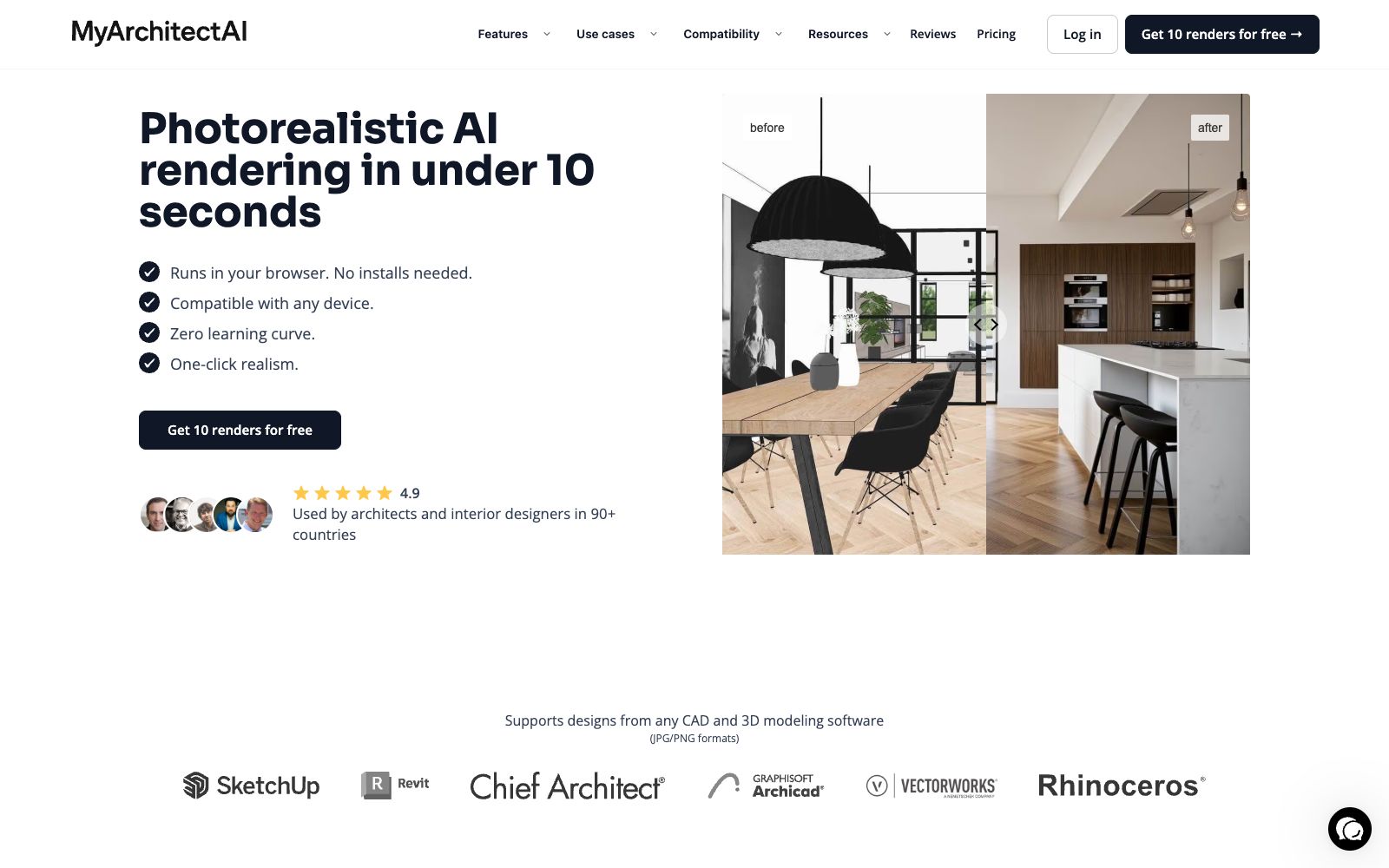
An AI rendering tool for architecture and interiors in the browser. Upload images exported from SketchUp or Revit, get photorealistic renderings in about ten seconds while preserving the original geometry and materials. You can also modify materials and add camera animations, making it ideal for quickly generating drawings during the scheme presentation stage.
Updated: 2026-10-26
What is MyArchitectAI?
MyArchitectAI is an AI rendering tool that runs in a browser, targeting architects and interior designers. Its concept is straightforward: there is no need to switch modeling software; just upload the images exported from existing designs, and the cloud GPU directly produces photorealistic renderings. According to the official statement, it is currently used in more than 90 countries, has generated over 7.5 million renderings in total, and takes an average of 9.3 seconds to complete the rendering.
Who is it for?
- **Architects**: Quickly show clients several versions of effects during the conceptual phase to seizepresentation time.
- **Interior Designer**: Change materials and soft furnishings during on-site communication to get instant renderings.
- **Furniture and Product Rendering**: Quickly generate display images for single pieces of furniture and lighting fixtures.
- **Real Estate and Sales Professionals**: Transform floor plans and blueprints into visualizations that clients can easily understand.
- **Students and career changers**: You can create drawings without any 3D basics, and the official claims there's no learning cost.
Key features
8One-click Rendering
Upload JPG or PNG images, and the AI automatically handles modeling, lighting, and materials. The official claims that 99% of still frames are completed within 10 seconds, supporting 4K image downloads, and prompt words are optional.
Unchanged Geometry and Materials
The official emphasizes that the rendering process maintains the original design's geometry and textures unchanged, preventing the AI from arbitrarily altering the plan itself.
Sketch and Style Transfer
Hand-drawn line sketches and rough models are also usable. Add a reference image or select a preset from the style library to transfer the tone of the reference to your own design.
Local Image Editing
Enter edit mode to change materials, add or delete objects, adjust lighting and landscapes. You can select a region to redraw only that part while keeping the rest unchanged, eliminating the need to go back to 3D software for re-rendering.
Low-Definition Enhancement
One-click noise reduction, texture and color restoration to make 3D characters more natural. The creativity intensity is adjustable—lower values make it closer to the original image, while higher values allow for more freedom.
Static Image to Animation
Offers over 30 camera presets (orbit, dolly, pan, traverse), and you can also describe camera movement in text. The official says it outputs MP4 in 90 to 120 seconds.
No hardware requirements
Rendering is done on the cloud; it works directly in the browser and runs on Macs and mobile phones.
Copyright and Data
The official states that 100% of the rendered results are owned by the user and kept confidential, with data encryption; subscribing to the premium version grants full commercial usage rights.
How to use MyArchitectAI
- First, claim the 10 free renderings provided by the official, try different styles on the same image to figure out its aesthetic boundaries.
- Adjust the perspective, composition, and proportions before uploading.
- The AI is only responsible for creating a realistic effect and will not correct design errors on your behalf.
- Features such as unified style across multiple scenes and precise light control are marked as "coming soon" by the official.
- For now, adjust each image individually instead of planning your workflow based on the existing features.
- The official goal is rapid iteration rather than replacing the final rendering of the quality of V-Ray and Lumion, and traditional touch-ups are still required before official delivery.
- Confirm the authorization scope of the subscription tier before commercial use, and review the data clauses carefully if the project involves the client's confidential content.
Traffic & popularity
Data month Sep 2026
MyArchitectAI receives about 1.1M visits per month and ranks #37,719 worldwide.
Monthly visits
12 monthsTraffic sources
- Search60.9%
- Direct30.0%
- Referrals4.3%
- Social2.3%
- Mail1.2%
- Other1.3%
Top countries
- United States16.0%
- India12.8%
- Italy8.3%
- Poland3.5%
- Brazil2.9%
Estimated from third-party traffic data.
Similar tools
 ArchiVinciArchiVinci is an AI rendering tool for architects and interior designers. It can turn sketches, photos, floor plans or model screenshots into photorealistic renderings in seconds. It requires no graphics card and is suitable for quick drawing production during the reporting stage.
 mnml.aiAn AI rendering tool for architects and interior designers. Sketches, photos, or views from SketchUp, Revit, and Rhino can all be converted into renderings. New users get free credits upon registration.
 AI Room PlannerAI Room Planner is a free interior design inspiration tool. Upload photos of your room and generate design concepts in various styles with AI. It is currently in the free Beta phase with no usage limits.