


AutoPod
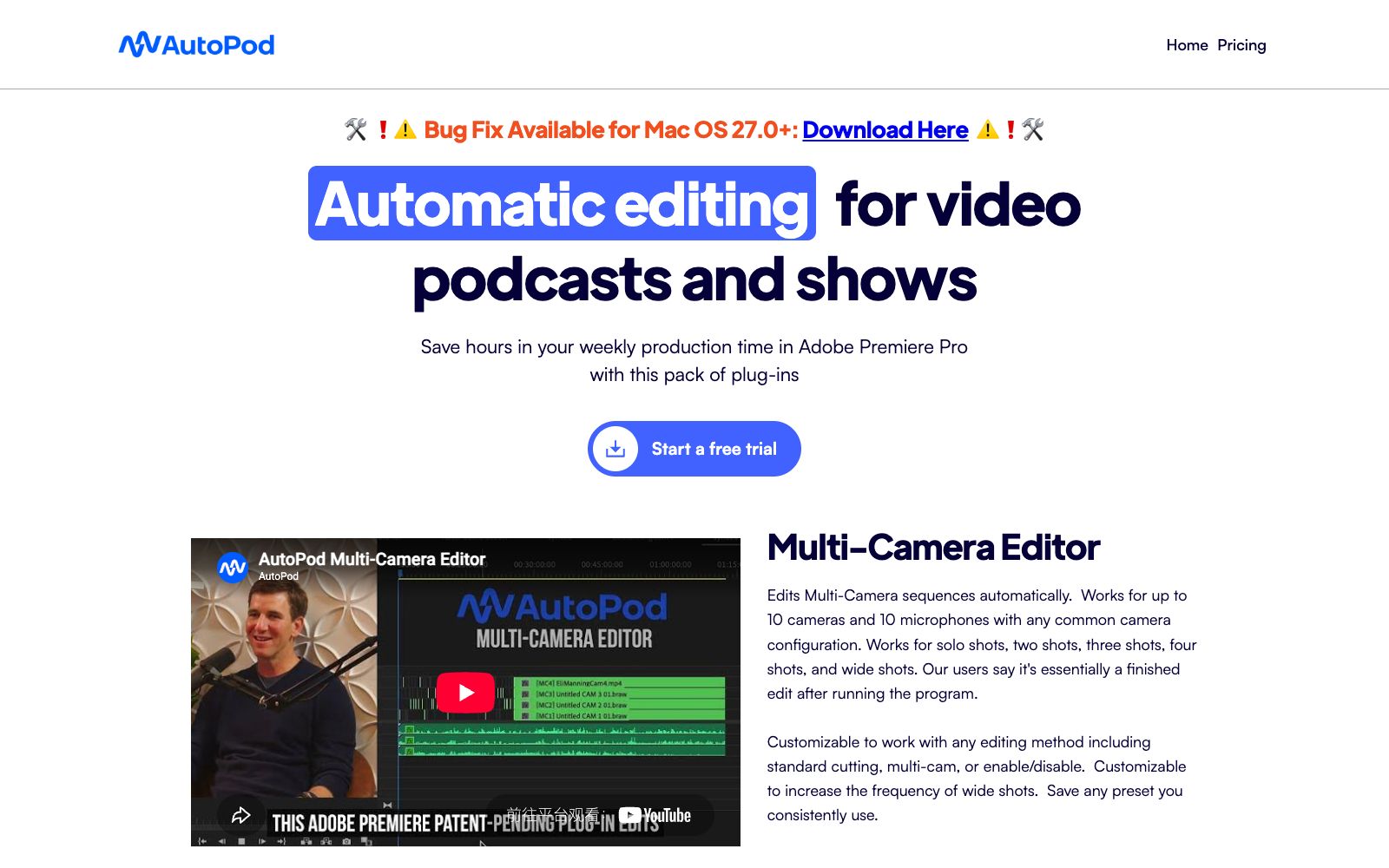
AutoPod is an automatic editing plugin suite for Adobe Premiere Pro that can automatically handle multi-camera video podcasts, batch generate vertical short videos for social media, and perform automatic jump cuts based on silence.
Updated: 2026-10-26
What is AutoPod?
AutoPod positions itself as an "auto-editing tool for video podcasts and shows" in the form of a plug-in that runs within Adobe Premiere Pro. Its selling points are very specific: the plug-in helps editors align multi-camera shots, cut long videos into social media short clips, and perform jump cuts based on silence, thereby saving a lot of repetitive labor time every week.
Who is it for?
- Teams that regularly record multi-camera video podcasts and roundtable shows and want to reduce the time spent on alignment and rough cutting.
- Editors and operations teams who need to quickly cut long programs into vertical short videos for distribution on social media.
- Editors who are already using Premiere Pro and want to improve efficiency through plug-ins rather than changing their entire workflow.
- Individual creators who accept automatic jump cuts based on decibel thresholds to maintain viewer attention.
Key features
5Multi-Camera Editor
Automatically edits multi-camera sequences. Officially supports up to 10 cameras and 10 microphones, covering single, dual, triple, quadruple and wide-angle shots. It also allows customizing the editing method, the frequency of wide-angle shots, and saving presets.
Social Clip Creator
Automatically generates short videos in three aspect ratios: 1920x1080, 1080x1350, and 1080x1920. It creates new sequences based on in and out points, automatically scales the screen size, offers optional automatic reframing, watermarks, and end screens, and supports one-click batch export.
Jump Cut Editor
Automatically creates jump cuts in footage based on silence, commonly used for social media clips. You can generate cuts by entering the microphone decibel threshold.
Designed for Editors
The official website emphasizes that it is built by editors for editors, with the goal of automating tedious workflows.
Free Trial & Pricing
A free trial is available, and official use requires subscribing to a pricing plan.
How to use AutoPod
- Start with the free trial, import one real multi-camera program into the Multi-Camera Editor, and check if the automatic rough cut result is close to a finished product.
- Before generating social media clips, first frame the in and out points, and confirm whether the three aspect ratios and automatic reframing are in line with the style of your platform.
- The decibel threshold for jump cuts should be calibrated according to your microphone environment.
- an excessively high or low threshold may result in incorrect deletions or redundant content retention.
- AutoPod runs on the Premiere Pro environment.
- Please note the compatibility between the plugin and the software version (the official website has mentioned fixes for specific macOS versions).
- the subscription and feature scope are subject to the official website, and you should verify again before commercial use.
Traffic & popularity
Data month Sep 2026
AutoPod receives about 28.6K visits per month and ranks #1,346,637 worldwide.
Monthly visits
12 monthsTraffic sources
- Search58.9%
- Direct19.4%
- Mail14.7%
- AI assistants2.7%
- Social2.2%
- Other2.0%
Top countries
- United States15.1%
- Peru13.6%
- India13.2%
- Mexico6.0%
- Germany5.9%
Estimated from third-party traffic data.
Similar tools
 EditBuddyThe AI editing assistant in Adobe Premiere Pro, officially said to automatically remove verbal slips, pauses and filler words, generate animated captions, B-roll and zoom effects, with all results remaining as editable original clips.
 WisecutWisecut is an AI editing tool for podcasts, YouTube and webinars. It automatically slices videos, adds subtitles, reframes content and adds background music. The official statement says that more than 1 million creators have used it.
 RiversideA browser-based podcast and video recording platform with local recording support up to 4K resolution and 48kHz audio. It comes with AI transcription, text-based editing, magic clips, and one-click publishing to major podcast platforms, making it ideal for content creators and small teams.
 DupDubDupDub is an all-in-one content creation platform that offers copy generation, text-to-speech, AI digital humans and video editing. It covers scenarios such as marketing, education, audiobooks and podcasts. New users can enjoy a 3-day free trial without binding a bank card.
 PalmierPalmier Pro is a video editor built for AI. Officially, it claims to use Claude or Codex for automatic clipping, generate materials on the timeline, and then export them to professional editing software for further refinement, making it suitable for agency workflows.
 captionrichAn AI dubbing video editing tool based on text editing, the official website states that editing can be completed by modifying the transcription script. It automatically removes filler words and awkward pauses, supports B-roll insertion, motion graphics subtitles, and translation into more than 50 languages, and is targeted at the short video and podcast editing scenarios.