


AutoCut
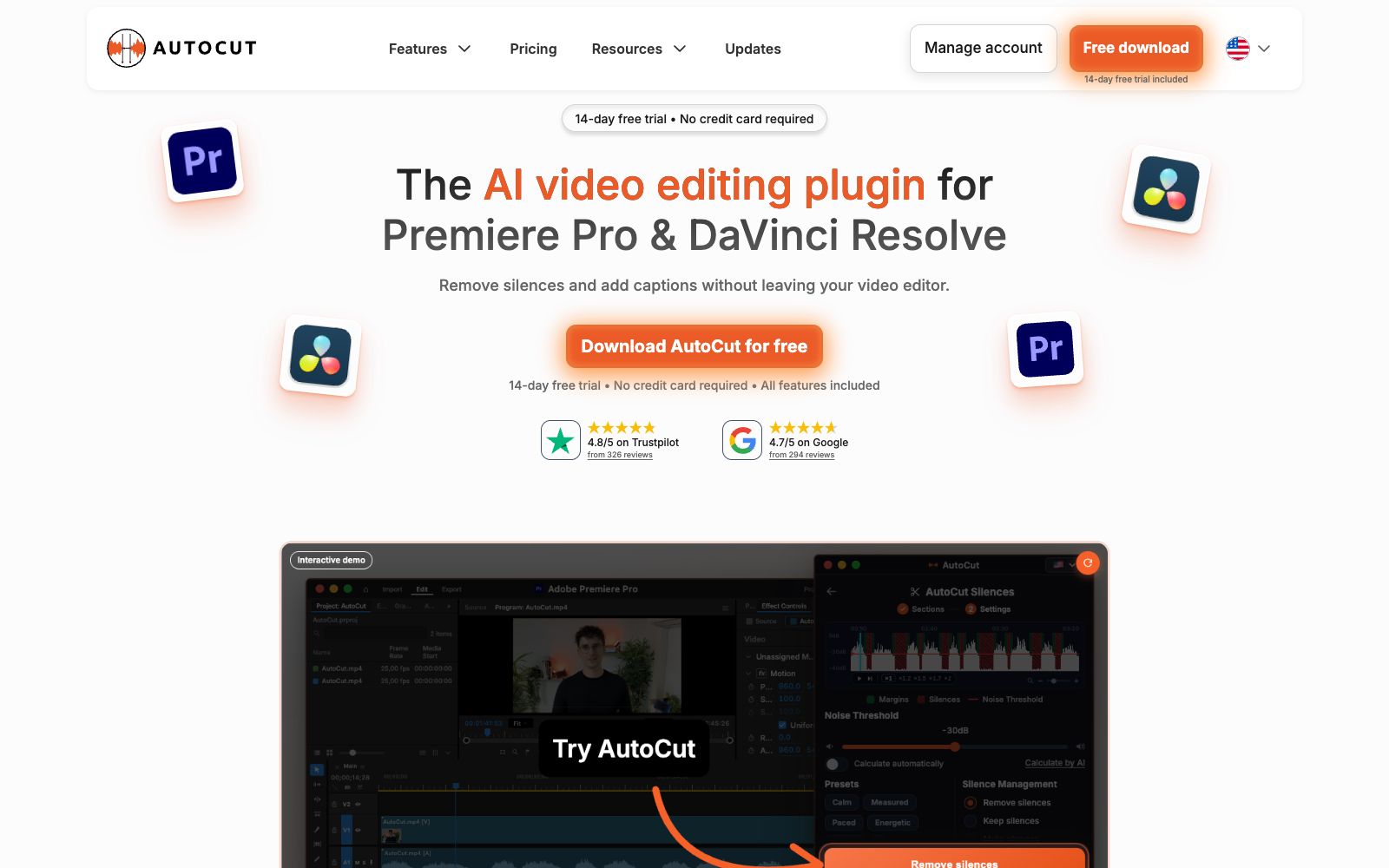
An AI plugin built into the timeline of editing software that automatically mutes silent parts, generates word-by-word subtitles, switches camera angles, and inserts B-roll footage. It is suitable for batch rough cutting of podcasts, voice-over videos and long footage.
Updated: 2026-10-27
What is AutoCut?
AutoCut is a plugin built into editing software that supports Premiere Pro and DaVinci Resolve. Instead of functioning as a standalone editor, it automates repetitive tasks like muting silent segments, adding subtitles, and switching camera angles directly into your existing timeline—no exports, no re-exports, and no loss of video quality. For anyone who processes dozens of minutes of voiceover or podcast footage every day, the time saved isn’t just a few minutes, but the hours spent manually scrubbing through the timeline.
Who is it for?
- **Podcast Editors**: For a two-hour dialogue between two people in a single episode, let the plugin first cut out the silences and switch camera angles.
- **Voiceover and knowledge-based creators**: A single person speaks to the camera for over ten minutes, and subtitles and rhythm are the most time-consuming parts.
- **Short video operation**: Cut long content into clips, adapt to vertical screen, add stylized text, and cover all platforms with a single piece of material.
- **Corporate Content and Marketing Teams**: Batch rough cutting of interviews, case videos, and event recordings.
- **Long-form footage for courses, weddings, etc.**: Fewer repeated shots, labor is saved through automatic recognition.
Key features
6Auto De-silence
Identifies and removes pauses based on noise threshold and minimum duration, with 5 built-in rhythm presets: Calm, Measured, Paced, Energetic, and Jumpy. By default, it leaves 200 milliseconds before and after, with J-cut, L-cut, and crossfade as transition options.
Auto Subtitles
Generates word-by-word subtitles after transcription; font, color, and highlight can be modified. The advanced version comes with over 90 editable presets specifically designed for Reels and TikTok text overlays.
Multi-camera & Camera Angle Switching
AutoCut Podcast automatically switches camera angles by identifying speakers; AutoCut Angles automatically completes multi-camera editing on the timeline using trigger conditions and camera angle priorities.
Short Video Processing
AutoViral selects highlight clips from long videos and converts them into short clips; AutoResize restructures the footage to fit vertical screens while keeping the subject centered; AutoZoom automatically adds push and pull effects, eliminating the need to manually create keyframes.
Media & Cleanup
AutoB-Rolls directly places AI images and Storyblocks assets onto the timeline; AutoCut Repeat identifies repetitive verbal mistakes and retains the best one; profanity filtering can bleep, mute, or delete content entirely.
Chapters & Delivery
AutoChapters generates timestamped YouTube chapters that are ready to copy and paste; the entire process from rough cut to export stays within your original software.
How to use AutoCut
- **Try it first**: The official version offers a 14-day free trial with no credit card required and full access to all features.
- **Start with default settings for thresholds**: Set the noise threshold to -30 decibels automatically or let the AI calculate it.
- start with a minimum silence duration of 300 milliseconds, then fine-tune with rhythm presets.
- **Keep a backup**: Duplicate your sequence before running automated edits, and roll back directly if you're not satisfied.
- **Choose a plan based on usage**: The official website offers three tiers: AI, Basic, and Enterprise.
- teams should opt for Enterprise.
- **Footage Licensing**: B-roll is sourced from Storyblocks and AI-generated images.
- confirm the licensing scope before commercial distribution.
Traffic & popularity
Data month Sep 2026
AutoCut receives about 534.0K visits per month and ranks #74,996 worldwide.
Monthly visits
12 monthsTraffic sources
- Search48.9%
- Direct28.8%
- Social14.4%
- Referrals5.5%
- AI assistants1.1%
- Other1.3%
Top countries
- United States15.1%
- Brazil13.2%
- India9.2%
- Egypt5.1%
- Mexico5.0%
Estimated from third-party traffic data.
Similar tools
 FireCut AIFireCut is a editing plugin built into Premiere Pro and DaVinci Resolve. It can remove silences and filler words with one click, generate subtitles in over 50 languages and automatically split chapters. It is suitable for rough cutting of voiceovers and podcasts.
 AutoEditAn AI editing plugin built into Premiere Pro that automatically trims silences, catchphrases and repetitive shots and generates subtitles, suitable for weekly-updating UP owners and podcast teams to compress rough cut time.
 Eddie AIAn AI video tool for professional editing. After uploading materials, you can get a rough cut through conversation. It supports multi-camera synchronization and shot logging, and can be exported to Premiere, DaVinci and Avid.
 NemoVideoA chat-driven AI video editing assistant. Just tell it what you want or upload materials and you can get a finished video. It has built-in trend topic selection, automatic subtitle and dubbing features. The official says you don't need any editing skills at all.
 Vadoo AIVadoo AI is a creation platform that aggregates multiple video and image generation models in one workspace. It supports text-to-video, image-to-video and stylization conversion, and can also cut long videos into short ones, making it suitable for batch production of social media content.
 Colourlab.aiAn AI color grading tool for film and television post-production, which automatically balances and matches different shots, simulates film texture, and can be docked with the timelines of editing software such as Resolve and Premiere.