


Photo AI
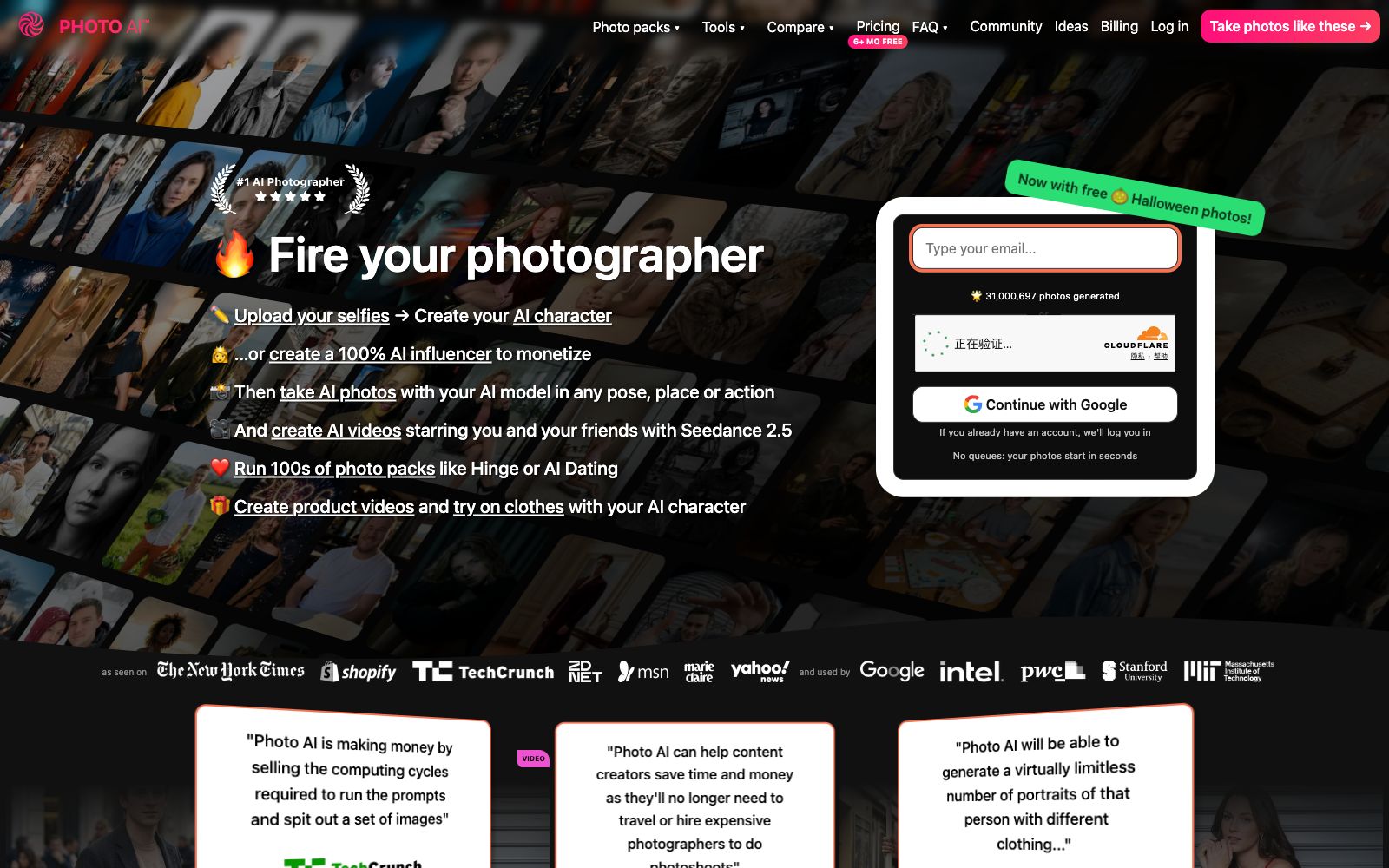
Photo AI is a person-centric AI photography studio. You can upload a dozen selfies to train a custom model, and then batch generate photos, outfit try-on images and product videos for any scene. It is suitable for creators and e-commerce sellers who need a large amount of personal image materials.
Updated: 2026-10-27
What is Photo AI?
Photo AI is an AI photography studio that turns "yourself" into reusable materials. Instead of inputting prompts to generate one image at a time, you first upload 5 to 15 selfies to train a character model, and then all your photos and videos will feature this fixed character. The official website calls it the world's first AI photographer, and a counter showing 30.97 million generated photos is displayed on the homepage. Compared with general image generators, it focuses on character consistency and the entire post-generation workflow: themed photo packs, virtual try-on, product videos, and multi-track editing are all integrated into the same platform.
Who is it for?
- People who need a large number of photos of themselves: social media avatars, dating app albums, and professional headshots, without the need to book a photo shoot for this purpose.
- Independent e-commerce sellers: who only have product images and need short videos and product images for hand-held display by models.
- Virtual persona account operators: Set their hometown, body type, hairstyle, and eye color from scratch to create a character that does not exist in reality and keep updating it.
- Photographers and stylists: Use AI to test lighting, scenes and clothing before official shooting to reduce trial-and-error costs.
- Creators who want to edit their own videos: After generating materials, they can directly compile them into short videos using the timeline within the platform.
Key features
6Exclusive Character Model
Upload 5 to 15 photos taken in different scenes and lighting conditions to start training. The official claims it takes about 5 minutes to complete. Once the model is built, you can generate images infinitely, and each model also comes with a set of free photos.
Hyper Realism™ Image Quality
The official claims this is its exclusive model, covering detail levels from ultra-wide-angle to macro. It features Upscale to enhance details and Zoom Out to expand the image outward, solving the problem of composition being cropped too tightly.
Hundreds of Themed Photo Packs
Style-packaged presets, such as Hinge for dating app style, Halloween, and hard flash studio shots. Each pack contains 20 to 32 photos, and the official states that all are included in the membership, saving you the trouble of writing prompts yourself.
Photo to Video
Any generated image can be converted into a short video with one click, and you can also add dubbing lines to make the character speak; there is also Mocap, which allows you to upload a real human action video to transfer the movements to the photo.
Virtual Fitting & Product Videos
Upload photos of clothing or products, have the AI model wear them or hold them for display, add scripts, AI voiceovers and automatic subtitles. Officially positioned as TikTok advertising and e-commerce material, it supports batch virtual fitting.
In-site multi-track editing
Clips can be dragged and reordered in the browser, multiple audio and video tracks can be overlaid, and exports can be done with muting or speed adjustment. The official states that there is no need to open professional editing software.
How to use Photo AI
- Build the model first before generating images: Image quality directly determines the similarity.
- Choose more than a dozen clear full-face photos with different scenes and lighting, and avoid selfies with heavy filters.
- Start with photo packs: The preset styles are already adjusted.
- Run one or two packs first to check if the likeness is accurate and stable, then write your own scene prompts.
- Free Credit Verification: Registration comes with free photos and holiday-themed packs.
- First, confirm the similarity within the free scope before deciding whether to subscribe.
- Portrait authorization must be kept on file: The generation of another person's image requires their consent, and most platforms require the annotation of "AI-generated" for synthetic figures used in commercial promotion.
- Video capabilities are still being expanded: The official stated that background sounds, music, and longer clips of 10 to 30 seconds will be added later.
- If longer clips are needed, plan in advance based on the existing short clips.
Traffic & popularity
Data month Sep 2026
Photo AI receives about 67.3K visits per month and ranks #583,409 worldwide.
Monthly visits
12 monthsTraffic sources
- Direct42.2%
- Search30.6%
- Social18.4%
- Referrals4.4%
- AI assistants2.8%
- Other1.6%
Top countries
- United States22.9%
- India5.7%
- Turkey3.2%
- France2.7%
- Vietnam2.7%
Estimated from third-party traffic data.
Similar tools
 AragonThe AI portrait generator launched by Aragon allows you to upload a few selfies, choose your outfit and background, and it can produce up to 100 studio-quality professional headshots within 30 minutes.
 FASHNFASHN is an AI visual agent for fashion e-commerce. It converts flat lay images or model photos of clothing into wear-on-body images, virtual try-ons and short videos. It also allows fixing model images and batch image generation, making it suitable for product pages and advertising materials of apparel brands.
 ImagesArt.aiImagesArt is an AI video generator that supports three modes: text-to-video, image-to-video, and first and last frames with reference images. It can output up to 4K resolution with built-in native audio, making it suitable for social media short videos, e-commerce advertisements, and design proposals.
 neural.loveAn AI image and video toolkit in the browser that can restore old photos, enhance image quality, edit images with text commands, convert static photos into videos, and even generate resume avatars from a single selfie. All tools share a single credit system, making it ideal for people who need to edit materials and create illustrations.
 Palette.fmPalette.fm is an online tool for colorizing black-and-white photos. It offers more than 20 color filters and keyword fine-tuning, supports batch processing, and allows for high-definition image export. It is suitable for people who restore old family photos and creators who work with historical materials.
 AnimeGeniusFree 2D anime painting station, supporting text-to-image, photo-to-anime, real-time graffiti generation, and anime image-to-video. It has hundreds of built-in painting styles and character types, suitable for fan art creation and avatar materials.