


ImagesArt.ai
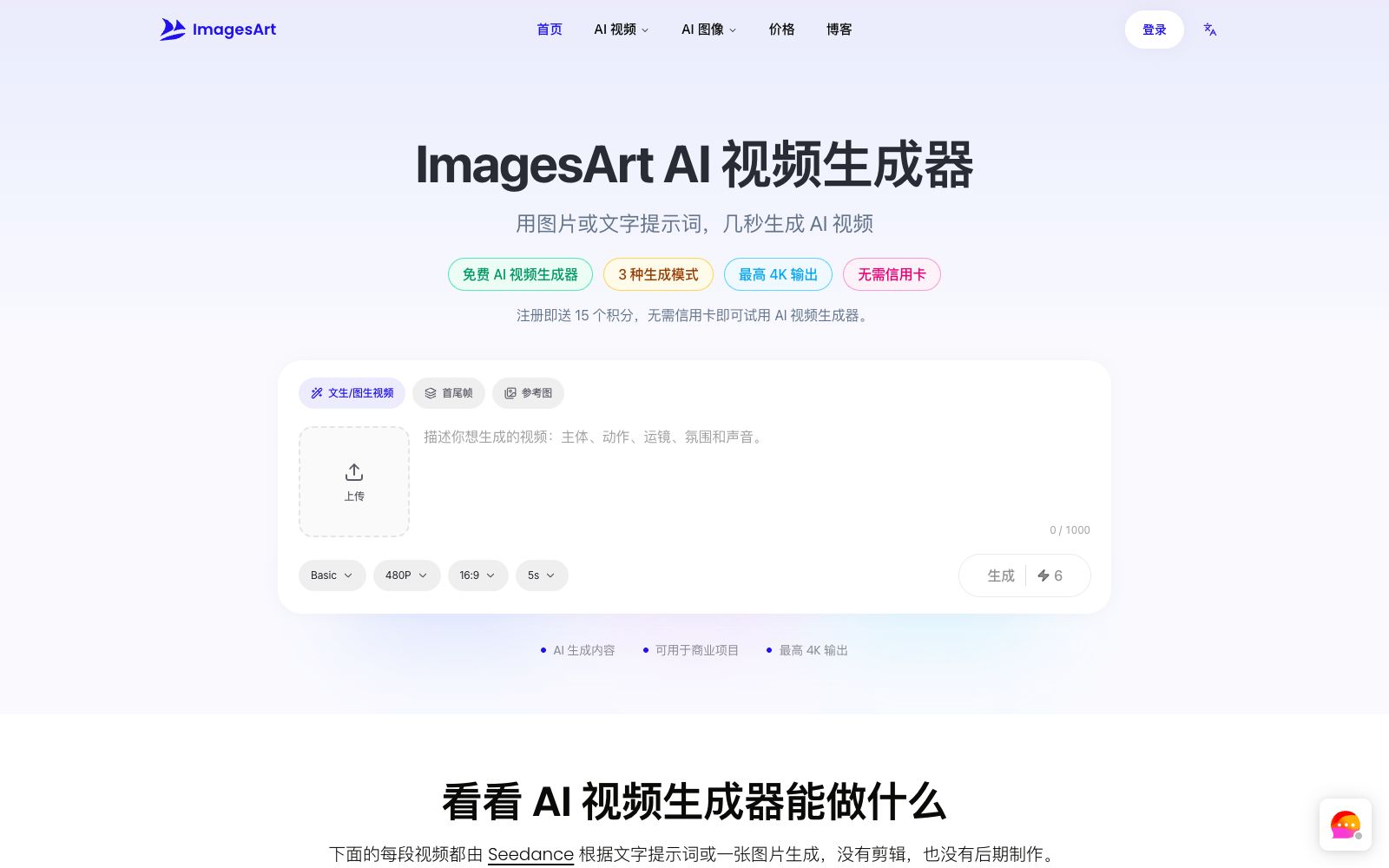
ImagesArt is an AI video generator that supports three modes: text-to-video, image-to-video, and first and last frames with reference images. It can output up to 4K resolution with built-in native audio, making it suitable for social media short videos, e-commerce advertisements, and design proposals.
Updated: 2026-10-27
What is ImagesArt.ai?
ImagesArt is an online AI video generator that also provides AI image tools. It can directly turn a text prompt or an image into a short video with sound without shooting or editing. Different from tools that are only bound to a single model, it puts multiple popular video models in the same drop-down menu and charges by points. The official website states that more than 100,000 creators use it, and new users get 15 free points upon registration without needing a credit card.
Who is it for?
- Social media creators: Turn great photos into Reels, TikTok, and Shorts short videos without needing photography or editing experience.
- E-commerce and brand operations: Create video ads with camera movement from static product images, and batch-produce A/B versions at a low cost.
- Designers and illustrators: Animate your works and illustrations for portfolios and client proposals.
- Agents and freelancers: Precisely control the reveal effect with the first and last frames, and present several directions in just a few minutes.
- Teams that need to draft first: Use low-cost clips to verify whether the storyboards and camera movements are feasible before official shooting.
Key features
6Text-to-Video and Image-to-Video
Generate content from scratch by writing prompts, or upload a photo and describe actions; the model will handle camera movement and native audio by itself, suitable for advertising creativity, portraits, products, and social media short videos.
First and Last Frame Control
Upload the first and last frames, and the AI will fill in the intermediate transitions, making it suitable for product reveals, before-and-after comparisons, and smooth transformations.
Reference Image Consistency
Upload up to 7 images of people, products or scenes and composite them into the same frame to ensure that characters or products remain consistent across multiple shots.
Multi-model Switching
A drop-down menu allows selecting different versions of models such as Seedance, Kling, and Veo, and the official claims that you can compare effects without changing tools.
Resolution & Audio
Output ranges from 360p drafts to 4K finished videos. The model generates ambient sounds, sound effects, and dialogue while creating the visuals.
Transparent Credit Points
The credits consumed this time are directly displayed on the generation button, and you can purchase subscriptions or one-time credit packs.
How to use ImagesArt.ai
- 1Getting started process: First select the mode, then include the five elements of subject, action, camera movement, atmosphere and sound in the prompt, generate it, preview it, and then download it.
- 2Free quota: New accounts get 15 credits, which the official says is enough to generate a 5-second test video in 480p.
- 3Paid Tiers: The Starter Plan starts at $9.99 per month, the Professional Plan at $19.99, and the Flagship Plan at $49.99. Higher tiers unlock 1080p and 4K resolution as well as permanent storage earlier.
- 4Commercial Use and Payment: Paid tiers include commercial use authorization; the official website indicates that subscriptions only support bank cards, while WeChat users can choose to purchase credit packs.
- 5Storage duration: Free version only keeps videos for 7 days. Remember to download the finished videos you are satisfied with in a timely manner.
Traffic & popularity
Data month Sep 2026
ImagesArt.ai receives about 274.0K visits per month and ranks #145,234 worldwide.
Monthly visits
12 monthsTraffic sources
- Search51.2%
- Direct42.4%
- Referrals6.2%
- Social0.3%
- Mail0.0%
Top countries
- United States55.1%
- United Kingdom14.3%
- India5.1%
- Indonesia3.8%
- Netherlands2.6%
Estimated from third-party traffic data.
Similar tools
 DezgoDezgo is a multi-model aggregated image and video generation platform. With one interface, you can call models such as Flux, Qwen Image, and Nano Banana. It also provides free tools such as background removal, image upscaling, and redrawing, making it suitable for horizontally comparing image generation effects.
 neural.loveAn AI image and video toolkit in the browser that can restore old photos, enhance image quality, edit images with text commands, convert static photos into videos, and even generate resume avatars from a single selfie. All tools share a single credit system, making it ideal for people who need to edit materials and create illustrations.
 ImageFusion AIOnline AI image fusion tool: Upload up to 5 images and select a preset style or reference image to synthesize one image. The official states that it supports PNG/JPEG output and multiple aspect ratios. The finished products can be used for social media avatars, e-commerce and marketing materials.
 AnimeGeniusFree 2D anime painting station, supporting text-to-image, photo-to-anime, real-time graffiti generation, and anime image-to-video. It has hundreds of built-in painting styles and character types, suitable for fan art creation and avatar materials.
 Supawork AIAn AI workspace aggregating multiple models can generate professional avatars, videos and special effects, supports watermark removal, lip syncing and thesis translation, and one subscription covers image, video and learning scenarios.
 SJinnSJinn is an AI agent for image and video creation. You can input descriptions to generate images, videos, audio and 3D content. It also provides tool mode, canvas mode and template skills, making it suitable for creative teams that need one-stop material production.