

Osaurus
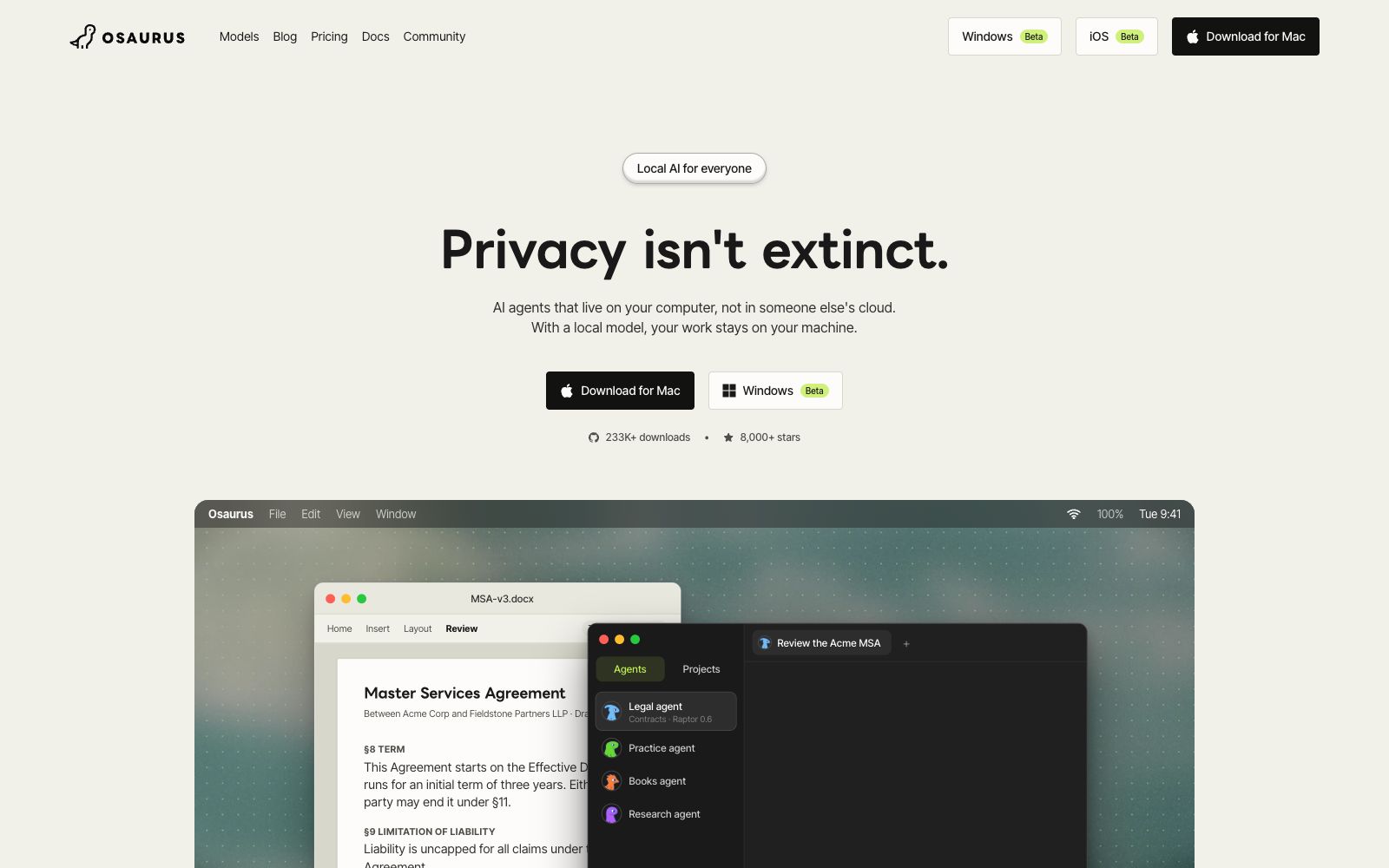
Osaurus is an open-source client for running AI agents natively. It works with local models like Raptor, is private by default and can run offline, offering a stable Mac version and a public beta version for Windows; the agent can read documents and notes in local folders, retain cross-session memory, and ask for confirmation before modifying files.
Updated: 2026-10-26
What is Osaurus?
Osaurus is an AI agent client that runs on your own computer, and its official website summarizes it as "an agent that lives in your computer, not someone else's cloud". The difference from most cloud-based agents lies in its default form: the model, memory, tools, and sandbox are all on the local device. The official states that the applications, local models, agents, and updates are all free and open source, with no account requirements, no trial limitations, and no usage limits for local use. Only Osaurus Cloud quotas and team workspaces are paid features.
Who is it for?
- Mac users who want to run AI agents locally and are unwilling to send their documents to cloud services.
- Individuals and small teams who need to handle sensitive materials such as contracts, medical records, and financial documents.
- Developers who want to keep their memory, tools and sandboxes locally while still being able to switch to cloud models on demand.
- People who already have the OpenAI, Anthropic, Ollama or MCP toolchains and want to keep the same set of interfaces on their local machine.
Key features
6Self-developed local model Raptor
According to the official website, Raptor 0.6 is an open-weight model optimized for stable tool invocation, with a size of 3.7 GB. It is designed for Macs with 16 GB of memory, can run on a minimum of 8 GB, and supports offline use.
Available offline
After loading Raptor or other local models, you can continue working without an internet connection; the official website clearly states that only internet browsing, connecting to services, and using cloud models require an internet connection and may send data out of the local machine.
Start from your files
Give the agent a folder full of notes, documents or reference materials, and it will work based on your own materials. In the official example, the agent first reads the documents and then makes revisions in accordance with the rules.
Ask Before Making Changes
The official website states that the agent will request confirmation before modifying any files, and changes will only occur within the folders you specify and can be reversed.
Privacy Filter (Experimental)
Before sending messages to cloud-based models, the Privacy Filter replaces names, email addresses, account numbers, and the like with placeholders, and restores them upon receiving responses.
Memory and Traceability
The agent retains cross-session memory locally (compatible with both local and cloud models); Insights will display everything it has done, including any content that leaves the local device.
How to use Osaurus
- Install it according to the official website (brew install --cask osaurus) and download Raptor.
- Start with 8 GB of RAM for basic operation.
- 16 GB delivers a more stable experience.
- Ensure your hard drive has space for the model which starts at 3.7 GB.
- It is recommended to start by running only a local model to complete an offline task first.
- After confirming the results, decide whether to connect to a cloud model.
- When dealing with privacy, first enable the Privacy Filter and only authorize necessary folders.
- at the same time, clarify the boundaries between local models and cloud models, as online functions will send out context, history, and document fragments.
- Be sure to back up important files first or test them in a copy folder.
- although changes can be reverted, check the differences before approval.
- Don't rely on tools to solve compliance issues: the official website clearly states that no single application can make an organization compliant on its own.
- You need to check your own requirements against the official privacy and security documents.
Traffic & popularity
Data month Sep 2026
Osaurus receives about 45.1K visits per month and ranks #564,067 worldwide.
Monthly visits
12 monthsTraffic sources
- Direct47.2%
- Search27.9%
- Social11.1%
- Referrals9.8%
- Mail1.3%
- Other2.8%
Top countries
- France45.5%
- Switzerland24.9%
- United States20.9%
- South Korea5.3%
- Canada2.5%
Estimated from third-party traffic data.
In these collections
Similar tools
 Jan.aiAn open-source local AI chat client, which the official says can run open-source models locally and also connect to cloud models, supports multi-model switching and memory, is developed by Menlo Research, and is free and open-source on the desktop version.
 puppyonepuppyone is a folder for AI agents: Over 40 agents such as Claude Code, Codex, and Cursor can read from and write to the same folder simultaneously. All changes are committed to Git, allowing you to view diffs and roll back. It is free by default locally and can also be hosted in the cloud for permanent use.
 AntigmaAntigma is a terminal coding agent and agent runtime: a single command to install a single-file program, switch between cloud or local models in a session, built with Rust and with no external runtime dependencies.
 LM StudioA desktop local AI application, now positioned as a Bionic agent for writing and programming, supports local model operation, document and code generation, and real-time speech transcription. The official states that cloud-based inference features zero data retention within the United States.
 EigentOpen-source desktop multi-agent workspace that enables AI agents to operate browsers and local applications to complete real tasks. The official version supports custom model selection, approval of key steps, and traceability of execution trajectories.
 RowboatRowboat is a desktop AI colleague with memory. Officially, it will refine your work into a knowledge graph and execute tasks locally, with your emails, notes and memories all stored on your device.