

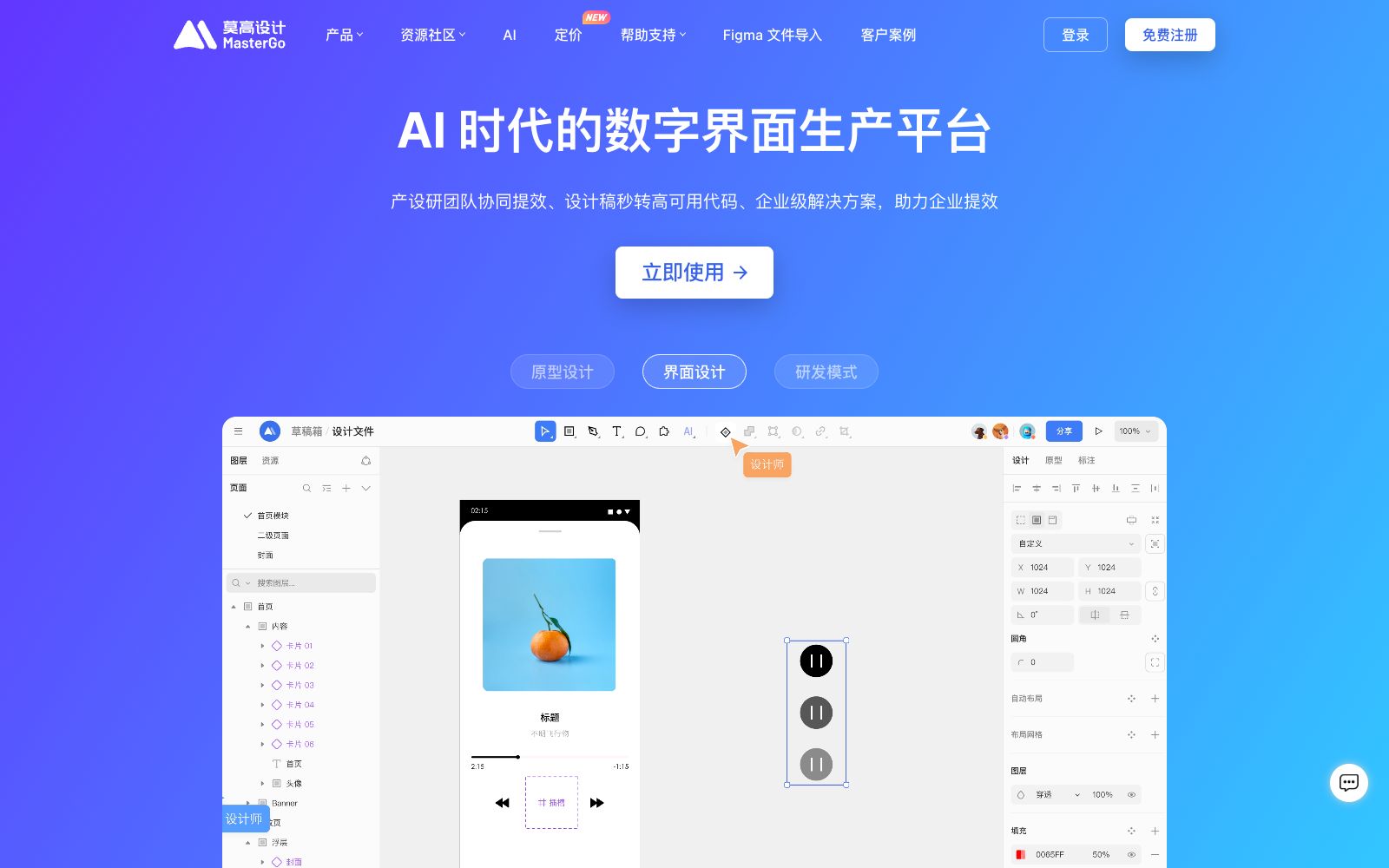

MasterGo AI
A domestic digital interface production platform that provides AI text-to-image prototyping, professional interface design, and design-to-code capabilities. It supports online collaboration between product, design and R&D teams, enterprise asset management, and enterprise-level permission deployment, and is tailored for integrated collaboration scenarios in product design and R&D.
Updated: 2026-10-26
What is MasterGo AI?
MasterGo (Mogao Design) is a domestic digital interface design tool. Its official website positions itself as a digital interface production platform in the AI era. It covers the three-stage process of prototyping, interface design, and R&D delivery: product managers can generate high-fidelity prototypes with text or images; designers complete interface design and design system maintenance within the same file; R&D personnel can directly view parameters and copy code snippets. This approach of integrating three roles onto a single platform mainly solves the problem of information fragmentation caused by tool switching.
Who is it for?
- Product Manager: Needs to quickly produce prototypes for review, reducing the cost of communicating back and forth between documents and design tools.
- UI and UX designers: They need professional online design tools and unified design systems to support the parallel progress of multiple projects.
- Front-end R&D engineers: Hope to directly obtain design parameters and code snippets to shorten the time for design restoration and joint debugging.
- Digital teams in medium and large enterprises: Focus on enterprise-level capabilities such as centralized asset management, permission control, and private deployment.
Key features
6AI-Generated Prototypes
The official version states that it supports generating prototypes from text or images, and allows adjustments via natural language instructions, enabling the rapid transformation of ideas into high-fidelity prototypes.
Professional UI Design
It offers features such as auto-layout, asset filling, design systems, component reuse, responsive layouts, and slots, reducing manual alignment and repetitive construction.
Design-to-Code Delivery
The official states that the design drawing parameters are visualizable. R&D personnel can view component code snippets and attribute styles, and directly copy code such as CSS and React.
Online Collaboration of Product, Design and R&D
The official version states that real-time collaboration, commenting and viewing updates are available in the same file, avoiding version confusion and communication delays caused by repeated export and upload.
Enterprise Asset Management
File assets are stored in the cloud, replacing the traditional mode of being scattered on personal devices, facilitating the team to accumulate and manage digital assets.
Enterprise-level Governance and Deployment
Provides multi-level member permission configuration, team performance data dashboards, as well as SSO single sign-on and various deployment customization integration solutions.
How to use MasterGo AI
- First, refine component and style specifications into a design system, so that subsequent AI-generated and manually designed content can maintain a consistent visual standard.
- AI-generated prototypes are recommended as a starting point for discussion, and the interaction logic and boundary states still need to be jointly confirmed by the product and design teams.
- When migrating from other design tools, first verify the restoration of fonts, components and auto-layout before switching the team's workflow as a whole.
- Design assets involve enterprise intellectual property rights.
- It is recommended to configure permission and backup strategies in advance and clarify the access and export scope of members.
- The output of design-oriented AI tools is more suitable as "starting materials": they can quickly explore directions, but details such as brand consistency, print bleeds, and font licensing still need to be finalized by designers.
- Before directly delivering the source files, be sure to check each item carefully.
Traffic & popularity
Data month Sep 2026
MasterGo AI receives about 2.7M visits per month and ranks #8,451 worldwide.
Monthly visits
12 monthsTraffic sources
- Direct89.8%
- Referrals4.8%
- Search3.6%
- Display ads1.2%
- Social0.5%
Top countries
- China92.6%
- United States2.9%
- Hong Kong, China1.6%
- Singapore1.2%
- South Korea0.6%
Estimated from third-party traffic data.
Similar tools
 UX PilotAn AI interface design tool for product teams that can generate wireframes and high-fidelity interfaces from sketches, ideas or requirement documents, supports the reuse of existing design systems, and directs the results to design collaboration and development delivery.
 Modao AIA domestic intelligent prototyping design and production-research collaboration platform that offers one-click generation of multi-page prototypes, AI-powered PPT and PRD creation, flow chart and mind map generation, as well as design-to-code conversion capabilities. It supports multi-device access and is tailored for collaboration scenarios of product teams.
 MiaoduoAn AI-driven user interface design tool that supports importing typical interfaces for AI to learn design styles, generating interfaces and components based on text or images, and providing MCP to enable coding tools to understand design drafts and generate front-end code, targeting the collaboration scenario of product, design and research teams.
 Tencent Design ArdotAn AI design tool launched by Tencent, it supports text-to-interface generation, image conversion to editable design drafts, vector editing and dynamic layout, and connects design collaboration with development delivery through design systems, permission auditing and code replication.
 PixsoA domestic AI collaborative design tool that integrates whiteboarding, prototyping, UI design and delivery in one. Its official website states that it supports AI one-click generation of UI design drafts and React/Vue code, connects the entire design-to-development pipeline, and can import Figma files.
 StitchStitch is an AI design tool launched by Google that quickly generates interfaces for mobile and web applications, making design ideas easy and efficient to realize. It requires a Google account to log in and shortens the distance from inspiration to interface sketches.