


Jishi Design
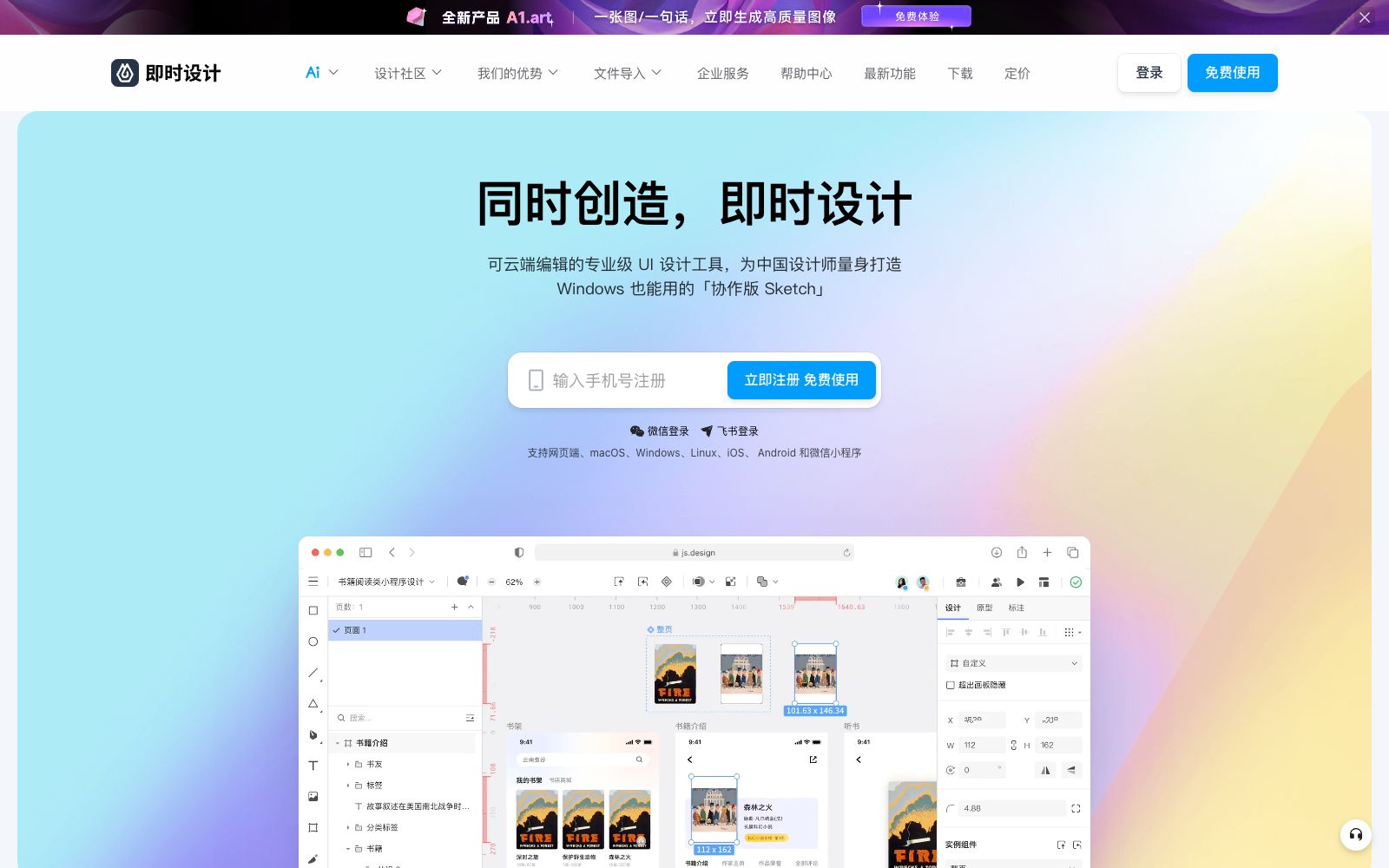
A professional online UI design tool for domestic designers, supporting real-time multi-person collaboration, prototyping and interaction, resource management and development annotation, compatible with Figma, Sketch, and XD file formats. It can be used directly in a browser and is permanently free.
Updated: 2026-10-26
What is Jishi Design?
Jisuanji Design is a professional online UI design tool for domestic designers in China. Its official website states that it is the first product of its kind for Chinese designers, positioning itself as a "professional cloud-editable UI design tool tailored exclusively for Chinese designers" and drawing a comparison to "a collaborative version of Sketch that also works on Windows." It integrates real-time multi-person collaboration, prototyping and interaction, resource management, and development handoff annotations all in one place. It supports file formats compatible with Figma, Sketch, and XD, and can be used directly in a web browser. The official website marks it as permanently free. Its client versions cover the web, macOS, Windows, Linux, iOS, Android, and WeChat Mini Programs, and it supports login via WeChat and Feishu.
Who is it for?
- Domestic UI designers and product teams who need real-time multi-person collaboration and online review
- Teams migrating from Figma, Sketch, or XD who wish to retain their historical files
- Product research and development teams that need to deliver design drafts to developers and pay attention to the accuracy of image slicing and annotations
- For those who want to directly read and modify design files with AI assistants, they can access through MCP-type plugins
- Enterprise users who require private deployment, multi-terminal clients and data security guarantee
Key features
7Real-time Collaboration
According to the official website, multiple designers can create simultaneously, product managers can conduct reviews and communicate feedback at any time, and R&D personnel can view real-time updated design drafts and obtain slice annotations.
Multi-file format migration
It can import Figma, Sketch, and XD files, and also export Sketch files. The official website emphasizes "easy access and easy export".
Cover the entire product research and development process
It covers product prototyping, brainstorming, page interaction production and high-fidelity prototyping, as well as the design process, resource library sharing and upstream and downstream comments, and then goes to design draft annotation, automatic image cropping and code style generation.
Resources & Community
The official website shows that the community has over 19K+ works, 200+ resource libraries, and 29K+ design elements; the plugin plaza provides layer style and code export, large image tile export, text style editors (vertical text and arc curve text), artboard size checker, etc.
AI and MCP Capabilities
The platform features an "AI Design Era" section integrated with the A1.art AI image generation application platform; Refore Talk to Design MCP and MCP Bridge in the plugins can connect the artboard to MCP-supported AI assistants, enabling reading, creation, and editing.
Storage and Experience
Millisecond-level storage, supporting offline file saving, auto-save and history records; offering Light/Dark mode and 5 highlight color combinations.
Release and Deployment
The official website's update log lists instant whiteboards, one-click full-site launch for instant go-live, one-click publishing of design drafts as web pages, and provides consulting services for enterprise services and private deployment.
How to use Jishi Design
- For the migration phase, it is recommended to first import existing Figma, Sketch, and XD files using the file import feature, and switch the entire team over only after confirming that components and layers are intact.
- During team collaboration, store design specifications and components in a shared resource library, which will significantly reduce the cost of subsequent page modifications.
- In the delivery phase, directly use design annotation and automatic slicing tools can minimize the time spent on repeated alignment with the R&D team.
- the comparison data provided on the official website shows improvements in team collaboration, asset management, and tool operation efficiency respectively.
- For those who want to integrate AI, try plugins like MCP Bridge to connect artboards to MCP-supported assistants for batch modifications.
- The official website states that it is permanently free and provides a free registration portal.
- enterprise functions and private deployment require separate consultation, and specific rights and interests shall be subject to the instructions on the corresponding page.
- For fonts and materials involved in commercial projects, pay attention to verifying commercial usage authorization.
Traffic & popularity
Data month Sep 2026
Jishi Design receives about 1.5M visits per month and ranks #14,124 worldwide.
Monthly visits
12 monthsTraffic sources
- Direct71.5%
- Search19.7%
- Referrals8.4%
- Social0.3%
- Display ads0.1%
Top countries
- China88.4%
- Singapore5.5%
- United States2.1%
- Hong Kong, China0.8%
- South Korea0.6%
Estimated from third-party traffic data.
In these collections
Similar tools
 PixsoA domestic AI collaborative design tool that integrates whiteboarding, prototyping, UI design and delivery in one. Its official website states that it supports AI one-click generation of UI design drafts and React/Vue code, connects the entire design-to-development pipeline, and can import Figma files.
 FlowstepFlowstep is an AI interface design tool. Officially, it claims to generate multi-screen UIs with prompt words, supports conversational editing or manual modification, and enables exporting code, copying to Figma, and integrating into IDE via MCP.
 UizardAn AI UI design tool for product teams that can generate interface prototypes for apps, websites and desktop software using natural language and screenshots. Its official website claims it is as simple as using PowerPoint, making it ideal for quickly validating product ideas.
 MiaoduoAn AI-driven user interface design tool that supports importing typical interfaces for AI to learn design styles, generating interfaces and components based on text or images, and providing MCP to enable coding tools to understand design drafts and generate front-end code, targeting the collaboration scenario of product, design and research teams.
 SubframeSubframe is a design tool connected to the codebase, as well as a canvas-enabled coding agent. It allows infinite canvas design, previewing and editing online applications, and agent code modification all in one tool.
 ProcessOnAn online drawing tool and knowledge sharing community that supports AI one-click generation of mind maps and flowcharts, can draw various diagrams such as Gantt charts, ER diagrams, UML, and network topology diagrams, and also supports real-time multi-person collaboration and template cloning.