


CastReader
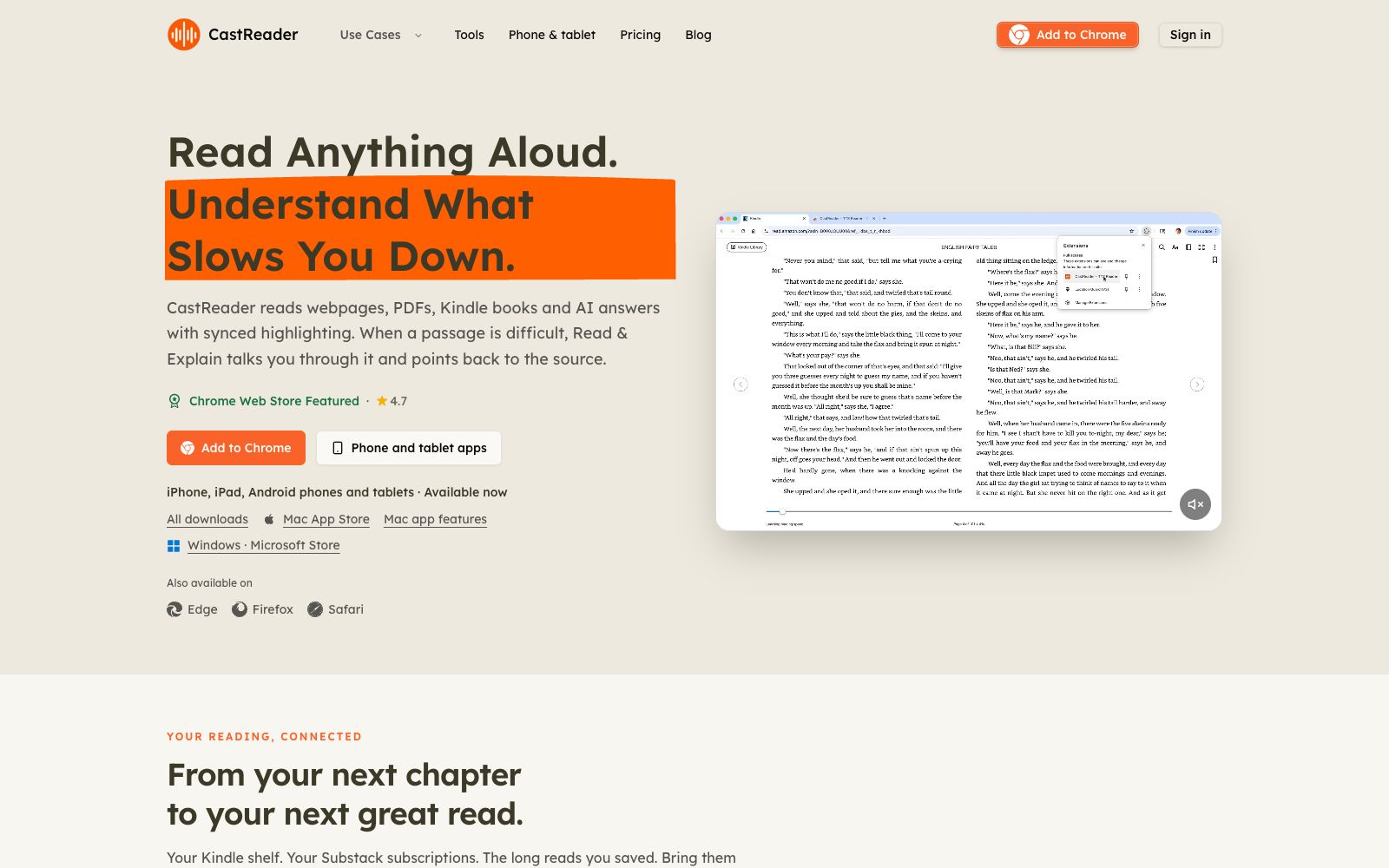
CastReader reads aloud web pages, PDFs, Kindle books and AI answers, with the current paragraph highlighted synchronously during reading. For difficult passages, you can use Read & Explain to get explanations and mark the original text. It supports 32 languages for voice synthesis and is available on mobile phones, tablets and browser extensions.
Updated: 2026-10-26
What is CastReader?
The official website of CastReader positions itself as "Read Anything Aloud. Understand What Slows You Down." — it reads aloud web pages, PDFs, Kindle books and AI answers, while keeping the original text visible and highlighted synchronously. Its difference from pure reading tools like Speechify and NaturalReader lies in "explanation": the official website states that ordinary reading tools just finish reading dense or foreign language paragraphs, but it will clarify the meaning when encountering difficult parts, and at the same time mark the original text with circles, guiding you to read like a tutor listening beside you.
Who is it for?
- Readers with reading difficulties and those who easily get distracted. The official website states that audio paired with visual highlighting helps maintain focus and reduces reading fatigue.
- For students and researchers, who listen to textbooks, research papers and lecture notes, the official website positions it as dual-channel learning.
- Commuters who want to turn industry reports, newsletters and long-form analyses into audio content.
- Language learners: keep the original text such as German while listening to explanations in a language you are familiar with.
- Visually impaired readers, audiobook enthusiasts, and those who want to reduce screen time.
Key features
6Synchronized Highlighting for Reading Aloud
The official website states that while reading aloud, the original text remains in view, following word by word, with the current paragraph permanently displayed. It features synchronized highlighting and automatic scrolling to help you keep your place.
Read & Explain
The official website states that for difficult passages, it explains the meaning rather than just pronouncing the words. It uses subtitles and handwritten-style marks to point to the exact location in the original text being explained, and the language of the explanation can be chosen freely.
Cross-language Explanation
The official website states that you can keep the foreign language text you don't quite understand while listening to the explanation in a language you master, with options such as Chinese, Japanese, Spanish, and French provided as examples.
Kindle and Reading Platforms
The official website states that the browser extension can read aloud the text visible in the Kindle Cloud Reader without replacing the original reading page; on mobile devices, it aggregates bookshelves such as Kindle, WeRead, Libby, and Kobo, as well as subscriptions like Substack and Medium, into a single library.
Single AI Answer Text-to-Speech
The official website states that a play button will appear on supported answer layouts such as ChatGPT, Claude, and Gemini, allowing you to listen to only one answer without having to replay the entire page.
Private Voice Cloning & Voice API
According to the official website, users can create a private voice by recording a clean audio clip after logging in. The Pro version allows using this voice for reading and explaining PDF, EPUB, Word, and TXT files, with 120 minutes per month. A preview version of the REST API is also available, supporting 10 languages.
Things to know
Usage Tips
- Try the free version with the Chrome extension first: The official website states that the free version offers 20 minutes of listening per day with standard voice, 1.25x speed, and 3 explanations daily, and you can start without registering.
- Upgrade to Pro only when you need full e-books, long PDFs, premium voices, or unlimited explanations. The official website states that the annual payment is equivalent to about 3 US dollars per month, and you can cancel at any time.
- The effect depends on the current page layout. The official website advises testing first before relying on workflows such as AI answer reading and Google Docs.
- Voices vary by application and source: The official website states that it supports a total of 32 languages with varying levels of support. Listen to real sample voices on Voice Hub first before making a selection.
- Authorization and Compliance: Cloning another person's voice requires confirmation of ownership or explicit authorization; documents are parsed locally and the original files remain on the device, but reading and explanation will transmit the paragraphs being spoken to the server.
Traffic & popularity
Data month Sep 2026
CastReader receives about 13.7K visits per month and ranks #2,925,964 worldwide.
Monthly visits
7 monthsTraffic sources
- Direct38.2%
- Referrals29.2%
- Search29.0%
- AI assistants3.1%
- Mail0.4%
Top countries
- United States73.6%
- United Kingdom3.4%
- Australia2.9%
- India2.6%
- Germany2.6%
Estimated from third-party traffic data.
Similar tools
 CrikkA reading tool that converts text, PDFs and images into speech, synchronously highlighting words and sentences while reading aloud, adjustable up to 4x speed, suitable for absorbing materials by listening during commuting, exercising or doing housework.
 SpeechifyA TTS assistant that specializes in reading out any text for you. According to its official website, it covers web pages, Chrome extensions, and iOS/Android/Mac/Windows platforms, and offers features such as voice input, dubbing, and voice cloning.
 ElevenReader by ElevenLabsConvert PDFs, e-books and web pages into natural speech for reading aloud, offer thousands of voices and multilingual narrators, and have 200,000 built-in audiobooks, suitable for people who listen to long texts during commutes and housework.
 GlaspGlasp is a web and PDF highlighting tool for researchers and learners. You can highlight any web pages and documents for free, use AI to summarize YouTube videos, and turn your highlights into a conversational personal knowledge base.
 WisprkeyA Mac voice assistant built by a Swedish team, offering speech-to-text in any app, multilingual text-to-speech, and on-device meeting notes. The official claim is 98% transcription accuracy, making it useful for writing code, editing documents, and reviewing meetings.