


Typeless
Typeless is an AI voice input tool. According to the official, speaking will immediately be converted into smooth emails and documents. It can automatically remove colloquialisms and repetitions, switch tones according to applications, support more than 100 languages, and be used on multiple devices.
Updated: 2026-10-26
What is Typeless?
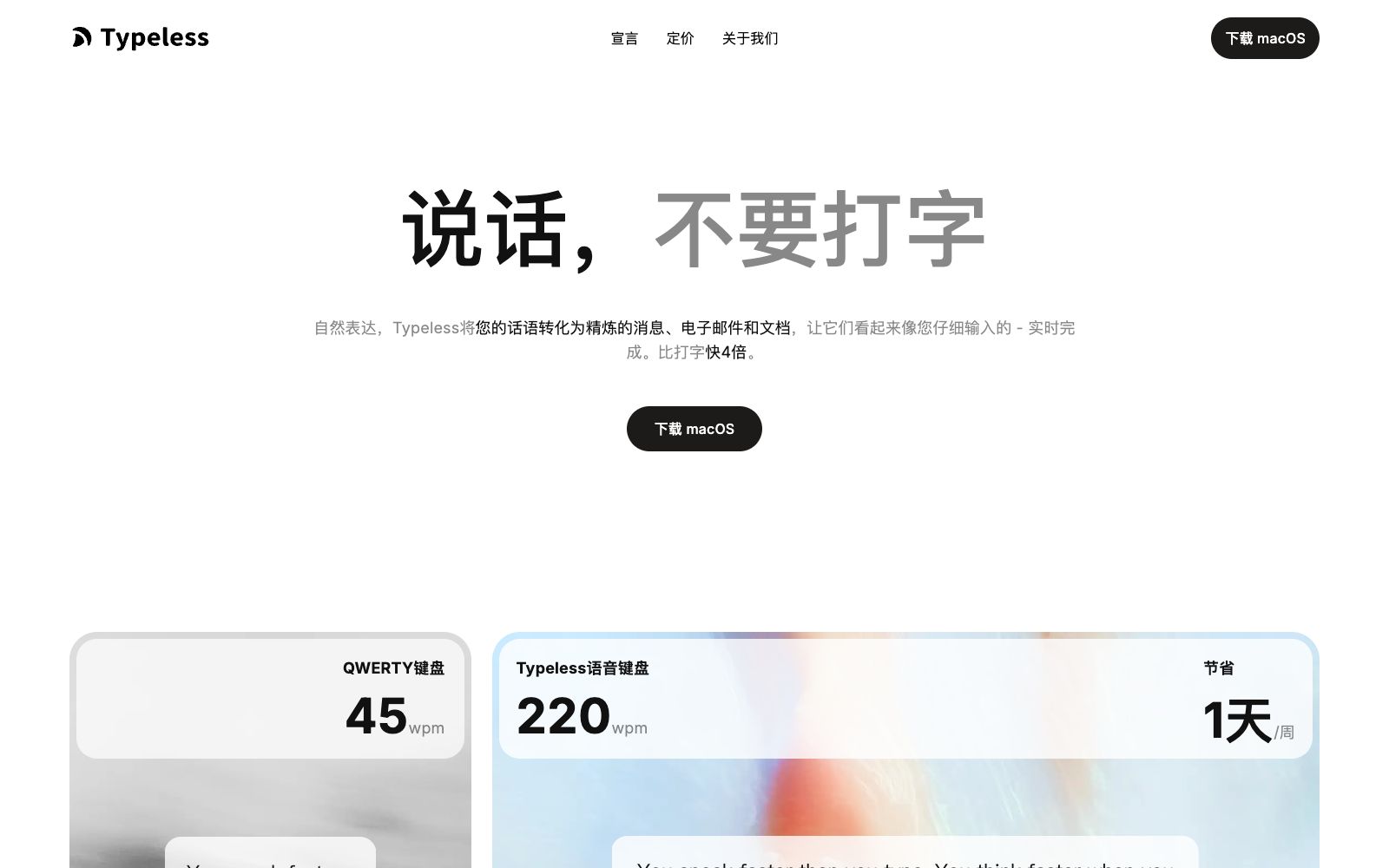
The official tagline for Typeless is "Speak, don't type": speak naturally, and it will turn your words into messages, emails and documents that read as if they were carefully typed out, all in real time. The official comparison is that keyboard typing is about 45 words per minute, while Typeless voice input is around 220 words per minute, and it claims to save about an hour each day. The key difference between it and regular speech-to-text lies in the word "editing" — the official focus is on automatically removing conversational fillers, automatically eliminating repetitions, retaining only the final meaning when you backtrack and revise, and automatically structuring text, rather than just converting speech into text.
Who is it for?
- Knowledge workers who write a large number of emails, messages and documents every day.
- Users who write in a non-native language and need real-time translation while writing.
- Heavy mobile office workers who want to reply quickly on their phones.
- Creators and developers who type slowly or have wrist discomfort and want to switch to voice input.
Key features
6Smart Transcription
The official claims it automatically removes filler words like um, uh, and you know, and identifies and deletes repetitive content, making the transcription clearer and more professional.
Edit on the go
The official says that when you change your mind mid-sentence, it only retains what you ultimately want to express; it also automatically organizes dictated lists and steps into structured text.
Cross-application and multi-platform
The official says it can be used on Mac, Windows, Linux, iOS and Android, and in any application where you are writing.
Personalized Style
The official says it adapts to your tone, wording and writing habits, and provides a personal dictionary to record the names, terms and expressions you care about.
Multilingual and Translation
The official claims it supports over 100 languages, enabling real-time translation while speaking, and allows setting different tones for different applications.
Speak to Selected Text
The official feature allows you to speak to selected text for editing, asking questions, as well as quick Q&A and operations.
How to use Typeless
- 1The company states that voice input speed is about 4 times that of typing, but it is still recommended to read through the formal text once, especially the numbers and proper nouns.
- 2The personal dictionary gets more accurate the more you use it. It is recommended to manually add proper nouns and abbreviations to avoid repeated mistakes.
- 3Regarding privacy, the official states that audio is not stored on the cloud, data is not used for training, and cross-device history is encrypted, with compliance to ISO 27001, GDPR and HIPAA certified.
- 4For regulated scenarios such as healthcare, you must still comply with the compliance requirements of your organization; the product's compliance certification does not equal business compliance.
- 5The platforms for pricing and support may be subject to change; please refer to the official website before downloading and subscribing.
Traffic & popularity
Data month Sep 2026
Typeless receives about 220.0K visits per month and ranks #228,275 worldwide.
Monthly visits
12 monthsTraffic sources
- Direct45.9%
- Search28.5%
- Referrals19.3%
- Social4.0%
- AI assistants0.8%
- Other1.5%
Top countries
- Taiwan, China17.3%
- United States15.5%
- China15.1%
- Japan13.3%
- South Korea4.2%
Estimated from third-party traffic data.
Similar tools
 NetEase BageNetEase Bage is an AI voice input tool for desktop launched by NetEase. It supports speech-to-text, intelligent polishing, automatic removal of spoken language, custom hotwords and voice translation. Its official positioning is 5 times faster than typing.
 Wispr FlowWispr Flow is a speech-to-text tool. What you say is cleaned into smooth text as you speak. It automatically recognizes languages, learns your proper nouns, and switches tones for different apps. It now includes a meeting recording feature.
 SpeechPulseA local voice input tool based on Whisper enables voice typing in any application. It supports offline recognition and transcription of 99 languages, and can also transcribe audio files and generate subtitles. The official states that data does not leave the local device.
 SpeechifyA TTS assistant that specializes in reading out any text for you. According to its official website, it covers web pages, Chrome extensions, and iOS/Android/Mac/Windows platforms, and offers features such as voice input, dubbing, and voice cloning.
 SpeechnotesA free online speech-to-text tool that allows real-time dictation and note-taking via a browser, as well as uploading audio and video files for automatic transcription and translation. It provides browser extensions and transcription APIs. The official website states that it has served millions of users since 2015.
 ShandianshuoThe AI communication assistant produced by Tanwei Technology helps you organize replies in chat apps such as WeChat and Feishu, transcribe voice messages into clean text, and make your expressions more tailored to the other party with continuously updated communication memory.