


SayIt
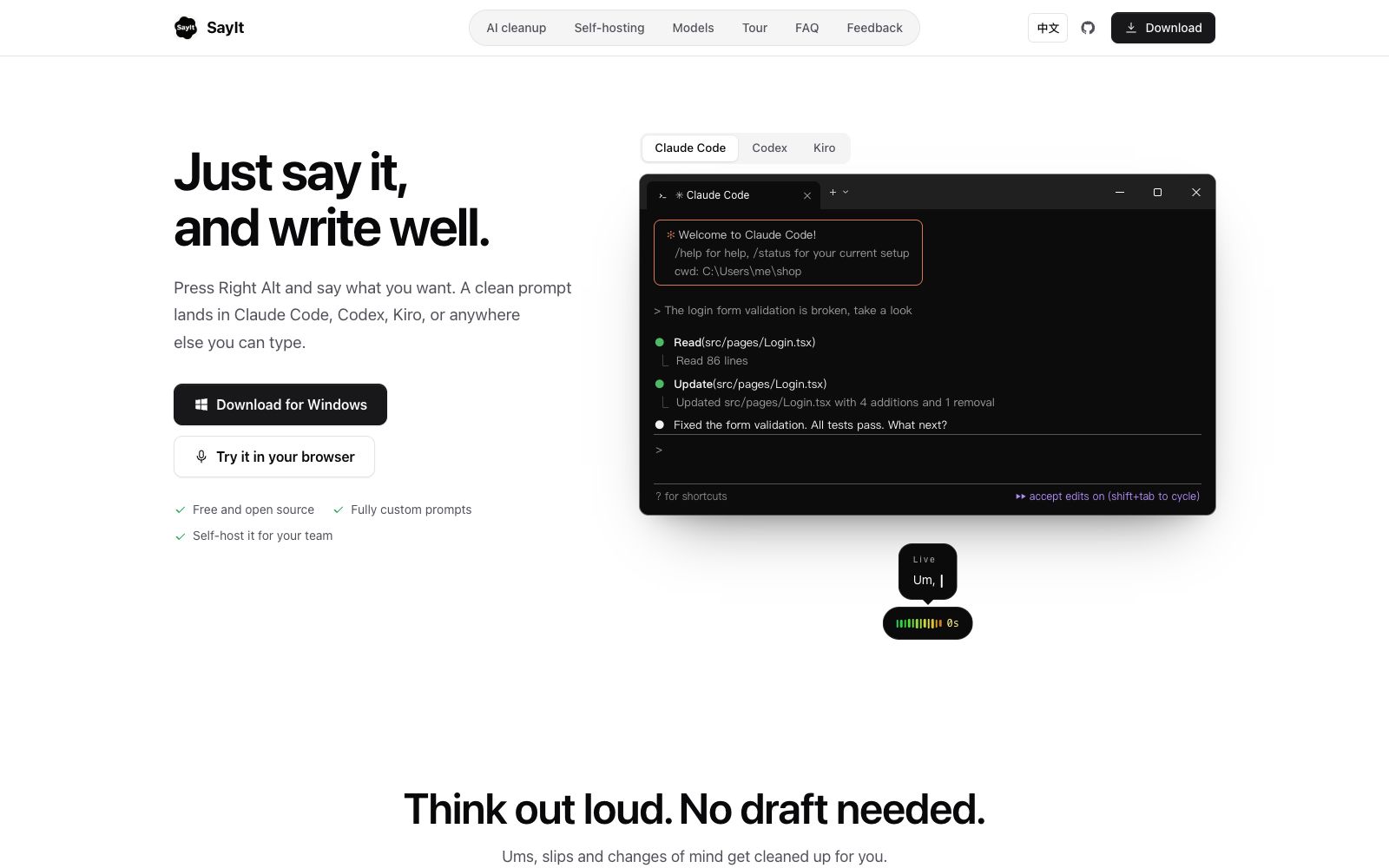
Open-source voice input tool for Windows: Press the shortcut key and speak, then the AI removes filler words and organizes the content according to custom prompt words, directly inputting it into Claude Code, Codex, Kiro, or any inputable area.
Updated: 2026-10-27
What is SayIt?
SayIt is a free and open-source voice input tool for Windows, and its official website summarizes it as "Just say it, and it's written down." The difference between it and the voice-to-text function built into input methods lies in an extra layer of AI cleaning: the floating window displays the original recognition results in real time while you are speaking, and after you stop, the AI will remove filler words, follow your self-corrections, and fix terminology, then paste the sorted text at the cursor. The typical scenarios provided on the official website are dictating requirements to programming Agents such as Claude Code, Codex and Kiro.
Who is it for?
- Developers who use programming agents like Claude Code, Codex, and Kiro and find it too slow to describe their needs by typing.
- Writers and product managers who like to think aloud and don't want to draft first and then organize their thoughts.
- Teams that are data-sensitive and want speech recognition to run locally or on their company's servers.
- Users who need to input text for long periods and want to reduce hand strain can use it directly after installation, according to the official website.
- Engineers who want to customize cleaning rules based on their own terminology databases and writing styles.
Key features
7One-click voice-to-text with shortcut keys
Officially, press Right Alt to start speaking, and the sorted text will directly appear in the currently editable area without switching windows.
AI Cleans Spoken Text
As described on the official website, the AI removes verbal tics, follows self-corrections, and refines terminology, turning spoken language into polished prompts or body text.
Custom Cleaning Prompts
The official website lists "fully customizable prompts" as one of the main selling points, allowing users to write different sorting rules for different scenarios.
Preset Modes
The official website mentions "One sentence, four presets", making it easy to switch between several output styles.
Customizable Recognition Location
The official version states that you can choose where the speech is recognized, supporting both offline operation and the use of large tech company models.
Self-deployment
Can be deployed on your own team's or company's servers, and the official website provides Self-hosting instructions.
History & Hotwords
The official website lists modules such as History, Voice engine, and Hotwords, which make it easy to review records and improve the recognition of proper nouns.
How to use SayIt
- 1After installation, first press Right Alt to say a few sentences, observe the gap between the original recognition on the floating layer and the final output, and then decide whether to adjust the prompt words.
- 2First, write your own cleaning prompts: terminology list, punctuation habits, and whether to retain colloquial style. This step basically determines the output quality.
- 3If proper nouns are not recognized correctly, prioritize using the Hotwords feature to supplement, which saves more time than manually correcting them word by word afterward.
- 4For code or sensitive content, set the speech recognition to run locally or on your company's server; opt for cloud-based models only when higher accuracy is required.
- 5Before using it in an IDE, confirm that the shortcut keys do not conflict and that the text is input into the window where the cursor is located.
- 6The project is open-source, and the rules and deployment methods may change with versions. Before promoting it within the team, please refer to the latest official documentation.
Traffic & popularity
Data month Sep 2026
SayIt receives about 62 visits per month.
Monthly visits
8 monthsTraffic sources
- Direct46.2%
- Referrals21.1%
- Search19.4%
- Social4.7%
- Display ads3.0%
- Other5.7%
Top countries
- China100.0%
Estimated from third-party traffic data.
Similar tools
 Willow VoiceWillow is a cross-application AI voice dictation tool. Press the shortcut key and speak, and the formatted text will directly fall into the cursor position. It supports more than 100 languages and offline use. It is suitable for people who write emails, reply to messages and write prompts for AI.
 OpenLessOpen-source cross-platform voice input tool that supports macOS, Windows and Linux. Press the hotkey and speak to transcribe locally and polish into clean text or structured prompts. Released under MIT License, with data local-first.
 SuperWhisperSuperWhisper is a cross-platform speech dictation tool. You can speak in any application to get polished text. It supports over 100 languages, offline transcription and automatic meeting recording, and is suitable for writing, programming and daily office input.
 Sonic-3Cartesia's real-time speech synthesis model, officially claimed as the first with an audio package below 90 milliseconds, a single model covering 44 languages, supporting voice cloning and custom pronunciation dictionaries, is mainly targeted at the voice Agent scenario.
 UnmuteThe voice interaction project Unmute launched by Kyutai is officially described as "enabling large language models to listen and speak", with the goal of endowing LLMs with real-time auditory and speech capabilities; its official website is a dynamically loaded page with limited publicly visible details.
 Audo StudioOnline audio cleaning tool with one-click noise reduction, echo cancellation, and voice enhancement. It also supports transcription, audio recording, and screen recording, and can export WAV and MP3 files. The official claims that the first minute is free and there are three times per day.