


Jupitrr AI
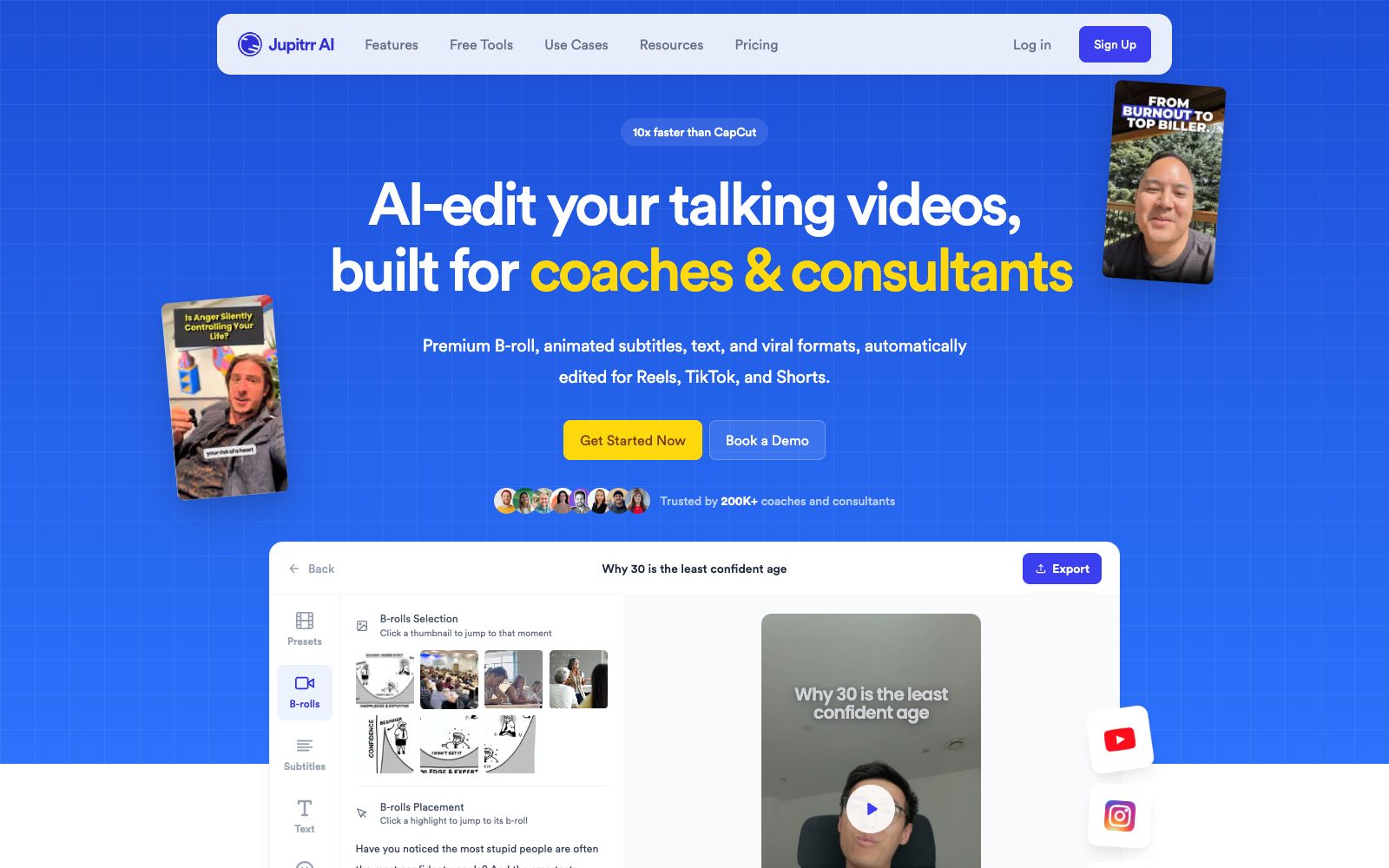
Jupitrr AI is a lip-sync video editor for coaches and consultants. Upload a speech to the camera, and you'll get a rough cut with subtitles, B-roll, and hooks. It also allows for script writing, teleprompter, and one-click distribution to multiple platforms.
Updated: 2026-10-26
What is Jupitrr AI?
The positioning of Jupitrr AI's official website is "AI-edit your talking videos, built for coaches & consultants", and it only focuses on videos where people speak to the camera. The official FAQ clearly defines its boundaries: upload a piece of voice-over, and get a rough cut finished product with hooks, animated subtitles, B-roll, zoom effects, and text layers. It supports both landscape and vertical screen orientations. You can make adjustments on the timeline or by directly modifying the subtitles, and you can also use natural language to let the Jupitrr Agent help you make changes. However, it does not support multi-camera shooting or complex special effects. The website also offers a set of small tools that do not require registration, including subtitle generation, a teleprompter, screen recording, and splicing and cropping functions.
Who is it for?
- Coaches, consultants, and knowledge IP creators: Build trust through on-camera speaking, need consistent daily updates but don't want to hire editors.
- B2B Founders: Clearly articulate industry insights, company stories and case studies, and directly publish on LinkedIn.
- Course and training camp teams: Split live stream replays and long courses into multiple distributable short videos.
- Social media manager running operations alone: Consolidate topic selection, copywriting, recording, editing, and publishing into a single tool.
Key features
6Automatically add B-roll & Subtitles
Matches B-roll to each sentence and automatically generates animated subtitles and text layers.
Writes scripts in your tone
Generates new scripts using your past scripts and viral script framework to match your personal tone.
Teleprompter App
Record with a teleprompter, paired with automatic cuts and mute deletion to reduce wasted shots.
Social Media Publishing
Schedule and publish to YouTube, Instagram, LinkedIn and TikTok in one go, with copy for each platform automatically written.
Viral Video Search
Search for popular video formats in recent times to find reference directions for your next content.
Media Library
Paid tiers offer licensed content from Getty Images and iStock, while free tiers include Pexels, Google Images, and GIFs.
How to use Jupitrr AI
- 1First, use the sample videos provided by the official for a free trial to confirm if the rough cut quality meets your standards before paying.
- 2The official website clearly lists four material sources, each with different license terms; before using them for paid advertising or paid courses, be sure to check the licenses one by one.
- 3Google Images carry the highest commercial risks, and the official also reminds you to verify the copyright of online images and not to use them directly for advertising.
- 4The official claims that a video can be compressed to within 15 minutes from idea to publication, with the majority of the time spent on recording and reviewing the B-roll placed by AI.
- 5The official FAQ states that the Starter plan allows 10 exports per month with a 5-minute upload limit, so long content should be split into segments before uploading.
- 6First-time purchases come with a 7-day no-questions-asked refund policy. If the subscription isn't right for you, you can cancel it yourself in the Plan and Billing section.
Traffic & popularity
Data month Sep 2026
Jupitrr AI receives about 152.3K visits per month and ranks #229,614 worldwide.
Monthly visits
12 monthsTraffic sources
- Search60.0%
- Direct17.9%
- Referrals11.2%
- Social7.5%
- AI assistants3.4%
Top countries
- United States22.7%
- India10.7%
- Vietnam7.3%
- Brazil5.7%
- United Kingdom5.4%
Estimated from third-party traffic data.
Similar tools
 GlingAn AI editing tool built for YouTube talking-head creators, officially claimed to automatically remove silence, filler words, and wasted takes. It offers transcription, AI-generated captions, automatic zoom, plus title and chapter suggestions, and can export directly to Final Cut, DaVinci, or Premiere.
 VizardVizard is an AI long video slicing tool that can automatically cut long content such as podcasts, interviews and courses into more than 30 vertical screen short videos suitable for TikTok, Reels and Shorts with one click.
 captionrichAn AI dubbing video editing tool based on text editing, the official website states that editing can be completed by modifying the transcription script. It automatically removes filler words and awkward pauses, supports B-roll insertion, motion graphics subtitles, and translation into more than 50 languages, and is targeted at the short video and podcast editing scenarios.
 ActionAn AI oral broadcast video creation tool under Meitu, the official claims it offers features such as intelligent teleprompter, internet-savvy subtitles, intelligent montage, hit copycat, image quality restoration and AI removal, allowing users to complete internet-savvy oral broadcast videos on their mobile phones.