


Ultimaps
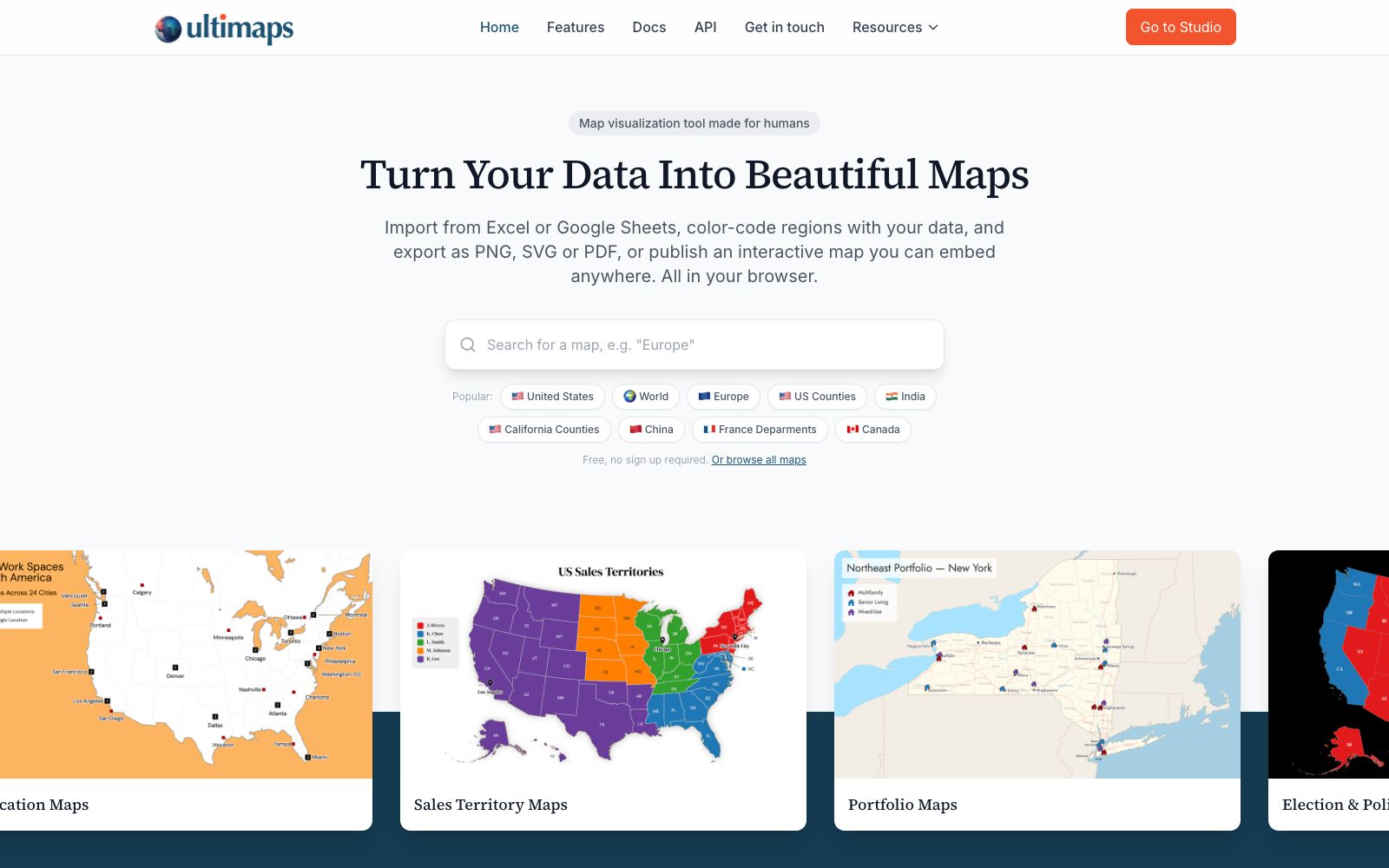
Ultimaps is an online data mapping tool that automatically maps tabular data onto over 200 vector maps and generates color schemes. It allows exporting as images or publishing as interactive maps embeddable in web pages, making it suitable for sales zoning and data reporting.
Updated: 2026-10-27
What is Ultimaps?
Ultimaps is an online tool that turns tabular data into maps. Its official positioning is as a map visualization tool for ordinary people. You paste data from Excel, CSV, Google Sheets, or Notion into it, select a map, and it automatically matches the values to administrative regions and generates color schemes and legends. Compared with map tools that require manual color filling cell by cell, it eliminates the color-coding step and can also turn the results into an interactive map that can be embedded on a website.
Who is it for?
- Sales Operations: Divide sales territories by state, county or country, assign a unique color to each manager, and include a legend.
- Marketing and Advertising: Showcase business coverage areas and service regions.
- Media and research institutions: Create publishable choropleth maps using population, income, health, or survey data.
- Real estate and investment teams: Label owned properties by asset type or occupancy rate.
- Operations or front-end personnel who need to add a map to their official website.
Key features
6Automatic Data Matching
Supports Excel, CSV, Google Sheets, Notion, or direct pasting. The official claims it can automatically match to administrative districts even with messy formatting.
Generate maps from prompts
You can directly enter descriptions like "Color the states by population" and let the tool automatically select color scales and segments.
Over 200 vector maps
Covering all continents and countries, major countries are subdivided into states, provinces, and regions, and US states can be further divided into counties.
Multiple export formats
It provides high-definition PNG, SVG, and PDF files, and the paid version supports outputting 6x resolution and vector files.
Interactive Map Embedding
After publishing, you get a link or a line of embed code. Hover to see tips, click to pop up details, and it supports jumping and zooming.
No registration required to start
You can start creating maps without logging in; a free account is only required when saving or publishing.
How to use Ultimaps
- 1First, test a single map using the free quick tool to confirm the map granularity is sufficient, then import your own data into the main editor.
- 2Put the list of regions in a separate column in the data table and name them as consistently as possible with the administrative divisions in the map to maximize the matching success rate.
- 3The free version includes 100 address queries and 20 AI requests per month, with exports marked with the site logo; the paid version removes the logo and unlocks vector exports.
- 4A single high-definition map can be purchased separately, priced at 12.5 euros on the official website; subscribing is more cost-effective if exporting more than four maps per month.
- 5Exports from the free version can be used for commercial purposes but must retain the branding; a 30% discount is offered on the official website for non-profit organizations.
Traffic & popularity
Data month Sep 2026
Ultimaps receives about 451.4K visits per month and ranks #93,306 worldwide.
Monthly visits
12 monthsTraffic sources
- Search78.7%
- Direct15.9%
- AI assistants2.1%
- Referrals1.8%
- Social0.9%
- Other0.5%
Top countries
- United States45.0%
- India17.0%
- Canada2.4%
- United Kingdom2.3%
- Philippines1.6%
Estimated from third-party traffic data.
Similar tools
 Brandmark Logo MakerEnter the brand name and style to generate a logo, along with a complete set of materials such as brand guidelines, business cards, social media images and one-page websites. It supports vector export and is suitable for startup teams to quickly build their brand visuals.
 ThumbmagicThumbmagic is an AI generation tool specialized in creating cover images. It can read video links to automatically capture key frames, apply layouts verified by creators to generate images in batches, support multi-version comparison and 4K export, and is suitable for channel operations that need to increase click-through rates.
 OJOAn AI design Agent workbench for product teams that generates editable UIs and interactive prototypes from a single requirement, an image, or a URL, and directly outputs front-end code that can be committed to a repository. The official claims it can combine more than 200 skills.
 ColorMagicFree web-based AI color scheme generator. Enter a description, brand name, or color value to get a complete color scheme. You can also extract the main colors from images and export color scheme images and gradient codes.
 STUDIO AIA no-code web design tool from Studio that publishes designs directly as websites. It comes with a visual editor, real-time collaborative CMS, Figma import, and one-click hosting and launch. Ideal for designers to create portfolios and landing pages.
 LineSVGAn AI tool that converts text or images into editable SVG line drafts, officially claims to output real vector strokes, with adjustable line width, color and dashed lines after generation, and can be exported to Figma and Illustrator.