


LineSVG
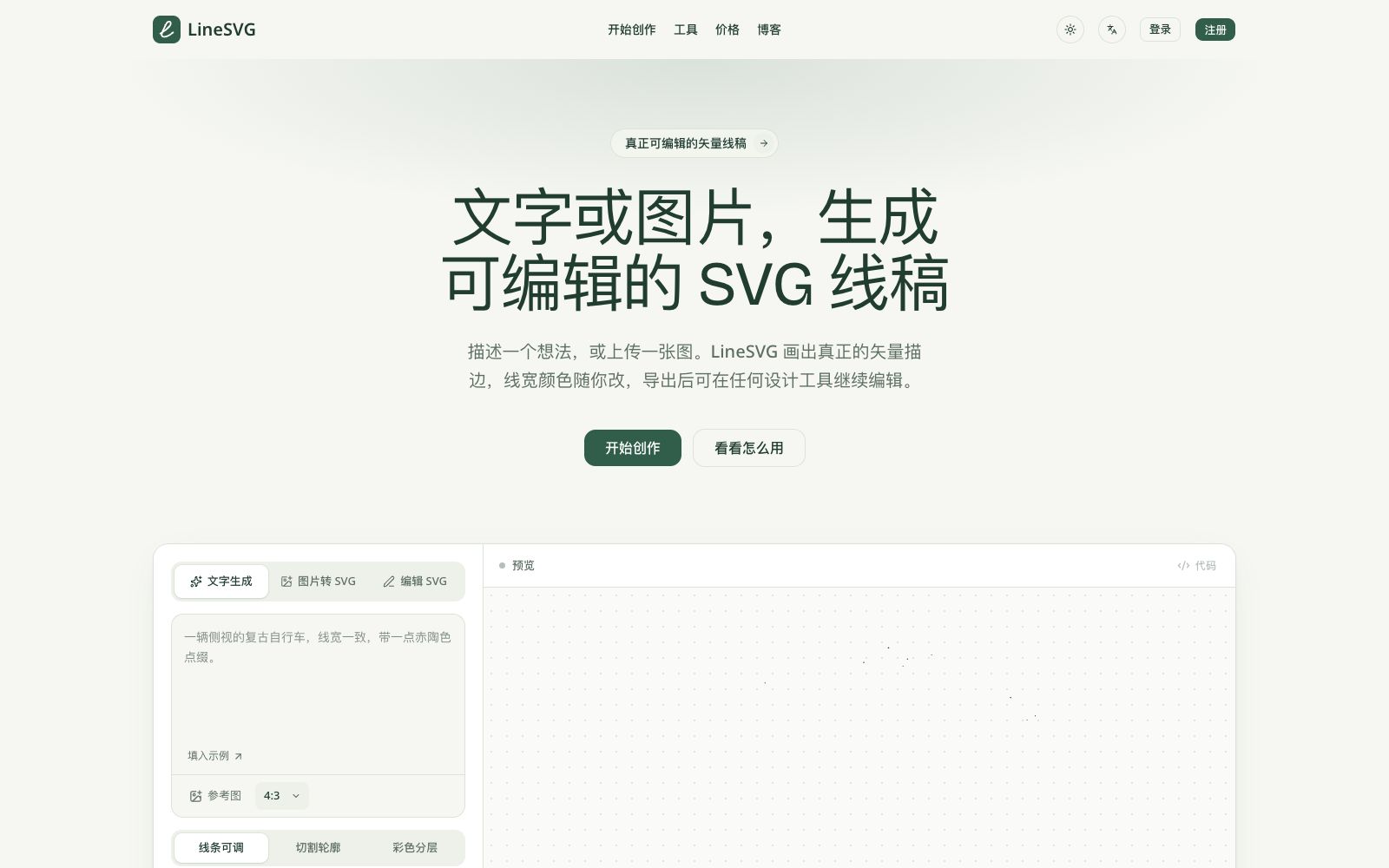
An AI tool that converts text or images into editable SVG line drafts, officially claims to output real vector strokes, with adjustable line width, color and dashed lines after generation, and can be exported to Figma and Illustrator.
Updated: 2026-10-27
What is LineSVG?
LineSVG is a tool for generating vector line art. The official website's proposition is "truly editable vector line art". Many image-to-SVG tools actually output bitmaps ending with.svg, or a bunch of non-editable fill outlines; the difference with LineSVG lies in that it outputs stroke paths. After generation, you can still modify line width, color and dashes, and the exported files can be further refined in Figma, Illustrator or Inkscape.
Who is it for?
- Designers who need line draft materials for items such as labels, invitations, and packaging, and the official blog also mentions applications such as plant line drafts.
- Creators who need single-line drawings for processes such as plotters, hot stamping, and embroidery; the official website explicitly supports output with pure lines and no fill.
- Illustrators who have scanned manuscripts or hand-drawn sketches and want to bring them into the vector workflow for redrawing.
- UI and visual designers who already use Figma, Illustrator or Inkscape and need to get clean SVGs for further editing.
- For handoff scenarios between front-end and design teams, the official website supports direct code copying instead of file downloads.
Key features
6Text-to-Line Art Generation
Generate line art by describing a concept. The official website offers aspect ratios such as 1:1, 4:3, 3:4, and 16:9, as well as modes like cut outlines and color layering.
Image to SVG and Photo to Line Art
Upload PNG, JPG, WebP line art or photos and redraw them into lines. The official emphasizes that the output is editable strokes rather than filters.
Real Stroke Outlines Instead of Contours
The official states that lines are saved as strokes rather than filled shapes, so the line width, color, and dash pattern can still be adjusted after generation.
Color & Gradient
Colored strokes, fills, and gradients can all be placed in the same editable file, eliminating the need to switch tools and regenerate images when colors are required.
Real-time generation preview
Paths fall onto the canvas one by one during generation. The official says this allows you to judge the result early and wait for the whole drawing to be completed.
Multi-Tool Workbench
The official website lists 13 tools including a line drawing generator, photo to line drawing, image to SVG, online SVG editor, sketch to SVG, and single-line drawing; the editor supports uploading any SVG to modify line width and color, delete parts, change text, and use one sentence to let AI directly modify the original file.
How to use LineSVG
- Don’t register first.
- check the official demo to confirm the output style meets your expectations before signing up.
- The official website states that registering grants free credits, with 10 credits consumed per generation.
- When describing the image, specify the subject, style and purpose, such as "single line, no fill", which is closer to the desired result than just writing nouns.
- For scenarios where you need to adjust line width, prioritize output in stroke style.
- in the official examples, leaves are strokes and berries are solid dots, and changing only the line color does not affect the fill.
- Decide on the export destination before exporting: use SVG for design tools and PNG for quick pasting.
- the official website supports both.
- Confirm authorization before converting others' photos or illustrations for commercial use, which shall be subject to the official instructions.
- points are issued monthly with an expiration date, so choose the plan as needed to avoid waste.
- Pricing and payment methods are subject to the latest instructions on the official website.
- For long-term and high-volume use, it is recommended to first verify the stability of the style with the free tier.
Traffic & popularity
Data month Sep 2026
LineSVG receives about 961 visits per month.
Monthly visits
4 monthsTraffic sources
- Direct30.0%
- Search27.8%
- Referrals12.5%
- Display ads8.9%
- Affiliates7.0%
- Other13.8%
Top countries
- United States100.0%
Estimated from third-party traffic data.
Similar tools
 Brandmark Logo MakerEnter the brand name and style to generate a logo, along with a complete set of materials such as brand guidelines, business cards, social media images and one-page websites. It supports vector export and is suitable for startup teams to quickly build their brand visuals.
 KhromaAn AI color matching tool for designers: first select your favorite colors to train the algorithm, then generate an unlimited number of color combinations. It supports filtering by hue and color value, and provides hexadecimal codes, CSS codes and WCAG contrast ratings.
 Triverse AIAn AI modeling tool for game and 3D creators, supporting generating models from images or text and automatically producing PBR textures, and exportable to Unity, Unreal and Blender in GLB, OBJ and STL formats.
 STUDIO AIA no-code web design tool from Studio that publishes designs directly as websites. It comes with a visual editor, real-time collaborative CMS, Figma import, and one-click hosting and launch. Ideal for designers to create portfolios and landing pages.
 UltimapsUltimaps is an online data mapping tool that automatically maps tabular data onto over 200 vector maps and generates color schemes. It allows exporting as images or publishing as interactive maps embeddable in web pages, making it suitable for sales zoning and data reporting.
 ThumblifyAIA tool for generating YouTube cover images based on prompts. You can train your own image with three photos, clone any cover style or replicate the structure of popular covers. It also supports sketch-based editing and partial image modification, with a one-time payment based on credits.