


Tavafa
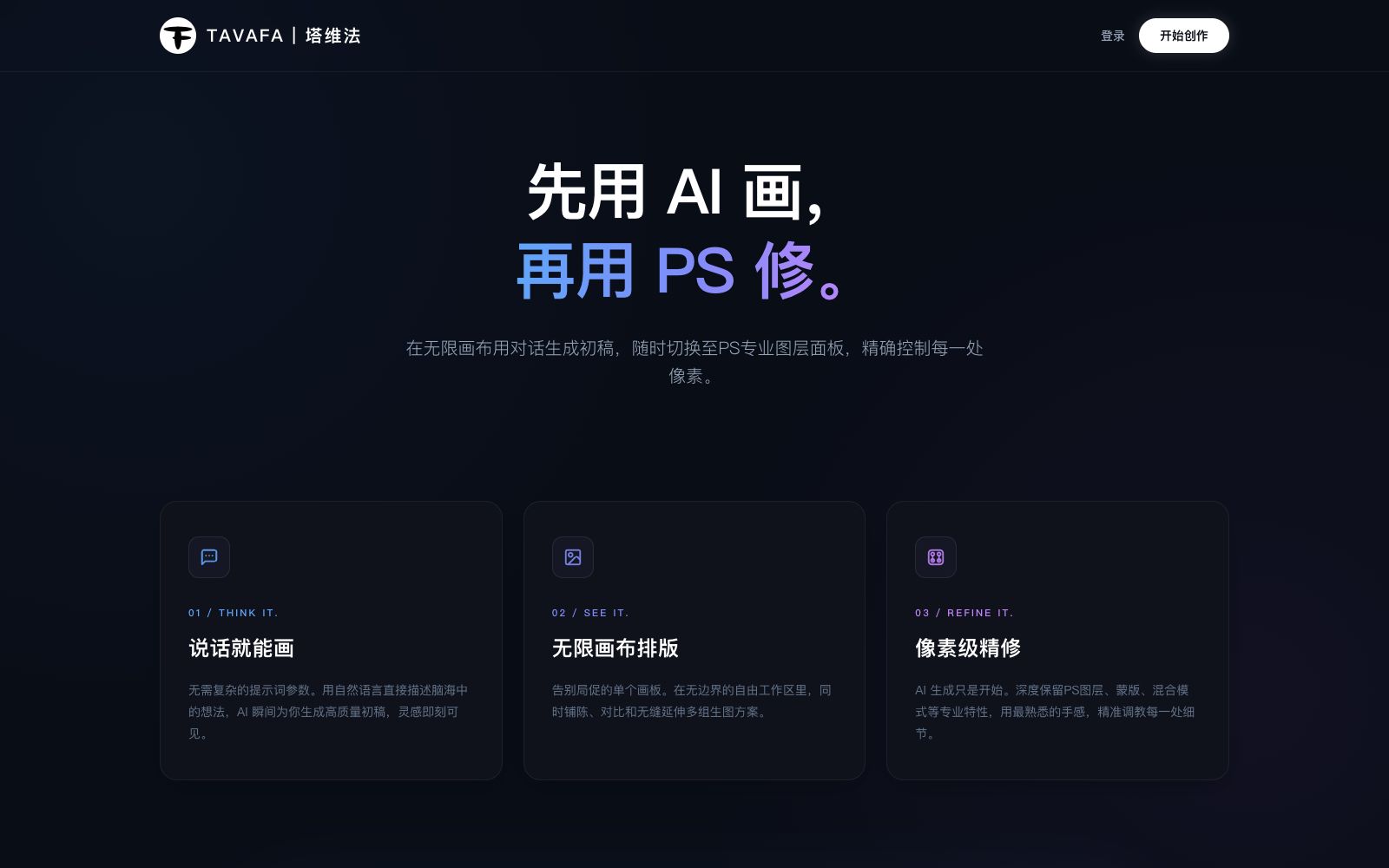
Tavafa is an online creative design platform focusing on "AI drawing first, then PS editing". The official states that it allows users to generate draft images using natural language on an infinite canvas, then switch to professional layer panels for pixel-perfect retouching, while preserving layers, masks and blend modes.
Updated: 2026-10-26
What is Tavafa?
Tavafa (Chinese name "Tavifa") positions itself as a "PS+AI online platform", and its official website slogan is more straightforward: "First draw with AI, then edit with PS." According to the official website, users can generate a draft through conversation on an infinite canvas, and then switch to the PS professional layer panel at any time to precisely control every pixel. Unlike tools that only generate finished images and can only regenerate in the later stage, it places "AI draft generation" and "professional photo retouching" in the same workspace. The official website meta description summarizes it as "No need for complex prompts, just describe your ideas in natural language, and AI will instantly generate high-quality drafts for you, providing a professional pixel-level retouching experience."
Who is it for?
- E-commerce and advertising design professionals: First use AI to explore multiple layout directions, then modify text, adjust colors, and replace product images in layers, eliminating the need to export back and forth between different software programs.
- Freelance designers and order-takers: When they need to quickly show clients three to five concept drafts, laying out the plans simultaneously on the infinite canvas allows for faster comparison than generating them one by one.
- Retouching and precision editing professionals: They are accustomed to layer-based workflows, but are not satisfied with the uncontrollable results of "one-click generation" and need to retain masks and blending modes for fine-tuning.
- Marketers and operations personnel: When they temporarily need posters, main images, or event graphics, they can create the first draft by themselves and then hand it over to designers for finalization.
- People who need to learn design from scratch: The official website takes "generating initial drafts through natural language" as an entry point to lower the threshold.
Key features
5Just describe it and start drawing
The official website names the first step "THINK IT.", stating that without complex prompt parameters, you can describe your ideas in natural language, and the AI will instantly generate high-quality initial drafts.
Infinite Canvas Layout
The second step is "SEE IT.", where you can arrange, compare multiple generated image schemes seamlessly and extend them in an unbounded free workspace. The official emphasizes that this frees you from the constraints of a single artboard.
Pixel-level Retouching
The third step is "REFINE IT." The official claims that it deeply retains professional features such as PS layers, masks, and blend modes, allowing users to adjust details one by one with a familiar feel.
AI Image Processing
The platform summarizes itself in its official website keywords as an AI image processing and online design tool, and lists capabilities such as intelligent background removal.
Account and Online Collaboration Access
Provides registration, login, password reset, and Alipay login access, and the product is an online platform usable within a browser.
How to use Tavafa
- Use it as a two-stage tool: "AI drafting + professional finishing": first generate multiple directions in one sentence to pick the structure, then move to layers for refinement.
- don't aim for a finished product in the first step.
- When generating, clearly state "what the main subject is, where the scene is, the style and lighting, and the image composition ratio" all at once.
- this saves more usage quota than adding a single sentence repeatedly.
- Assign a fixed name or position to each version when comparing multiple schemes.
- the infinite canvas can easily become cluttered as you add more, so group artboards if necessary.
- Fine-tuning relies on layers and masks.
- Confirm that the current layer is selected before making adjustments to avoid modifying the background layer, which would cause rework.
- Before commercial use, pay attention to the material sources, fonts and portrait authorizations of the generated results.
- the platform rules and available capabilities may be adjusted, and the official instructions and authorization scope shall prevail.
- Recheck before official delivery.
Traffic & popularity
Data month Sep 2026
Tavafa receives about 1.6M visits per month.
Monthly visits
8 monthsEstimated from third-party traffic data.
Similar tools
 GlorifyGlorify is an online design tool for e-commerce sellers, which can create social media posts, ad graphics, infographics, presentations and videos. Its official website states that it offers more than 11,000 templates, brand toolkits and infinite canvases.
 HaimetaHaimeta is a creative platform focusing on "Human Vision Meets AI Art". According to the official statement, you can generate images, videos, 3D content and immersive worlds with just one sentence. It offers text-to-image, image-to-image, text-to-video, image-to-3D and a variety of popular special effects.
 IshejiAisheji is an online graphic design website. It provides a large number of commercially available templates such as new media illustrations, marketing posters, e-commerce designs and office documents. It supports drag-and-drop editing, AI-generated PPT, intelligent background removal and enterprise material libraries.
 XmindXmind is a mind mapping and AI brainstorming tool that supports Web, desktop and mobile platforms. It offers various structures such as AI generation, Gantt charts and matrices, and holds ISO 27001 and SOC 2 security certifications.
 Jiandan AIJianDan AI is an AI creation community under Sohut, integrating AI drawing, AI writing and online image processing. It provides a large number of templates and tools such as matting and restoration, making it easy for beginners to get started.
 Douhui AIDouhui AI is an AI image generation and editing platform. According to the official statement, it supports text-to-image generation, universal image modification, PSD layer export and e-commerce image sets. It also provides video creation, infinite canvas and image-to-3D functions, and is targeted at product and interior design.