

Burp
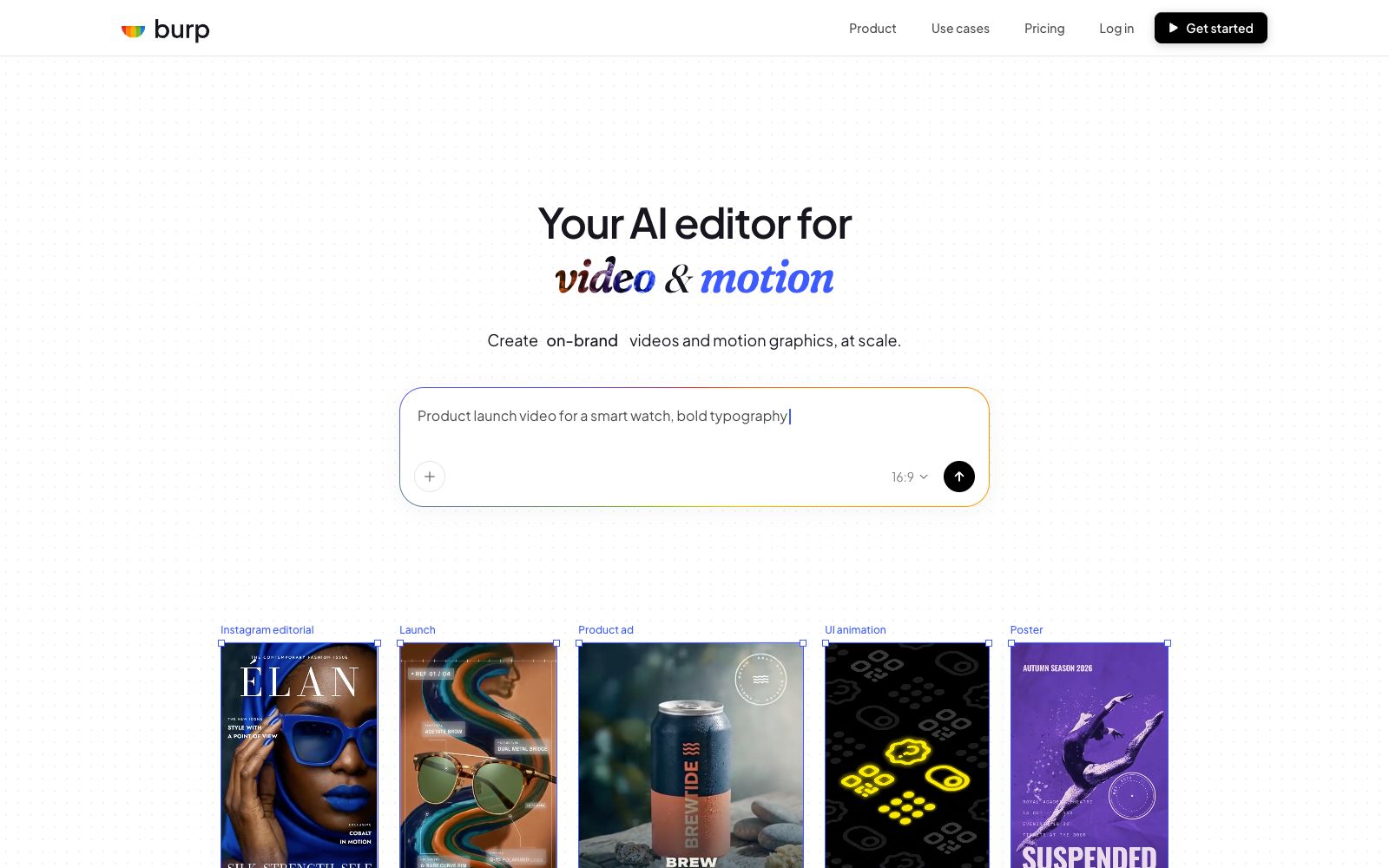
An AI video and motion graphics editor for teams, the official website states that it can generate storyboard animations and social media videos with one sentence, edit layers and keyframes on a unified canvas, and batch export MP4, GIF or 4K videos in brand style.
Updated: 2026-10-27
What is Burp?
Burp's official website positions itself as "Your AI editor for video & motion", covering multiple scenarios such as social media posts, advertisements, web page motion effects and presentation data. The official website emphasizes that it does not separate the generator and editor, but places all materials on an infinite canvas. You can manually adjust by layers, keyframes and timelines, or let the AI make changes through chat. The official claims that the export formats cover MP4, GIF and 4K.
Who is it for?
- Marketing teams that need to produce social media videos in bulk while maintaining brand consistency
- Product and design teams who want to animate Hero sections, interface states or functional cards
- Data operations professionals who need to turn quarterly data or business indicators into dynamic cards
- Startup teams without dedicated motion designers who want to quickly produce promotional videos in-house
Key features
6One-click Video Generation
The official website states that you can get a finished video in just a few seconds by describing your idea, such as "sneakers floating in the clouds, oversized title text".
Layered Editing
The official website states that you can manually adjust layers, keyframes, and timelines, making it suitable for design teams that need to have control over the details of motion effects.
Chat-style Video Editing
Official examples include "Trim the opening to 2 seconds, fade in the logo with a push effect" or "Slow down the action and replace the footage of the second scene". The AI directly modifies the parameters without regenerating the entire video.
Infinite Canvas Composition
The official website states that videos and motion effects can be edited together on a single canvas, and multiple versions can be freely duplicated.
Multi-scene Templates
The official website lists scenarios such as social media posts, advertisements and campaigns, web and UI animations, presentations and data visualizations by use case, with each scenario having corresponding canvas proportions and output methods.
Multi-format export
The official website states that it supports exporting to MP4, GIF, or 4K for different platforms and uses.
How to use Burp
- Start with a real need (such as a set of social media posts) and use the scene templates provided on the official website, which is more time-saving than starting from a blank canvas.
- First check if the structure of the generated result is correct, then use chat commands to fine-tune the rhythm, colors or layers to avoid wasting credits by regenerating the entire video.
- Brand teams can fix their commonly used colors, fonts and transitions in a single template, and the official website states that the same system can be reused across multiple scenarios.
- For web motion graphics and UI animations, pay attention to output format and resolution.
- The official website states that some scenes are output in Lottie.
- Confirm that the front end can directly access it before release.
- The export parameters for 4K and GIF differ significantly.
- First confirm which format the publishing platform requires, then select the export configuration.
- When generating multiple candidates, first run batch exports with low-cost parameters, then individually refine the shortlisted versions to save overall time.
- After generating multiple candidates, retain the version that best aligns with the brand style as a template.
- For subsequent similar requests, directly modify the copy and layers based on this, which can significantly reduce repetitive work.
- The usage suggestions should only include practices explicitly mentioned on the official website, without extending to unvalidated uses.
Traffic & popularity
Data month Sep 2026
Burp receives about 482 visits per month and ranks #1,647,065 worldwide.
Monthly visits
5 monthsTraffic sources
- Direct41.6%
- Search30.6%
- Referrals11.9%
- Social6.9%
- Display ads3.0%
- Other6.0%
Top countries
- Pakistan100.0%
Estimated from third-party traffic data.
Similar tools
 iArt.aiThe official website of iArt.ai positions itself as an AI motion graphics software, an alternative to After Effects. It can generate storyboard animations and commentary videos in one sentence; you can input text, images, PDFs, audio and web links, with voice cloning and background music available, and export MP4 or transparent materials, making it suitable for product promotion and knowledge explanation.
 Hypernatural AIHypernatural AI is an AI video platform from script to finished film, supporting brand materials, characters, custom voices and subtitles, suitable for creating full-length short videos rather than just a few seconds.
 TapVidTapVid is a motion graphics narration video engine that turns approved scripts, screenshots, links and brand assets into shot-by-shot editable product videos that strictly retain the original copy and visuals.
 TavafaTavafa is an online creative design platform focusing on "AI drawing first, then PS editing". The official states that it allows users to generate draft images using natural language on an infinite canvas, then switch to professional layer panels for pixel-perfect retouching, while preserving layers, masks and blend modes.
 JitterJitter is a web-based collaborative dynamic design tool that can import from Figma and export 4K, GIF and Lottie files. According to the official statement, more than 20,000 creative teams are using it.
 ToonCrafterToonCrafter is an AI animation tool for cartoon frame interpolation. Upload two keyframes to generate intermediate transition animations. The official claims that a single generation takes about 10 to 20 seconds, outputs MP4 files, and it is suitable for emojis, social media animated images and presentation materials.