


Supacut
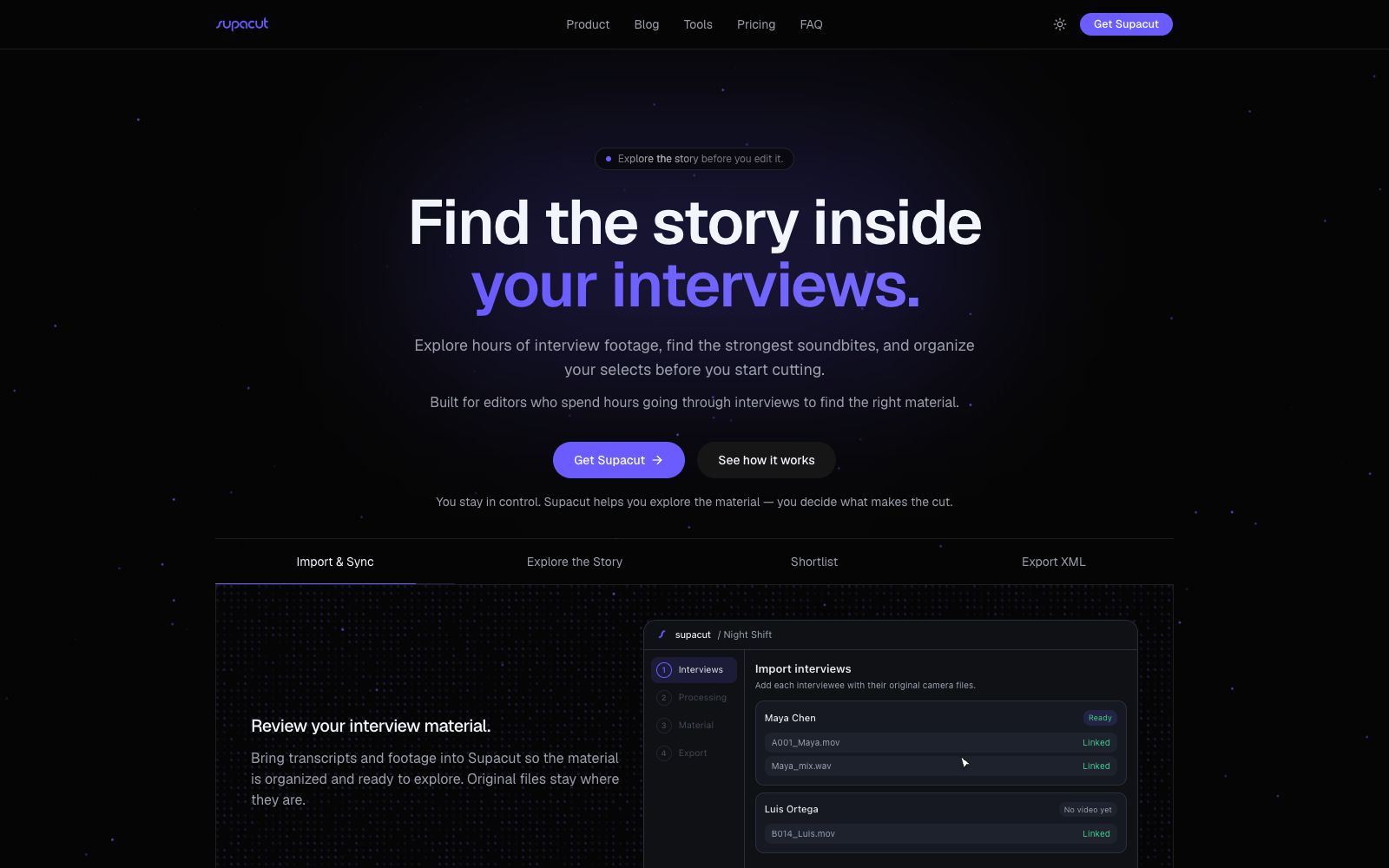
A material exploration tool for interview-style video editing, which the official says can retrieve, compare and organize several hours of interview footage before editing starts, group clips by topic and export XML that can be further edited.
Updated: 2026-10-27
What is Supacut?
Supacut is an interview material processing application prepared for video editing, positioned as "exploration before editing". It turns hours of raw interviews into a theme-grouped, comparable and searchable material library, helping editors find the most powerful speech clips and build selects, and finally deliver them in XML format to mainstream editing software for further fine cutting.
Who is it for?
- Video editors who work with large amounts of interview footage in documentaries, brand films, or corporate films.
- Content teams that need to distill narrative threads across multiple episodes or interviewees.
- Editors on a tight schedule who want to reduce tedious manual work such as watching clips one by one, taking notes, and making spreadsheets.
- Independent editors who complete their final cuts in Premiere, Resolve, or Final Cut.
Key features
6Interview Import
Import transcripts and raw footage into the project, organize them by interviewee, and keep the original files in place.
Topic Analysis
Officially, it can automatically discover the thematic pillars in the footage, and also supports using editors' own pillars to categorize clips into corresponding structures.
Cross-interview Comparison
Browse different interviewees' answers to the same question by topic, and quickly identify contradictions, repetitions, and golden quotes.
Soundbite Discovery
Links the exact quote, speaker, and timecode, supports direct playback jump-back to the source footage, and filters for usable strong clips.
Selects Construction
Play the selected clips in sequence using the preview panel, retaining the original source, speaker, and timecode to create a list that can be handed over for subsequent editing.
XML Export
Export editable rough cuts with in and out points to Adobe Premiere Pro, DaVinci Resolve, or Final Cut Pro, where editors can proceed with final trimming.
How to use Supacut
- 1The official website also offers free tools such as Soundbite Finder and Interview Coverage Analyzer. You can use them to conduct small-scale process verification before formal purchase.
- 2First, import interviews, audios and raw footage by interviewee, confirm that the material links are complete, and then conduct topic analysis.
- 3You can let the system automatically find topics, or directly input existing narrative pillars to classify clips into your own structure.
- 4Browse materials through topic pillars, focus on comparing the answers of different interviewees to the same topic, and add strong clips to selects.
- 5After exporting XML, continue to adjust the order and rhythm in the editing software. Supacut is only responsible for exploration and organization, and does not replace fine cutting.
Traffic & popularity
Data month Sep 2026
Supacut receives about 3.1K visits per month and ranks #5,584,889 worldwide.
Monthly visits
7 monthsTraffic sources
- Direct35.6%
- Search33.6%
- Referrals11.7%
- Social6.5%
- Display ads4.2%
- Other8.4%
Top countries
- India100.0%
Estimated from third-party traffic data.
Similar tools
 Eddie AIAn AI video tool for professional editing. After uploading materials, you can get a rough cut through conversation. It supports multi-camera synchronization and shot logging, and can be exported to Premiere, DaVinci and Avid.
 TroolyAn AI-led in-depth interview research platform that uses multimodal voice agents to complete recruitment, interviews and quality control. The official claims it is about 12 times faster than traditional institutions and costs 60% less, with respondents covering 25 countries.
 FirstCutFirstCut is a narrative-first video editing tool that organizes footage into beats and segments, generates different storylines with a single click, and enables precise cuts from sentence level down to individual words. Every change previews instantly in the browser, while all media stays local. It's ideal for first-pass edits of interviews, oral histories, and other dialogue-driven videos.
 TellersTellers is an AI video editing Agent from Paris. It can retrieve shots, create an editable timeline from raw footage or a description of requirements, make further edits through dialogue, and export the final video or an XML file for professional editing software.
 DescriptText-driven AI video and audio editor: Convert video into transcripts, edit by deleting sentences just like modifying a document. Combined with the AI collaborative editor Underlord, it greatly improves the editing efficiency of podcasts and oral broadcast videos.