


Subframe
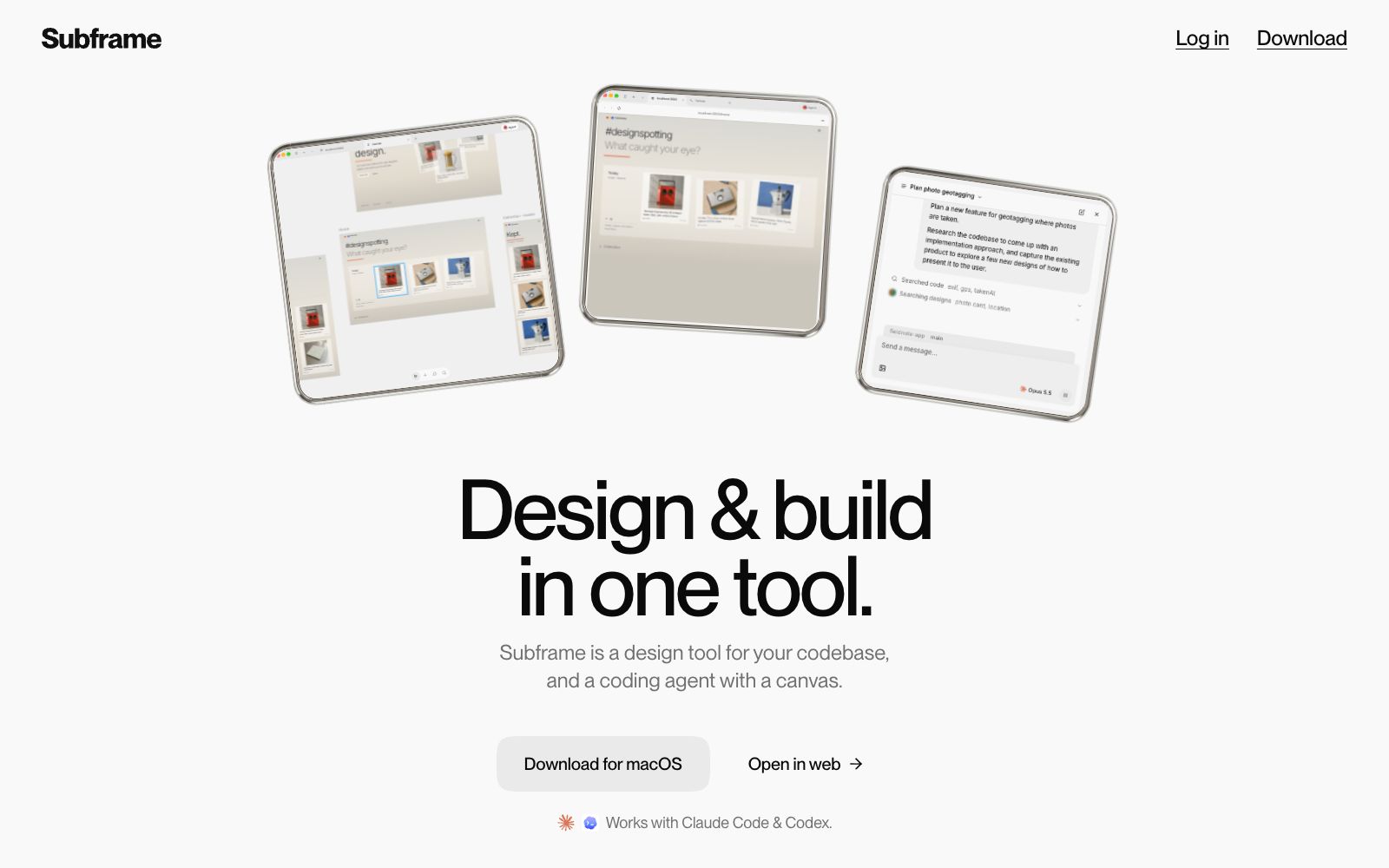
Subframe is a design tool connected to the codebase, as well as a canvas-enabled coding agent. It allows infinite canvas design, previewing and editing online applications, and agent code modification all in one tool.
Updated: 2026-10-26
What is Subframe?
The title of Subframe's official website is "design & build in one tool", and the summary states "Subframe is a design tool connected to your codebase, and a coding agent with a canvas." It combines three elements-the canvas, the browser, and the agent-into a single interface: the canvas is built for code, the browser allows direct previewing and editing of the running application, and the agent handles both design and coding tasks simultaneously. The official website also offers two pricing tiers: Free and Pro, along with an FAQ section.
Who is it for?
- Independent developers and entrepreneurs: Individuals who do both design and coding and want to switch between tools as little as possible.
- Development teams that need their AI agents to understand existing codebases before making changes.
- Front-end teams with existing component libraries and design systems, and the FAQ on the official website mentions that existing components can be reused.
- Product design partners who want to link their design drafts directly to live, running pages.
- Technical leaders who are evaluating whether design tools and coding agents can be unified.
Key features
6Infinite canvas built for code
The official website describes it as an infinite canvas built for code, where you can see the structure of pages, layers and components in the interface.
Preview & edit your live app
The official website states that you can directly preview and edit the running application, and local development addresses appear in the examples.
One agent for design & code
The official website states that the same agent handles both design and code, allowing it to search the codebase and provide implementation ideas.
Designing & building is a roundtrip
The official website describes design and development as a two-way process rather than a one-way delivery.
Agent Collaboration
In official examples, the agent searches through code and designs, reads files, and generates multiple versions of design proposals.
Pricing & FAQ
The official website offers two tiers: Free and Pro. The FAQ covers questions such as whether it replaces Figma, whether it replaces Cursor, and which coding agents it supports.
How to use Subframe
- 1The official FAQ clearly answers the question "Does the code leave the local machine?"; be sure to read this before connecting to a real project.
- 2First, test run on a small branch or a non-core page, confirm that the agent's changes are controllable before merging into the main branch.
- 3If you already have a design system, integrate your components and specifications first to ensure the agent's output does not conflict with your existing style.
- 4The official website offers a Free tier, and it is recommended to first use the free quota to verify whether the entire round-trip workflow is smooth.
- 5When working on production environment pages, please retain the code review process; the official capabilities and supported scope may be subject to change, and the official website shall prevail.
Traffic & popularity
Data month Sep 2026
Subframe receives about 26.4K visits per month and ranks #1,326,833 worldwide.
Monthly visits
12 monthsTraffic sources
- Search54.9%
- Direct28.9%
- Social12.6%
- Referrals2.0%
- AI assistants1.6%
Top countries
- United States18.9%
- Canada11.9%
- Brazil7.4%
- India6.5%
- United Kingdom4.9%
Estimated from third-party traffic data.
Similar tools
 PixsoA domestic AI collaborative design tool that integrates whiteboarding, prototyping, UI design and delivery in one. Its official website states that it supports AI one-click generation of UI design drafts and React/Vue code, connects the entire design-to-development pipeline, and can import Figma files.
 LispaLispa is the cloud control plane for coding agents. It integrates Claude Code, Codex, Grok and Gemini into a single workspace. After the agent tasks are built and tested in the cloud, the results are viewed and merged through a browser.
 MiaoduoAn AI-driven user interface design tool that supports importing typical interfaces for AI to learn design styles, generating interfaces and components based on text or images, and providing MCP to enable coding tools to understand design drafts and generate front-end code, targeting the collaboration scenario of product, design and research teams.
 FlowstepFlowstep is an AI interface design tool. Officially, it claims to generate multi-screen UIs with prompt words, supports conversational editing or manual modification, and enables exporting code, copying to Figma, and integrating into IDE via MCP.
 KiloOpen-source AI coding agent, covering VS Code, JetBrains, CLI and cloud, supporting access to more than 500 models and zero markup for self-provided keys, and using local models can protect code privacy.
 PaperA modern design tool focusing on "design, share, deliver", the canvas is built on web standards and connected with code in two-way communication. It can integrate external agents to directly read the canvas content, and has two entry points: desktop and web version.