


Scrintal
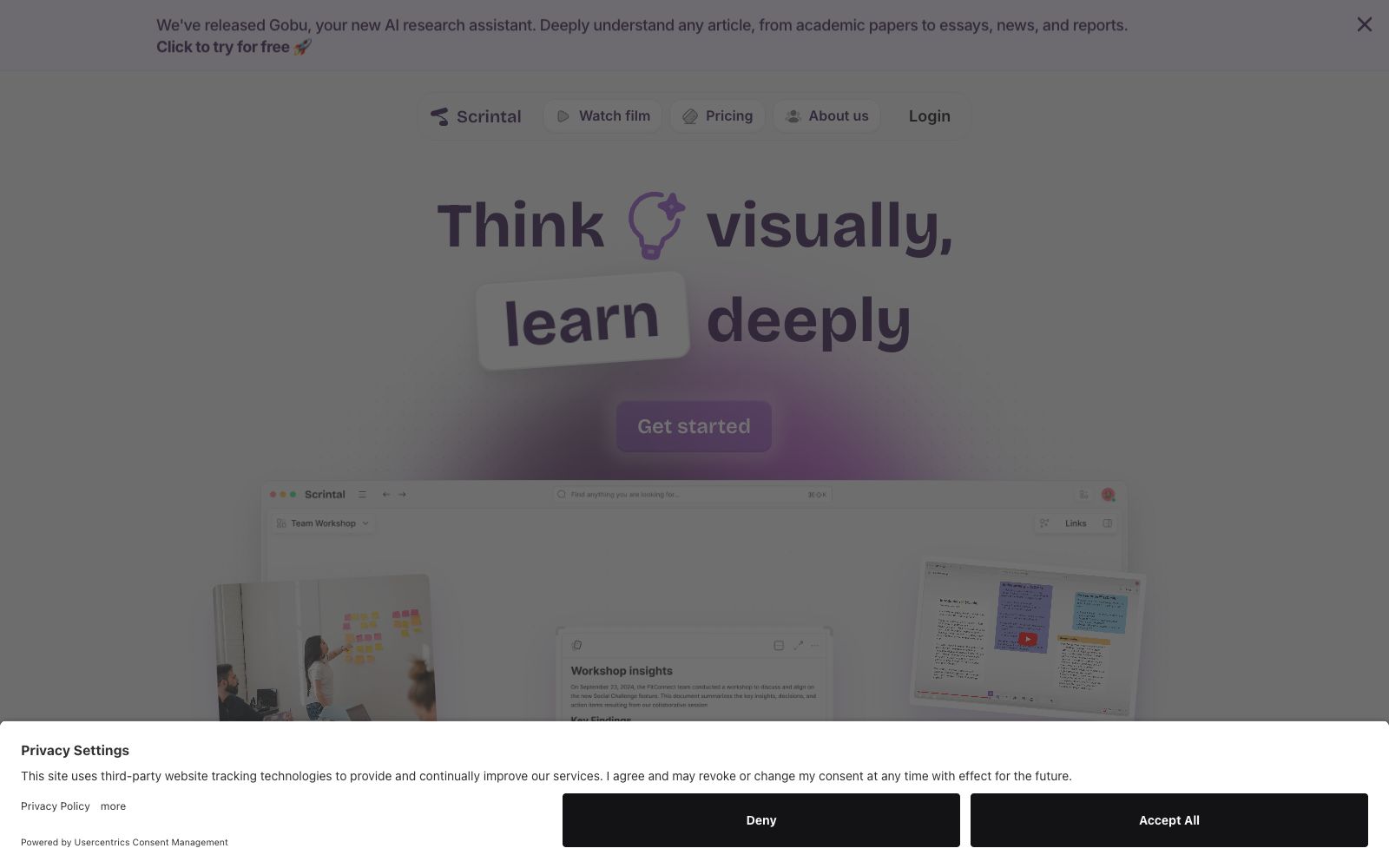
A visual note-taking tool for learning and research, centrally managing PDFs, notes, images and videos on an infinite canvas. It supports bidirectional links and real-time collaboration, and comes with an AI assistant as well as macOS and Windows clients.
Updated: 2026-10-26
What is Scrintal?
Scrintal is a tool for visual note-taking and research. Its official slogan is "Think visually, learn deeply." It claims to help users visualize and connect their ideas, serving researchers, students and professionals. It centralizes PDFs, images, notes and documents on an infinite canvas, allowing users to read, take notes and watch videos simultaneously, and links ideas with arrows and bidirectional links. The official website has also launched a new AI research assistant called Gobu recently. According to the official, it can be used to gain an in-depth understanding of papers, articles, news and reports, and is available for free trial.
Who is it for?
- Students and researchers who need to integrate papers, books and course materials into the same workspace.
- Consultants and writers engaged in strategic and creative work who wish to have both a canvas and documents.
- Personal knowledge management enthusiasts who are used to organizing notes with bidirectional links.
- Teams that need to collaborate in real time to organize materials with group members.
Key features
6Infinite Canvas
The official website states that you can place PDFs, notes, videos, images, and content that requires nesting all on the same canvas, enabling simultaneous reading, note-taking, and video watching.
Blocks & Docs
The official website states that it offers a large number of blocks for free combination, and allows converting blocks into documents with one click, turning ideas into written knowledge.
Arrows & Bidirectional Links
Establish connections with arrows and bidirectional links to visualize scattered ideas.
AI Assistant
The official website states that the AI assistant can take over repetitive and time-consuming tasks, allowing users to focus on what they're truly good at.
Gobu
The official website states that this is a new AI research assistant designed for deeply understanding any text, from academic papers to essays, news articles, and reports.
Real-time Collaboration & Templates
The official website states that you can invite friends and colleagues to collaborate together, and it provides exclusive templates for learning and research.
How to use Scrintal
- 1The official website states that it is already used by more than 10,000 learners and researchers, and it is recommended to start with templates, which is faster than starting with a blank canvas.
- 2The methods for importing historical archives and Markdown files are listed in the FAQ on the official website; read them through before performing an official migration.
- 3Bidirectional links are recommended to be established during the organization stage; connecting points while collecting will easily clutter the canvas.
- 4The official website provides downloads for macOS and Windows clients, and for long-term heavy use, it is recommended to install the desktop version.
- 5Export capabilities, AI usage limits and subscription benefits are subject to the official website's current specifications; verify them again before making a payment.
Traffic & popularity
Data month Sep 2026
Scrintal receives about 56.9K visits per month and ranks #486,243 worldwide.
Monthly visits
12 monthsTraffic sources
- Search45.6%
- Direct27.8%
- Social12.7%
- Referrals8.9%
- Mail2.3%
- Other2.6%
Top countries
- United States56.7%
- India12.2%
- Brazil5.7%
- Germany5.5%
- United Kingdom3.1%
Estimated from third-party traffic data.
Similar tools
 NoteeyA visual note-taking application that organizes ideas and materials on an infinite canvas, supporting PDF annotation, video notes, drawing, flowcharts and mind maps, presentation mode, and deep links. The official focus is on offline-first and local backup.
 HeptabaseHeptabase is an intelligent visual knowledge base for students, researchers and lifelong learners. It supports whiteboard cards, bidirectional links and PDF annotations, and has launched AI Tutor to provide structured and personalized learning.
 Qianlu AIQianlu AI Canvas is an infinite canvas design tool for visual creators. It supports text-to-image, image-to-image, intelligent background removal, watermark removal, image upscaling to HD and 4K AI video generation, and offers team collaboration.
 PixmaxPixmax is an all-in-one content workflow platform for AI short drama, manhua drama and advertising creators. Officially, it aggregates various mainstream models such as video, image, text and audio with an infinite canvas, and provides visual workflows, film and television-level asset management and team collaboration.
 CapacitiesA knowledge management application that organizes notes by objects rather than folders places notes, tasks, calendars, and AI features in the same workspace. The official version states that the free version covers major desktop and mobile platforms.
 MioraMiora is an AI agent creation studio with memory. Officially, it claims that inputting a one-sentence brief will output a complete set of visuals that align with the brand tone. Images, videos, UI/UX and 3D designs are all created on the same infinite canvas, and it supports a memory and skill marketplace.