

North Noir
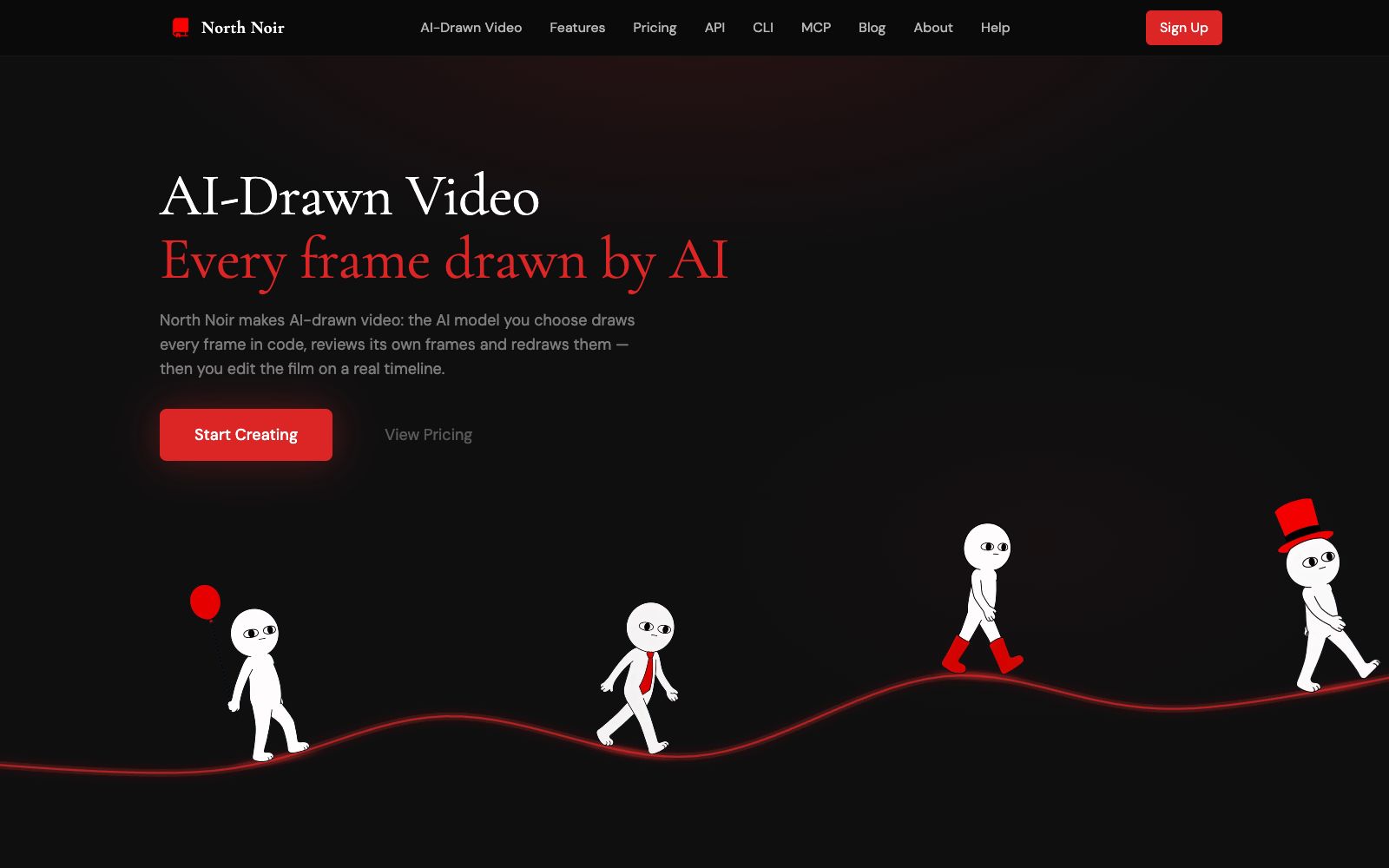
North Noir is a studio for generating and editing AI frame-by-frame video paintings. According to the official website, the model writes a drawing program for each clip, renders it at 30fps and performs self-check redraws; the finished clips are placed on a multi-track timeline, where they can be edited, adjusted, partially redrawn, and exported in 1080p or 4K resolution.
Updated: 2026-10-27
What is North Noir?
According to the official website of North Noir, it offers "AI-Drawn Video": users describe the video they want, and the selected AI model writes drawing programs for each clip, renders frame by frame, and checks its own output, after which the finished clip is dropped onto a multi-track timeline for further editing. The official website distinguishes this mode from the one that generates an entire video segment in one go, emphasizing that local issues do not require redoing the entire video.
Who is it for?
- Creators who want to generate a complete short film with prompts and continue to manually control the editing rhythm.
- Animators who value the ability to make local modifications and do not want to regenerate the entire video every time a prop or action is changed.
- Narrative video creators who need to manage commentary, music, sound effects and visual layers.
- Experimental creators who want to try code-drawn animation workflows and check single-frame outputs.
Key features
7Frame-by-Frame Rendering
According to the official website, the AI model writes a rendering program for each segment, renders frames at 30fps frame by frame, checks its own frames, and redraws them if errors are found.
Full Video Generation
According to the official website, a single prompt can generate a complete film, rather than just a single static image with slow zoom.
Multi-track Timeline
The official website states that visuals, narration, music, and sound effects are on separate tracks, supporting cutting, trimming, splitting, retiming, and volume adjustment.
Local Adjustment
The official website states that after describing the changes using "Adjust", the AI can redraw a certain segment without having to regenerate the entire film.
Model Selection
According to the official website, Ruvil 2.1 is the default model, which writes a 30fps JavaScript drawing program for each clip; Ruvil 7.3 renders 2D single-frame images that can be inspected, downloaded or re-rendered in place.
Auxiliary Creation Tools
The official website states that scripts, AI narration, and thumbnails are integrated around the Studio, and generated assets are directly sent to the timeline.
Release & Export
The official website states that it supports exporting to 1080p or 4K, and you can directly publish it after downloading without additional conversion.
Things to know
Usage Tips
- When generating for the first time, clearly describe the scene, subject and movement method first, then let the system output the complete structure to avoid only describing the style but lacking shot content.
- After generation, first check the positions of narration, music, and sound effects on the multi-track timeline, then decide whether to redraw the visual clips partially.
- Use Adjust to modify only the problematic clips, keep the composition and rhythm you are satisfied with, and reduce the risk of regenerating the entire video.
- When delivering content to social media platforms, first confirm the 1080p or 4K resolution and platform size requirements in the export settings, then download and publish.
Traffic & popularity
Data month Sep 2026
North Noir receives about 3.9K visits per month and ranks #3,836,215 worldwide.
Monthly visits
8 monthsTraffic sources
- Direct38.4%
- Search37.6%
- Referrals9.0%
- Social6.1%
- Mail2.9%
- Other6.0%
Top countries
- India100.0%
Estimated from third-party traffic data.
In these collections
Similar tools
 EbSynthA video stylization and frame-by-frame compositing tool. You only need to hand-draw one keyframe, and the brush strokes can be propagated to the entire video. It is used for animation, retouching and coloring. The paid version supports 4K and alpha channel.
 AudioMuseAudioMuse is an online audio toolbox in the browser. Its official website states that you can start editing it directly without downloading or registration. It provides a timeline with up to six tracks, supporting cutting and splicing, pitch and speed adjustment, volume control and fade in/out effects. It also uses AI for mastering, noise reduction and enhancement, as well as vocal and accompaniment separation, covering scenarios such as music production, podcasts and video dubbing.
 Phygital+An AI creative workspace that integrates more than 30 mainstream generation models and editing tools. It can link processes such as image and video generation, inpainting, and image expansion, emphasizing control over the frame, style, and the entire creative workflow.
 InVideoAn AI video platform for creators and teams, focusing on AI agent-assisted editing: upload materials and describe requirements to complete rough cutting. It has built-in storyboards, scripts, timelines and multi-person collaboration, suitable for large-scale production of marketing videos.