

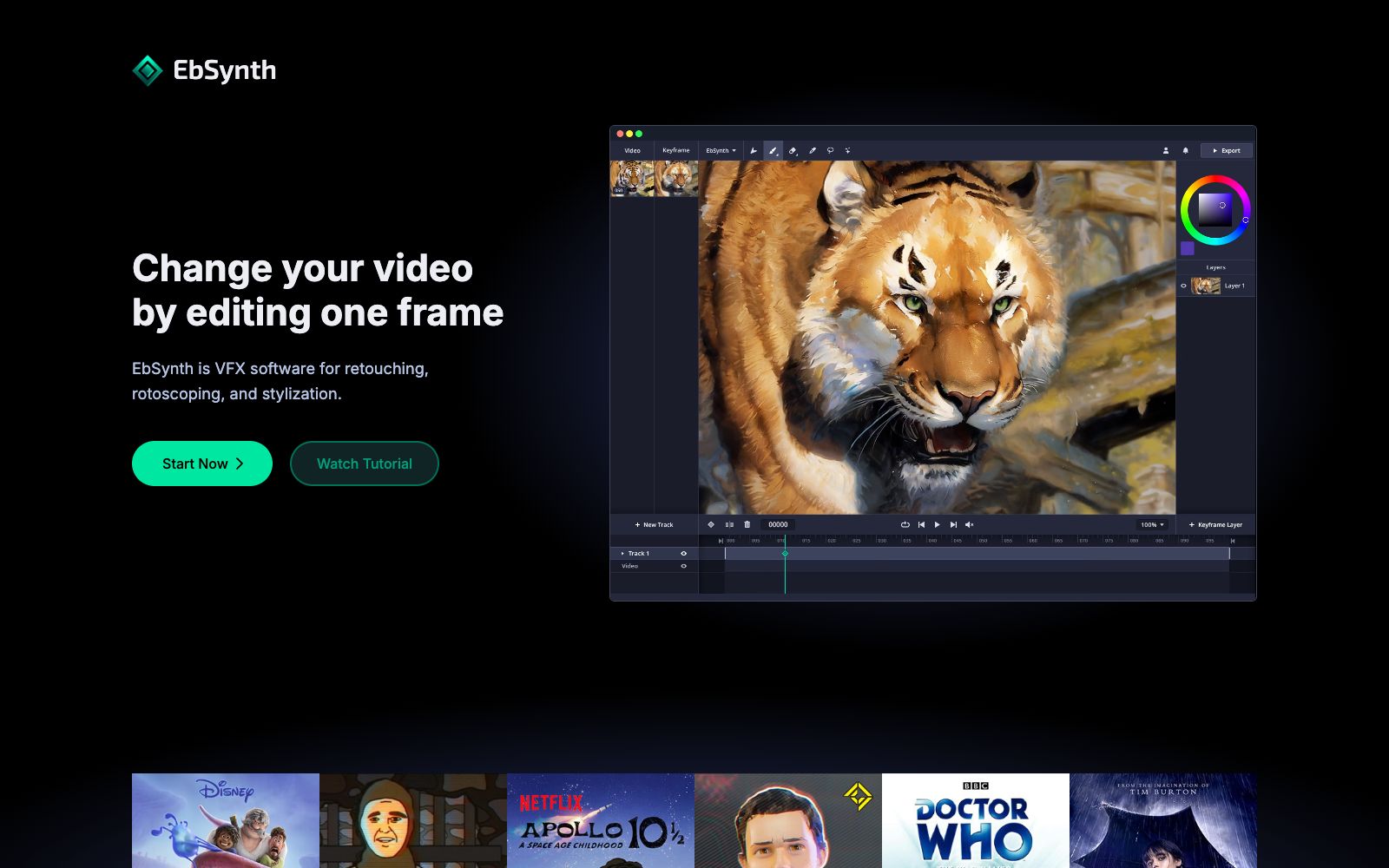

EbSynth
A video stylization and frame-by-frame compositing tool. You only need to hand-draw one keyframe, and the brush strokes can be propagated to the entire video. It is used for animation, retouching and coloring. The paid version supports 4K and alpha channel.
Updated: 2026-10-26
What is EbSynth?
EbSynth is a video special effects tool. Its official website describes itself as "VFX software for retouching, rotoscoping, and stylization", and its core feature is "Change your video by editing one frame" — just draw the key frames well, and leave the rest to it to propagate along the timeline. It was developed by Šárka Sochorová and Ondřej Jamriška at Secret Weapons.
Who is it for?
- Animators and independent creators who want to convert live-action footage into hand-drawn style.
- Post-production staff who need frame-by-frame retouching and error removal.
- Restoration specialists who colorize black-and-white or old footage.
- Production teams with confidentiality requirements who cannot upload materials to the cloud (Studio local solution).
- Art directors and storyboard designers who need to quickly test effects in a browser.
Key features
6Paint over Videos
Convert live-action footage into hand-drawn animation by only painting keyframes.
Retouch & Colorize
Eliminates manual tracking, speeding up video retouching, digital makeup, and colorization.
Style your Animation
Add painterly texture to your line art; one well-drawn frame is better than a hundred hastily drawn ones.
Generate Image
An optional AI feature for generating keyframes.
Pricing: Free
0 yuan, includes all core features, and supports exporting 720p MP4 videos.
Pricing: Pro / Studio
The Pro plan costs $20 per month, supporting 1080p and 4K exports, PNGs with alpha channels, and priority processing; the Studio plan is $200 per seat per month, which can run on the local Windows desktop client, with all materials kept on the local machine, making it suitable for projects with confidentiality and NDA requirements.
How to use EbSynth
- The official website's FAQ clearly states: The propagation of keyframes along the timeline does not use AI, but a texture synthesis algorithm.
- It only relies on your videos and key frames, and does not use generative models trained on external datasets.
- The more complete and aligned the keyframes are with the original frame structure, the more stable the propagation results will be.
- only drawing partial areas is prone to drifting.
- For large projects, it is recommended to use Chrome and confirm that a dedicated graphics card is used on the laptop.
- The official website states that this is the most reliable option for memory-intensive processing.
- If your project involves sensitive information, prioritize the locally run solution of Studio.
- Subscription and cancellation rules are subject to the official website's specifications.
- cancellations take effect at the end of the current billing cycle.
- prices are subject to change.
- please re-verify before commercial use.
Traffic & popularity
Data month Sep 2026
EbSynth receives about 11.4K visits per month and ranks #2,952,917 worldwide.
Monthly visits
12 monthsTraffic sources
- Direct57.7%
- Search27.0%
- Social7.5%
- Referrals5.3%
- AI assistants2.5%
Top countries
- India28.4%
- United States26.9%
- United Kingdom19.5%
- Russia6.9%
- Brazil6.6%
Estimated from third-party traffic data.
Similar tools
 GoEnhance AIA one-stop AI video generation and enhancement platform that supports text-to-video, image-to-video, video-to-animation style conversion, consistent character creation, and lip-sync synchronization. The official website states that it is used by more than 3 million creators.
 North NoirNorth Noir is a studio for generating and editing AI frame-by-frame video paintings. According to the official website, the model writes a drawing program for each clip, renders it at 30fps and performs self-check redraws; the finished clips are placed on a multi-track timeline, where they can be edited, adjusted, partially redrawn, and exported in 1080p or 4K resolution.
 ToonCrafterToonCrafter is an AI animation tool for cartoon frame interpolation. Upload two keyframes to generate intermediate transition animations. The official claims that a single generation takes about 10 to 20 seconds, outputs MP4 files, and it is suitable for emojis, social media animated images and presentation materials.