


MemU
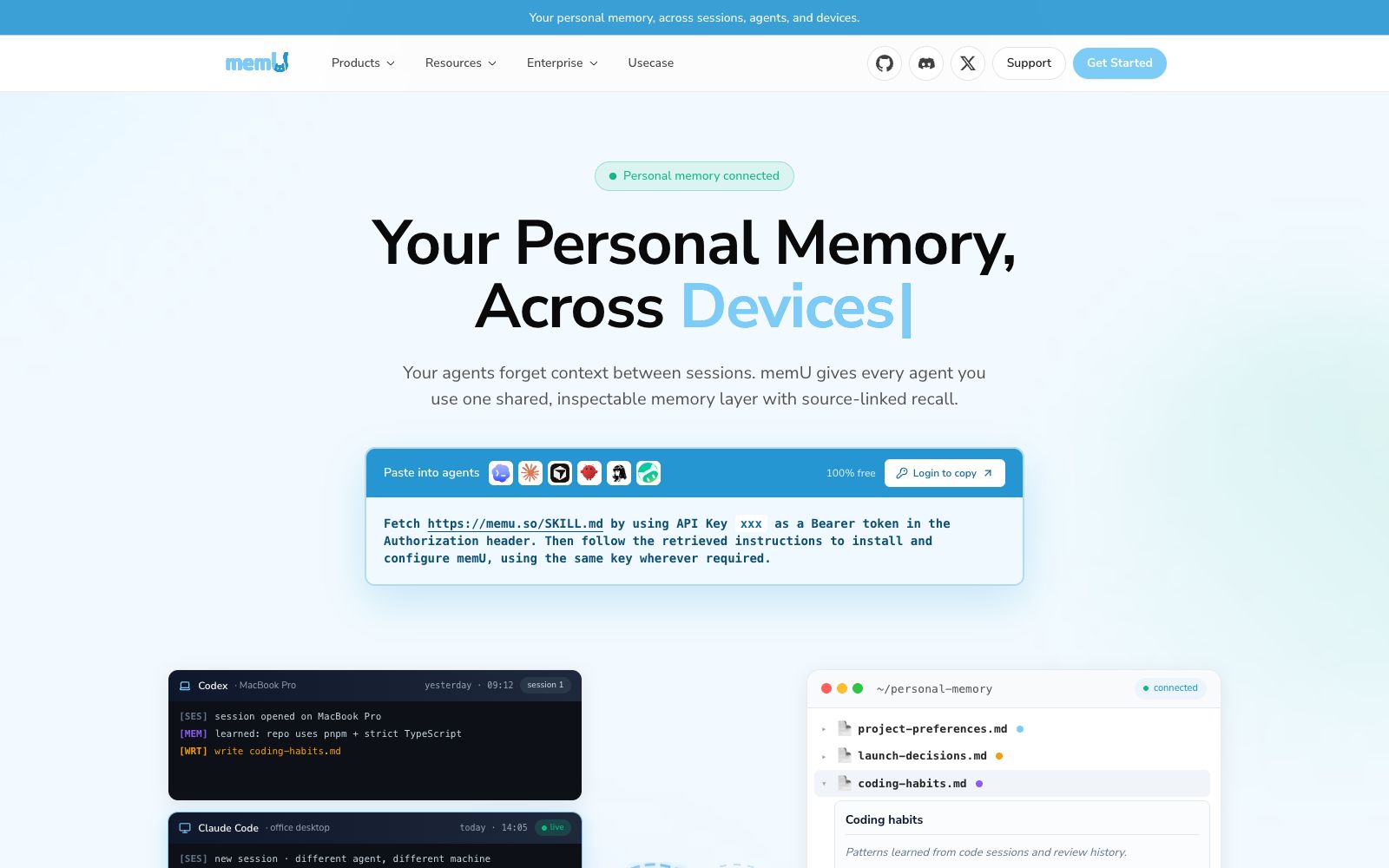
A layer of personal memory shared by multiple AI agents: Codex, Claude Code, Cursor, etc. share the same readable Markdown memory file, supporting source tracing, memory retrieval, and automatic skill extraction.
Updated: 2026-10-26
What is MemU?
MemU solves a very specific problem: every time an Agent starts a new session, it loses its memory. It connects clients such as Codex, Claude Code, Cursor, OpenClaw, Hermes, and WorkBuddy to the same layer of personal memory, enabling cross-session, cross-agent, and cross-device memory sharing. Moreover, the memory is not stored in a black-box vector database but in directly readable Markdown files. The official name for this design is the "Inspectable Memory Layer."
Who is it for?
- Developers who use multiple coding Agents at the same time: They don't want to repeat the project constraints in each tool.
- Independent developers who maintain the same project long-term: They need to remember "why the decisions were made in the first place."
- Small teams: Settle project preferences and decision records into shared documents instead of scattering them across chat logs.
- Freelancers managing multiple client projects simultaneously: Create memory files per project to avoid context mix-ups when switching between them.
- People who care about data ownership: They want their memories to be stored as plaintext files in their own directory.
Key features
6Cross-Agent Sharing
The official states that one memory layer is available for all Agents to use, eliminating the need to re-explain the project background when switching tools.
Traceable Source
Each memory entry comes with Source, Updated, and Related fields, allowing you to review which conversation it originated from and when it was written.
Readable Markdown
Memories are presented as files like project-preferences.md and launch-decisions.md, which can be directly modified when issues arise.
Automatic Skill Extraction
Extract habits and tool usage from historical tasks, and summarize them into "pre-task" and "post-task" operation points as well as "things to avoid".
Memory Retrieval and Storage
Retrieval and storage are divided into two layers, which are used on demand instead of stuffing all context into prompts.
Multi-device Sync
The same memory is shared across laptops, office desktops, and home servers, so there's no need to re-enter project background when switching devices; the official provides the installation method for SKILL.md, which uses an API Key as a Bearer token to pull instructions and complete configuration.
How to use MemU
- Only sync the "Project Preferences" and "Decision Records" categories first, and don’t include temporary debugging information—this will greatly improve retrieval accuracy.
- Regularly clean up expired entries: Markdown has the advantage of being readable, but the downside is that it’s easy to accumulate a mess.
- An API Key is like the key to the memory.
- do not commit it to public repositories.
- assign it to individuals on a per-need basis and revoke it as required during collaborative work.
- The memory may contain customer information and internal decisions, so please confirm its data usage terms before connecting to third-party Agents.
- When a team shares a single memory directory, first agree on who can modify which files to prevent overwriting each other.
- when setting up on a new device, install and verify the retrieval results on one machine first before deploying to other devices, so as to avoid copying incorrect configurations everywhere.
- The official says it can be freely copied and pasted into Agents for 100% current use, and the paid usage and quota rules are subject to the in-site instructions.
Traffic & popularity
Data month Sep 2026
MemU receives about 3.7K visits per month and ranks #6,301,790 worldwide.
Monthly visits
12 monthsTraffic sources
- Direct39.4%
- Search34.1%
- Referrals10.7%
- Social6.0%
- Display ads3.2%
- Other6.6%
Top countries
- United States54.4%
- India25.1%
- Canada18.4%
- Hong Kong, China2.1%
Estimated from third-party traffic data.
Similar tools
 DeerFlowOpen-source SuperAgent framework, equipped with sandboxes, memory, tools and sub-agents for intelligent agents, can independently complete research, code writing and content creation. The official claims it can handle tasks that take several minutes to several hours.
 GitMCPReplace the domain name in any GitHub repository URL with gitmcp.io, and you will get a remote MCP service that allows AI assistants to directly read the documents and code in the repository.
 EchoBirdDesktop management platform for AI coding tools, which centrally manages multiple accounts and quotas of ChatGPT, Codex CLI, and Claude Code, provides priority routing for multiple models and one-click deployment of local models, and supports three major desktop systems.
 Ego LiteA browser designed specifically for AI Agents. After installing one skill, Claude Code, Codex and others can directly drive it to perform web automation. The official claims it can handle hundreds of concurrent tasks, with login status, independent spaces, and data stored locally.
 RomeOpen-source agent operating system: describe your goals through conversation, and the Agent can build tools by itself, save actions, retain context and have cross-task reusability. It supports self-hosting and can be connected to your existing cutting-edge coding models and subscription plans.
 EigentOpen-source desktop multi-agent workspace that enables AI agents to operate browsers and local applications to complete real tasks. The official version supports custom model selection, approval of key steps, and traceability of execution trajectories.