


marmos
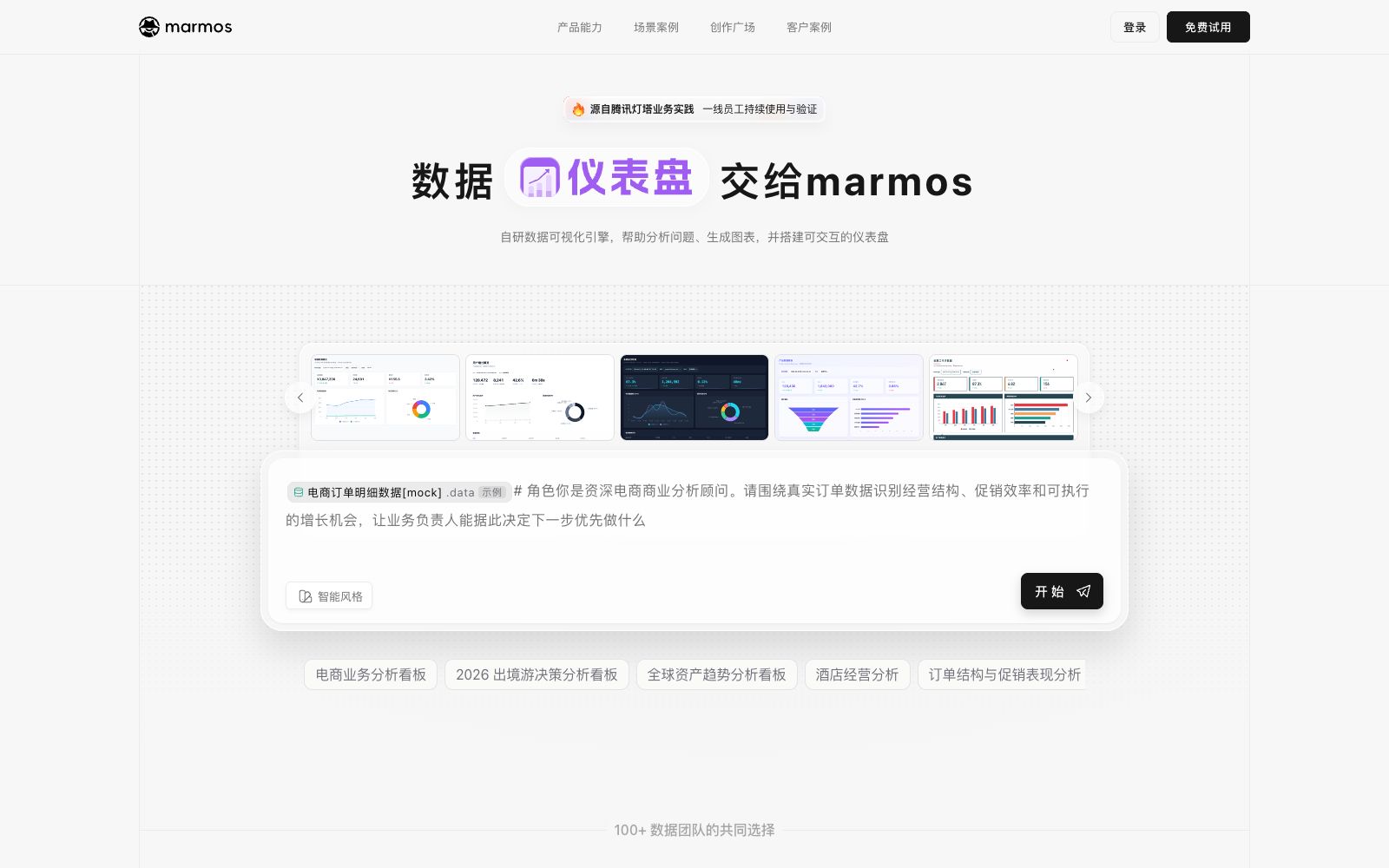
A conversational data analysis tool under the Tencent ecosystem that can connect to databases or local files, generate SQL, visual dashboards and reports through conversations, and support workflows, subscription alerts and team collaboration.
Updated: 2026-10-26
What is marmos?
The official website domain of marmos is hosted under qq.com, and the first screen is a single-page application. From the copy within the application, we can see its self-introduction: a character greets and says, "I am DataTalk, an intelligent data analyst". Please select a dataset and tell it what you want to analyze, and it will generate a complete data dashboard. The interface also provides configuration entrances for "Publish to Lighthouse AI Cloud Disk" and "Lighthouse Robot" Webhooks, which shows that it is connected to Tencent Lighthouse's data asset system.
Who is it for?
- Business and operation teams that need to quickly create operation dashboards but do not want to write SQL by hand.
- Data teams that have data warehouses or databases and want to perform multi-dimensional drill-down and attribution analysis.
- Teams that need to turn indicator monitoring into regular alerts and daily/weekly reports.
- Departments with multi-team collaboration that need to isolate data assets by workspace and permissions.
Key features
9Conversational Analysis
According to the official in-app copy, after selecting a dataset and describing what you want to analyze in natural language, a complete data dashboard can be generated.
Data Access
The official states that it can connect to databases or upload local files, supporting.xlsx,.xls, and.csv formats.
SQL Generation and Repair
The application provides modules such as SQL overview, SQL repair, and SQL parameter replacement, and can automatically repair when the SQL and fields fail the acceptance check.
Multiple Analysis Types
The official lists analysis types such as trend, attribution, segmentation, as well as attribution analysis, funnel analysis and retention analysis.
Visualization Outputs
The official lists output forms such as visual dashboards, visual reports, HTML visual report pages, and reports and documents.
Workflow Canvas
The official version states that you can add analysis nodes on the Flow canvas, and it will automatically fetch data, generate charts, and create insights.
Subscription and Alerting
The official version states that you can set detection types such as indicator thresholds, empty data, and query failures, and configure the check frequency and notification methods.
Updates & Snapshots
The official version states that dashboards can be set to update frequencies such as daily, hourly, minute-by-minute, or in real time, and snapshots are supported to freeze the results at that moment.
Team Collaboration and Publishing
The official version states that it supports team workspaces, team sharing, and a permission center. You can share dashboards or conversations, and also publish to DataTalk and Lighthouse AI Cloud Disk.
How to use marmos
- First bind the dataset and confirm the field definitions/criteria, then let the AI generate SQL.
- if the definitions are unclear, the AI is likely to make wrong guesses, resulting in execution failure.
- When it comes to filters and default times, the official documentation emphasizes that you should modify the default values in the HTML controls, not just the query defaults.
- otherwise, the default times seen by users will not change.
- Exports of large data volumes are automatically converted to background tasks.
- You can check the progress in Settings → Download Management and do not repeatedly retry in the foreground.
- Snapshots freeze data.
- use snapshots for sharing to ensure stability.
- switch to real-time mode only when real-time data is needed, and pay attention to the load capacity of the data source.
- Team collaboration and publishing to the cloud disk involve data permissions.
- Please confirm whether the sharing is public or only accessible to designated members before sharing.
- Multiple mentions within the app indicate that the sample workspace is for viewing purposes only, and uploaded files will be automatically deleted after a certain period of time.
- Please read the in-site instructions regarding data retention and permissions before official use.
Traffic & popularity
Data month Sep 2026
marmos receives about 45.7K visits per month.
Monthly visits
5 monthsTraffic sources
- Direct68.3%
- Search22.5%
- Referrals6.1%
- Social2.8%
- AI assistants0.4%
Top countries
- China99.8%
- Singapore0.2%
Estimated from third-party traffic data.
Similar tools
 DomeryA domestic full-link data AI assistant for data teams, according to its official website, it covers event tracking design and code generation, multi-source data access, semantic library management and AI visualization, and supports switching of multiple models.
 ZettaZetta is an AI data analysis platform for business teams. Officially, it offers conversational AI data analysts, automated insights, visual dashboards and data warehouses, enabling businesses to gain clear insights into data without the need for a dedicated data team.
 KNIMEKNIME is a free and open-source data analysis platform. It uses visual nodes and workflows for ETL, analysis, predictive AI and agent building, and can connect to numerous data sources and be deployed in enterprise production.
 ChatSPSSThe online statistical analysis tool launched by Chengdu Nature Intelligence Technology supports uploading CSV, Excel, SPSS and Stata data. According to the official website, it covers more than 27 statistical methods and automatically generates three-line tables and interpretations.
 Chat2DBAn open-source database client that integrates natural language-to-SQL conversion, conversational data analysis and visual management into a single desktop tool. Queries are processed locally, and it supports both relational and non-relational databases.
 AlgForce AIAlgForce AI is an AI data analysis and report generation platform. You can upload tables to generate data dashboards and analysis reports. The official claims that it can one-click generate multi-page reports, and it also provides MCP for Agent to call.