


Lightfield
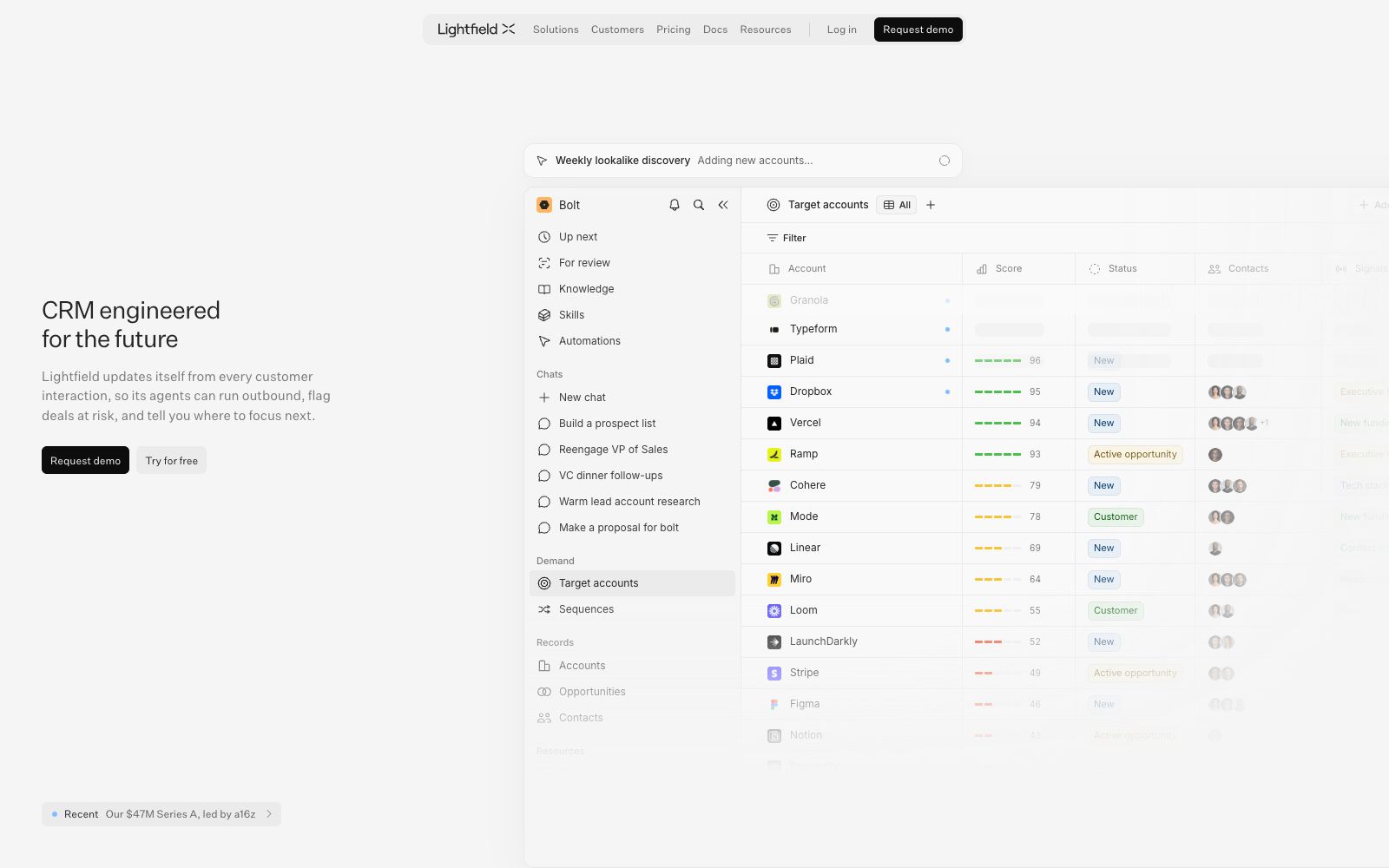
Lightfield is an AI-native CRM for enterprises. Its official website states that records are automatically updated from every customer interaction, and agents can make outbound calls, flag risky transactions, and get prompts for key next steps. It also offers custom objects, context graphs and APIs, MCP, and CLI access.
Updated: 2026-10-26
What is Lightfield?
Lightfield's official website positions itself as an AI-native CRM, with the mission of enabling companies to capture, analyze and understand everything about their customers. Two differences between it and traditional CRMs are outlined in the website's architecture description: first, records update automatically—after connecting to systems such as email, calendars, Slack, and LinkedIn, every customer interaction is automatically written into structured records; second, agent infrastructure, which uses standardized SDKs, deterministic code sandboxes and continuous evaluation to enable agents to read and write records stably. The website refers to this accumulated system as the business world model.
Who is it for?
- Sales leaders who already have a sales process and want to solidify their qualification review framework into executable skills.
- GTM teams that don’t want sales staff to manually fill in CRM fields every day and prefer automatic record updates.
- Product and engineering teams that want to trace the reasons for won and lost deals back to specific conversations.
- Operations professionals who are used to building automation with natural language and want to replace piecemeal process tools.
- RevOps professionals who need to model based on custom objects and integrate with existing toolchains.
Key features
6Full Automatic Capture
The official website states that connecting emails, calendars, Slack, LinkedIn and other systems takes only a few minutes, and every subsequent customer interaction will be captured and maintained in a structured manner.
Agent-Oriented Data Model
Custom objects and relationships are modeled according to your business. The official website states that a temporal context graph connects each interaction and preserves changes to data over time.
Sales Skill Library
The official website lists skills such as account research, call preparation, discovery notes, meeting reviews, follow-up emails, next-step tracking, champion checks, deal qualification, deal reviews, objection handling, proposal drafting, stakeholder mapping, closing plans, and forecast updates.
Demand-side Execution
The official website offers objects such as target accounts, sequences, and opportunities. It can generate target lists based on the fastest-growing customer profiles and execute multi-channel outreach. Account cards include signals like financing, executive changes, headcount growth, and tech stack updates.
Question-driven Analysis
In the official website examples, users can directly ask "What do the customers who churned in the last quarter have in common?" and the system will summarize conclusions such as "lack of SSO" from the conversations. They can also ask "Why has the pipeline coverage changed and the forecast declined?"
Open Platform
The official website states that you can read and write every record through APIs, MCP, and CLI, and connect your self-built agents, automation, and existing tools to the same set of data.
How to use Lightfield
- Start with the free trial or a scheduled demo on the official website before deciding which data sources to connect.
- the more connections you make, the more complete the evidence chain for automatic capture will be.
- Document your qualification framework and sales process as skill files.
- The skills in the official website example consist of SKILL.md, qualification.md, and sales-process.md.
- proper configuration ensures the output aligns with your standards.
- The official website’s deal review instructions require reading conversations instead of fields, and each judgment should reference framework chapters.
- Configuring in this way allows new sales to learn while using the product.
- Emails and follow-ups drafted by agents default to a review queue, with examples on the official website showing two buttons: dismiss and approve.
- Manual approval must be retained in the initial launch phase.
- Before integrating with email, calendar and Slack, confirm the authorization scope and retention policies.
- for scenarios involving personal information and cross-border transmission, pass compliance review first.
Traffic & popularity
Data month Sep 2026
Lightfield receives about 3.0M visits per month.
Monthly visits
12 monthsEstimated from third-party traffic data.
Similar tools
 CheatlayerCheatlayer is built on the Project Atlas framework, generates complex automation using natural language, comes with built-in product, marketing and sales agents, has a starting price of one US dollar and offers a 60-day refund.
 SoftSyncSoftSync is an all-in-one AI CRM that centralizes customer records, emails, meeting minutes and follow-up processes in a single workspace, and offers sales assistance, appointment scheduling, e-signature and automation features.
 SalesforceSalesforce is officially positioned as the No.1 AI CRM platform, offering Sales Cloud, Service Cloud, Marketing Cloud, Data Cloud, Tableau, Slack, and the intelligent agent Agentforce.
 GongGong is a Revenue AI OS for revenue teams. It automatically analyzes customer interactions by capturing sales calls and meetings, and provides Gong Engage and Forecast.
 RoxAn AI sales agent for large enterprises that automatically finds and reaches out to potential customers, screens leads, books meetings and manages business opportunities. Its official website states that it can automate the entire revenue cycle and is designed for large sales teams.
 AttentionAn AI agent platform for sales teams, which the company says automatically captures signals from meetings and emails and drafts next actions. Salespeople confirm and execute them, and the entire process of actions is auditable and traceable.