

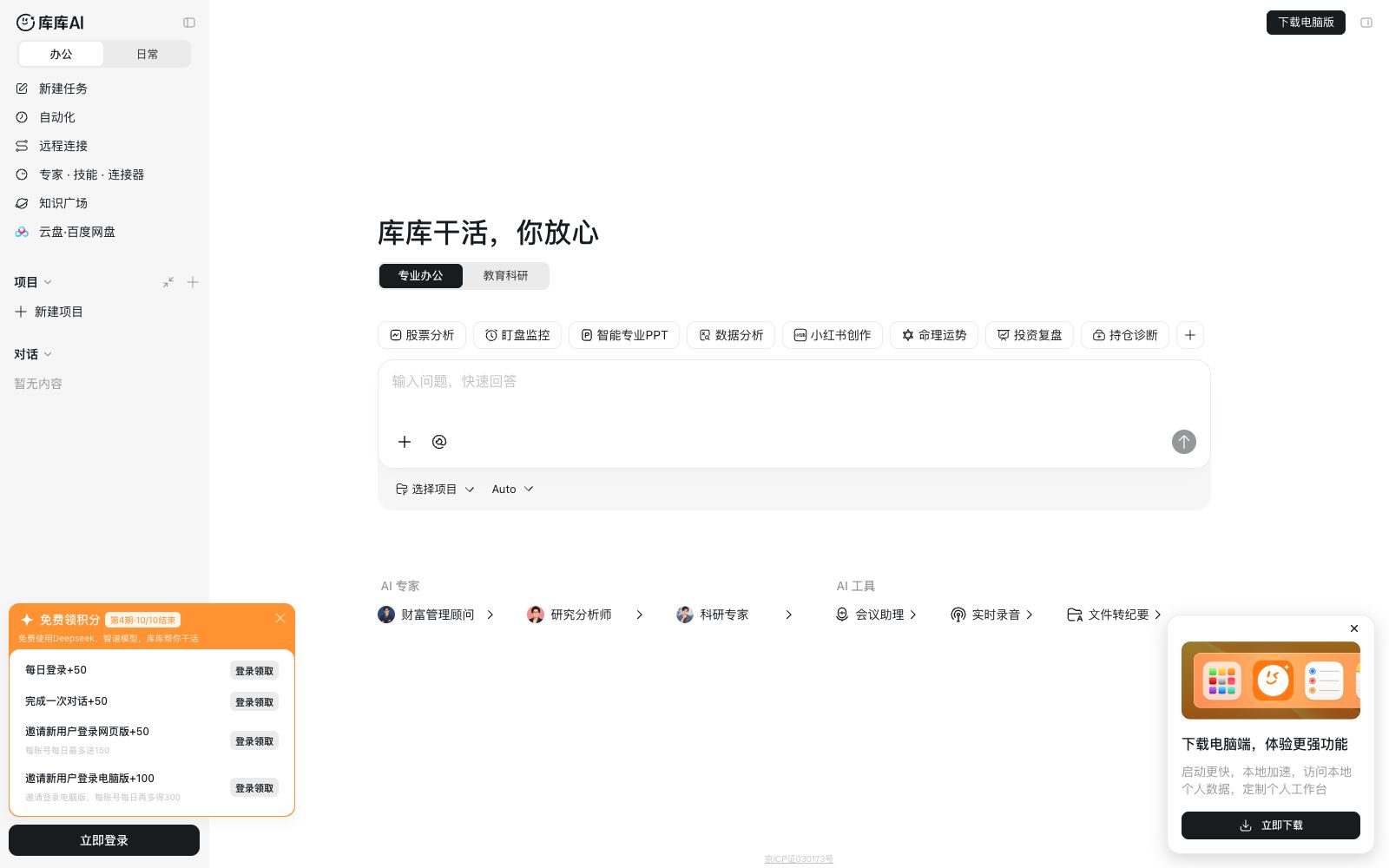

Kuku AI
An AI workstation product for professional users, with the official website slogan "Get Down to Business, Rest Assured". Its interface includes modules such as Workstation, Team, Automation, and Remote Connection, and it offers features like Meeting Assistant, Real-time Audio-to-Text Transcription, Document Summarization, and AI Document Translation.
Updated: 2026-10-26
What is Kuku AI?
Kuku AI's official website slogan is straightforward: "Kuku gets the work done, rest assured." Based on the built-in information on the official website, it is positioned as a "professional-level AI workstation". It is integrated with Baidu Netdisk (able to import files from Baidu Netdisk and sign in to claim Baidu Netdisk membership). In addition to the web version, it also provides a PC desktop client. When accessing it currently, the official website will prompt that it is in the closed beta invitation stage, and you need to apply through the official WeChat account.
Who is it for?
- Professionals who attend meetings frequently and need to quickly get meeting minutes and action items after meetings
- Teams that need to convert audio recordings, videos, and documents into text for further processing
- Financial professionals who organize research reports, financial statements, and announcement-related materials
- People who are used to working on the desktop and want to use their mobile phones to monitor tasks remotely
- Teams that need to isolate data by project and enable the team to collaborate in a single space
Key features
9Workbench & Tasks
The official website interface includes entrances such as Workbench, New Task, Projects, and Workspaces, supporting task organization by project.
Automation
The sidebar features a dedicated automation module, and the official website indicates that the desktop version supports 24/7 automation.
Meeting Assistant
Described on the official website as "AI Takes Meetings for You", it automatically records meetings, then transcribes the text accurately and generates AI meeting minutes, and supports pasting meeting invitation information to automatically identify and fill in details.
Real-time Recording & Transcription & Note-taking
Supports real-time recording and one-click real-time summarization. After refined transcription, it can distinguish speakers and export verbatim transcripts.
AI File Translation & File to Minutes
The tool list includes entries such as AI file translation, real-time recording, and file to minutes, supporting video links and files.
Multi-device & Remote Connection
The official website provides a remote connection function. You can connect to a logged-in desktop device via the web version, and also use the mobile terminal to continue tasks started on the computer.
Experts, Skills and Knowledge Plaza
You can create expert groups, accumulate personal skills, and subscribe to thematic knowledge bases to reuse materials.
Custom Instructions & Memory
The official website features custom instructions and a memory function, enabling the product to remember long-term preferences and working styles.
Multi-mode Switching
The official website interface distinguishes between modes such as office and daily use, and provides functions such as file preview, citation, and generation of file location.
How to use Kuku AI
- It is currently in an invitation-only beta test phase.
- Please follow the instructions on the official website to apply for access.
- Do not assume that everyone can use it directly.
- The recording and meeting participation functions involve recording consent.
- You must inform the participants in advance and comply with local laws and regulations as well as company rules.
- Refining transcripts and generating AI meeting minutes consume points or membership credits.
- The website defaults to providing each person with a monthly credit limit, so calculate the usage in advance before running batch tasks.
- For files and recordings uploaded to the cloud drive, pay attention to the cloud drive space and retention period, and it is not recommended to upload sensitive materials.
- Confirm that the task is trustworthy before enabling full access permissions, and the official website clearly prompts the risks of this permission.
- The financial-specific data packages are additional content that can be claimed, and you need to confirm their sources and scope of use on your own.
- The official website's points, seats and function scope may be adjusted.
- recheck the official website instructions before official use.
Traffic & popularity
Data month Sep 2026
Kuku AI receives about 4.4M visits per month.
Monthly visits
5 monthsTraffic sources
- Search47.5%
- Referrals21.6%
- Display ads19.8%
- Direct10.5%
- Social0.6%
Top countries
- China96.0%
- United States1.3%
- Taiwan, China0.7%
- Hong Kong, China0.7%
- Japan0.3%
Estimated from third-party traffic data.
Similar tools
 NottaNotta is an AI meeting and audio recording transcription tool that supports transcription and translation in 58 languages. It can automatically generate summaries, PPTs and infographics, covering various scenarios such as online meetings, offline interviews and imported files.
 CogramAn AI-native document collaboration platform for architecture and engineering teams, covering meeting minutes, email archiving and search, RFIs, Submittals, and field reports, with integrations for common AEC tools, templates, and data requirements.
 askFinzAn AI platform for professional work, officially offering multiple dedicated workspaces and over 50 agents, integrating multiple model suppliers, building its own web index, and centering the experience on cited research and briefings.
 OwllOwll is a cross-device AI meeting note tool. Its official website states that it supports transcription in over 99 languages. It can automatically identify sales calls, meetings or classes and apply different summary formats, extract to-do items with priorities, and continue recording across iPhone, Mac and Apple Watch.
 AmieAI meeting minutes and workflow assistant. Officially, it can generate meeting minutes and to-do lists without requiring a robot to join the meeting, and it allows external AI to access meetings, schedules, and to-do lists via MCP.
 TicNoteAn AI note-taking tool under Mobvoi, which can collect meetings and calls with one click with card-shaped recording hardware, automatically transcribe and generate multilingual summaries and action items, and you can ask the recording content for sorting through the intelligent agent.