


Katto
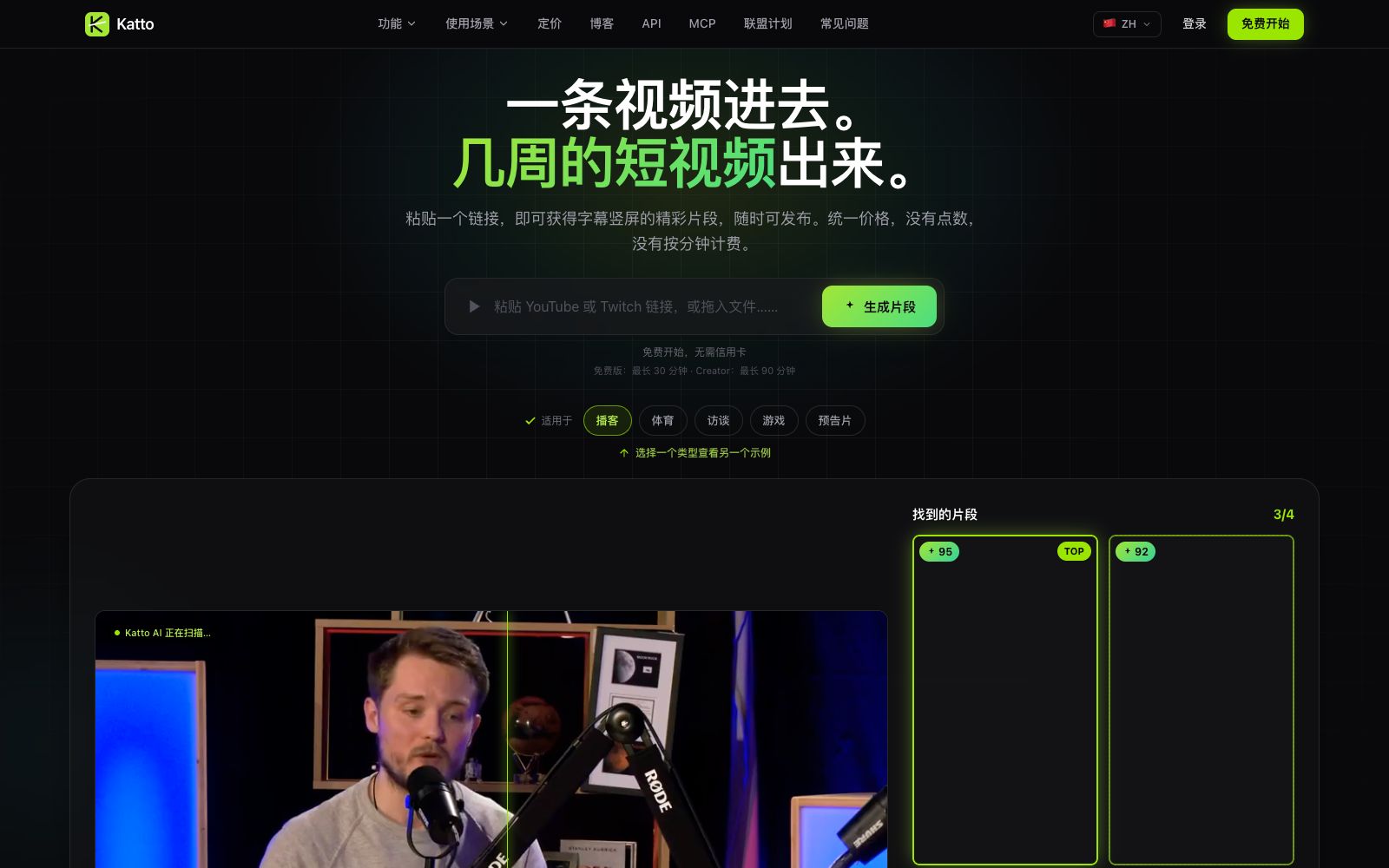
The official website of Katto positions it as an AI video editing tool: after pasting a long video link, it automatically finds the best moments, scores clips based on four dimensions, reconstructs them into vertical screens and adds multilingual subtitles. It also supports dubbing, scheduling and publishing to seven platforms.
Updated: 2026-10-27
What is Katto?
The Chinese official website of Katto states its usage method very directly: paste a long video link, and you will get multiple vertical screen short clips that can be published. Instead of first providing a timeline for manual editing, it first scans the video, identifies candidate moments, and then sorts them by communication potential. The official website claims that each clip will receive a score ranging from 0 to 100 across four dimensions, with the best ones automatically ranked at the top of the list. The official website also emphasizes a unified monthly fee, with no point purchases or minute-by-minute billing.
Who is it for?
- Media teams that need to split long podcasts, interviews, gaming or sports videos into short clips every week.
- Creators who need to first determine which clips are worth posting instead of trial-editing each segment one by one.
- Account operators targeting multilingual audiences who need synchronized subtitle and dubbing production.
- Developers who want to integrate video slicing into automated pipelines or AI agents.
Key features
6Clip Scoring and Sorting
According to the official website, Katto scores each moment across four dimensions and sorts them based on dissemination potential; the homepage examples show sub-scores for dimensions such as hook, rhythm, value, and trends.
Intelligent Frame Reconstruction
The official website states that the engine tracks speakers, faces and movements, and reconstructs 16:9 source videos into 9:16, 4:5 or 1:1 aspect ratios, supporting multi-faces, speaker split-screen and shot switching.
Multilingual Subtitles and Dubbing
The official website states that subtitles are supported in 99 languages, with 41 of them offering word-accurate timelines; dubbing is available in 105 languages, and clips can be translated with natural-sounding voices.
Text-based Editing
The official website states that the video is first transcribed, and users can delete or rearrange the text copy, with the clips updating accordingly, allowing you to handle the voice-over as if editing a document.
Publishing & Scheduling
The official website states that you can publish clips to seven platforms at once or set a schedule; page examples cover YouTube, TikTok, Instagram, LinkedIn, Threads, Bluesky, and Mastodon.
Developer Integration
The official website lists REST API, MCP server, Webhooks, and OpenAPI 3.1 documentation, stating that integration is possible with a single npx command to enable code or AI agents to generate clips.
How to use Katto
- 1First, use the free version to process two videos under 30 minutes each, check if the scores align with your manual judgment, and then consider upgrading.
- 2When inputting, clearly define the theme, intent, hook, or audience perspective; the official website emphasizes that it is Prompt-first rather than randomly detecting moments.
- 3Before reconstructing the video, check the speakers and moving subjects first; materials like live streams and multi-person interviews are more likely to reveal tracking differences.
- 4For multilingual releases, start with just one target language. Confirm the word-level timestamps of the subtitles and the lip-sync quality of the dubbing before batch-processing.
- 5If you want to connect to the API, first read the OpenAPI documentation and quota rules to avoid your automated script consuming too many video views at once.
Traffic & popularity
Data month Sep 2026
Katto receives about 9.8K visits per month and ranks #2,012,851 worldwide.
Monthly visits
9 monthsTraffic sources
- Direct30.0%
- Search27.7%
- Referrals12.0%
- Display ads9.6%
- Affiliates7.2%
- Other13.6%
Top countries
- United States37.1%
- Germany32.9%
- Vietnam30.0%
Estimated from third-party traffic data.
In these collections
Similar tools
 SsembleAn AI tool that cuts long videos into viral short videos. Paste a YouTube link or upload a file, and it automatically picks out highlight clips, adds subtitles, and tracks faces with the rule of thirds composition, then schedules and publishes them across multiple platforms.
 Nexus ClipsA tool that automatically selects clips from long videos to create vertical short videos. It can intelligently pick exciting clips and automatically add animated subtitles and stickers. The official website states that you don't need editing experience, and it can also help you publish directly.
 Spikes StudioAn AI long-video clipping tool that officially claims to automatically find highlights, add transitions, zooms, and subtitles. It supports multi-platform formats and scheduled publishing, has over 1 million users, works in more than 99 languages, and offers a free trial with a watermark.
 KlapAI short video clipping tool, the official said that by pasting a link or uploading a long video, it can automatically select highlight clips and reconstruct them into vertical screen short videos, automatically add subtitles and track composition, and can be scheduled and released to TikTok and YouTube.
 MinvoMinvo is a long video slicing tool that automatically selects publishable short videos from podcasts, live streams, sermons, and interviews, adds animated subtitles and removes catchphrases. It also supports dubbing into more than 50 languages and directly schedules releases across multiple platforms.
 Vmaker AIA self-service video creation and editing platform that covers screen recording, converting long videos to short videos, multilingual subtitles, AI dubbing, translation and other capabilities. The official claims that the number of global users has exceeded 2 million.