


FlowSavvy
AI scheduling tool that automatically adds to-dos to the calendar: generates schedules based on priority and deadline, automatically rearranges when plans change, and allows one-click recalculation of missed tasks when falling behind. The official website states that it supports custom scheduling time periods, recurring tasks, and synchronization with Google Calendar, iCloud, and Outlook.
Updated: 2026-10-26
What is FlowSavvy?
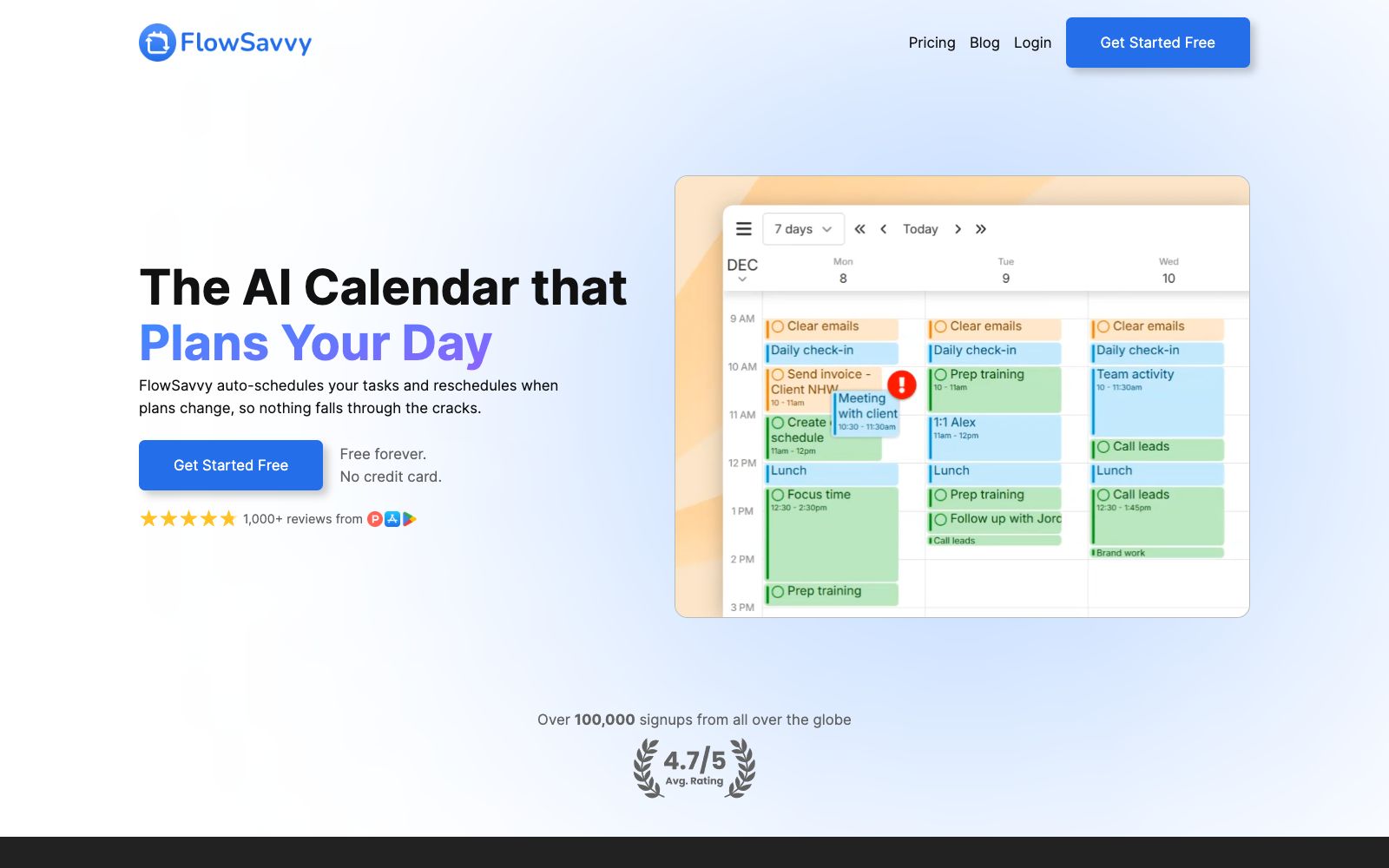
FlowSavvy's official website positions itself as "The AI Calendar that Plans Your Day": it automatically prioritizes and schedules to-do items into the calendar based on priority and deadline, and automatically rearranges them when plans change. Its difference from manual time-blocking tools lies in this rearrangement feature—the official website states that after you make any changes, FlowSavvy will automatically rearrange tasks without the need to manually move time blocks; when falling behind, you can click to recalculate to immediately schedule missed tasks back into the calendar, preventing things from falling through the cracks. The official website states that it is free and no credit card is required, and the site shows there have been more than 100,000 registrations.
Who is it for?
- Professionals with many to-dos and scattered deadlines who need someone to arrange their list into the calendar every day.
- Students and freelancers: Schedule classes, projects and habits into fixed time slots.
- People whose plans are often interrupted by impromptu meetings and who need automatic rescheduling instead of manually moving time blocks.
- People who want to set aside fixed time slots for deep work and habits but don't want to redraw their schedules every day.
- Users who already use Google, iCloud, or Outlook calendars and want their scheduling to avoid existing events.
Key features
6Automatic Scheduling
The official website states that FlowSavvy will take all priorities and deadlines into account, schedule your to-do list into your calendar and ensure you meet the deadlines, and generate a new schedule within a few seconds.
Automatic Rescheduling
Automatically rearranges tasks when plans change, and according to the official website, there's no need to manually move time blocks anymore.
Recalculate for Missed Items
Recalculate when falling behind; the official website states it will immediately re-schedule missed tasks back to the calendar.
Retain Control
The official website states that you can drag and drop automatically scheduled tasks at any time to lock them in place, and it also supports recurring tasks and automatic scheduling for habits.
Work-Life Balance
The official website states that you can customize scheduling time slots (work, personal, morning, evening, etc.) to determine the time range within which it arranges tasks.
Calendar Sync & Multi-Device Support
The official website states that it schedules around existing events in your Google Calendar, iCloud, and Outlook, and offers full-featured web, iOS, and Android apps along with list-based task management.
Things to know
Usage Tips
- Connect all your calendars first. The official website states that it will schedule around existing events; if your calendars are incomplete, the scheduled times will be disrupted by meetings.
- First set up your scheduling time slots (work, personal, evening, etc.), otherwise it might schedule tasks at times when you don't want to work.
- Lock in advance tasks that must be fixed in a certain time slot on the day, and leave the rest to automatic scheduling.
- When you fall behind, first click Recalculate to see its proposed schedule, then decide which tasks to cut, and don't struggle with the backlog day by day.
- The official website states that it's free and no credit card is required. Use the free version for two weeks of real-life scheduling first, and confirm that the scheduling habits are a good fit before considering a paid subscription.
Traffic & popularity
Data month Sep 2026
FlowSavvy receives about 28.4K visits per month and ranks #1,368,332 worldwide.
Monthly visits
12 monthsTraffic sources
- Direct73.3%
- Search18.8%
- Social3.1%
- Referrals2.6%
- AI assistants1.6%
- Other0.6%
Top countries
- United States66.5%
- United Kingdom9.3%
- India5.1%
- Germany4.5%
- Philippines3.4%
Estimated from third-party traffic data.
In these collections
Similar tools
 MorgenAn AI scheduling app that combines multiple calendars and to-do lists into a daily plan, automatically arranging time blocks, resolving conflicts by capacity, and reminding about missed tasks. It is suitable for office workers who work across platforms.
 Reclaim.aiReclaim.ai is an intelligent scheduling tool that connects with Google Calendar. It automatically arranges tasks, habits, meetings and personal time slots into your free time, and intelligently reschedules them when there are conflicts. It was later acquired by Dropbox.