


Yuankong ChatExcel
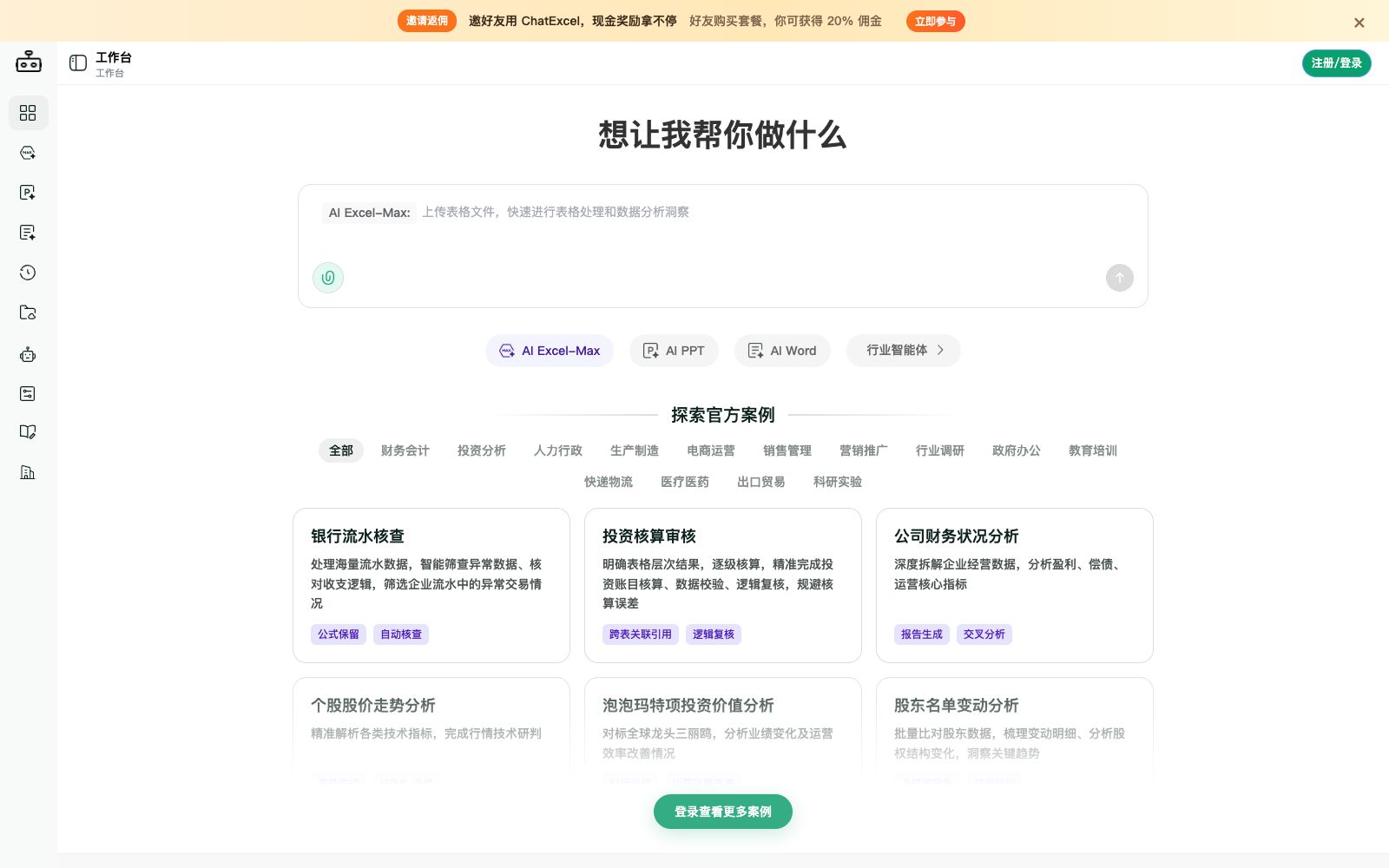
An AI spreadsheet tool focused on "chat-controlled spreadsheets", its official website states that it can complete data cleaning, analysis and batch processing without formula functions, supports processing multiple files and worksheets, generating PPTs and dynamic lesson plans, and provides charts and dashboards.
Updated: 2026-10-26
What is Yuankong ChatExcel?
ChatExcel focuses on "controlling spreadsheets with just chat", and its official website is titled "AI Processing of Spreadsheet Data and PPT Generation". Users can complete data cleaning, analysis and batch processing by describing their needs in natural language without having to write formulas and functions by hand; in addition to creating spreadsheets, it can also generate presentations and dynamic teaching materials with animation effects in one sentence, and provides chart creation and data dashboards.
Who is it for?
- Operations and administrative staff who are unfamiliar with formula functions but need to regularly sort out reports.
- Analysts who need to aggregate data from multiple files and perform batch cleaning.
- Professionals who want to directly turn spreadsheet data into presentation materials.
- Finance professionals who need to batch process image tables and perform format conversion.
- Small team leaders who need to regularly organize business data into visual dashboards.
Key features
7Conversational Spreadsheet Creation
The official website states that no formulas or functions are required; you can complete data cleaning, analysis, and batch processing through chat, and the system automatically identifies key indicators.
Multi-file and Multi-worksheet Processing
The official website states that it supports batch processing of multiple files and multiple worksheets, with millisecond-level response for millions of rows of data.
Generate PPT
Describe the theme and requirements in natural language to automatically generate a complete presentation.
Dynamic Lesson Plans
The official website states that you can generate lesson plan content with animation and interaction effects in one sentence.
Format Conversion & Image to Excel
The official website lists entry points for format conversion, image to Excel, and other functions.
Charts & Dashboards
Provides chart creation and data dashboards, allowing free construction of various chart types.
Online Search & Deep Thinking
The official website lists switches for online search and deep thinking, which can be used for analysis requiring external information.
How to use Yuankong ChatExcel
- The official website states that it supports Word, Excel, PPT, PDF, TXT, CSV and image files, with a maximum of 5 files per conversation and 5M per file.
- Split oversized files first.
- The platform charges by points, with different point values consumed for conversations, spreadsheet creation, PPT generation, format conversion, and online searches.
- Estimate your monthly usage first before choosing a subscription plan.
- The official website states that monthly points reset at the start of the billing cycle and are not carried over.
- do not purchase an excessive amount at once.
- Please double-check the key data after export, especially the summary and filtering results.
- For teams with intranet or private deployment needs, the official website offers enterprise SaaS and private deployment versions.
- you can contact customer service for consultation.
- The official website provides a template plaza and in-site tutorials.
- Beginners can first use the official templates to get familiar with the way of asking questions.
- The official website lists a local model solution, but it has requirements for the client and version.
- please confirm the usage environment before purchase.
Traffic & popularity
Data month Sep 2026
Yuankong ChatExcel receives about 116.7K visits per month and ranks #1,162,566 worldwide.
Monthly visits
12 monthsTraffic sources
- Direct65.4%
- Search22.2%
- Referrals7.1%
- Social2.9%
- AI assistants1.4%
- Other1.0%
Top countries
- China89.4%
- Singapore3.1%
- United States3.0%
- Hong Kong, China1.4%
- Taiwan, China0.9%
Estimated from third-party traffic data.
Similar tools
 RowSpeakRowSpeak is an AI data analysis platform for sources such as Excel, CSV, and PDF. It can analyze tables, clean data, generate charts and interactive dashboards with natural language, and support converting images/PDFs to Excel.
 Rows AIRows, a spreadsheet with built-in AI analysis capabilities, features the slogan "A cell is a prompt" on its official website: After typing an equal sign, describe your needs to generate formulas, charts and insights without requiring code, formulas or menu operations.
 QuadraticQuadratic is a workbench that embeds AI into spreadsheets. It connects to data sources such as CSV and databases, generates formulas, code and charts in natural language, and delivers reusable insights.
 ZettaZetta is an AI data analysis platform for business teams. Officially, it offers conversational AI data analysts, automated insights, visual dashboards and data warehouses, enabling businesses to gain clear insights into data without the need for a dedicated data team.
 Julius AIAn AI workspace for knowledge workers that connects to databases, analyzes data, and generates reports, presentations, charts, and multimodal content in natural language. It supports data sources such as Postgres and Snowflake and has obtained SOC 2 certification.
 GPT ExcelAn AI assistant for spreadsheet workers, generating formulas, pivot tables and charts in natural language, as well as cleaning data, writing scripts, and transforming spreadsheets into slides, reports or executive summaries.