


AI Excel Bot
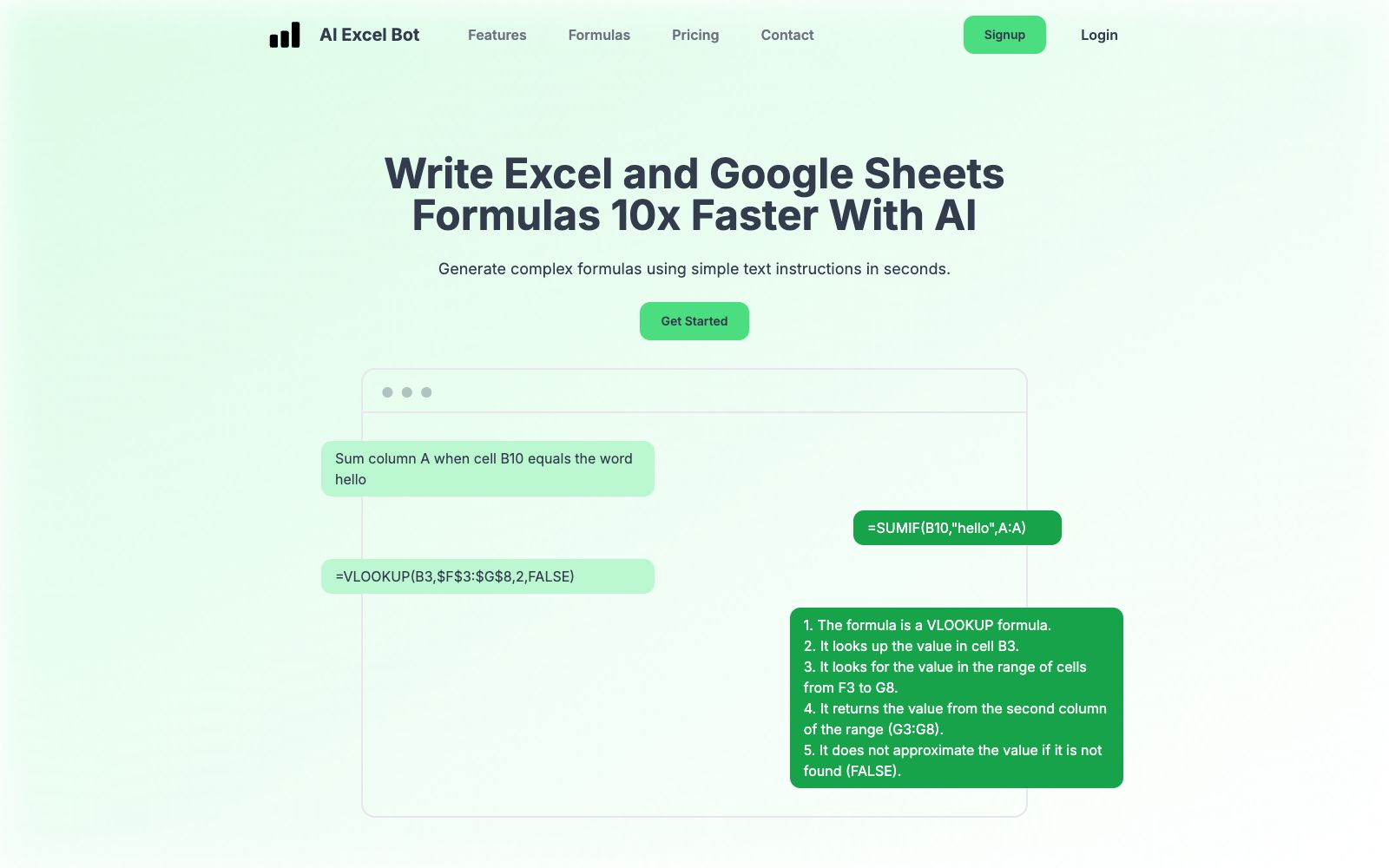
AI Excel Bot generates Excel and Google Sheets formulas in seconds with simple text commands, can explain complex formulas, create and explain VBA code, and provide extensions for direct use within spreadsheets.
Updated: 2026-10-26
What is AI Excel Bot?
AI Excel Bot is a tool that generates Excel and Google Sheets formulas in seconds with simple text commands. It also has the ability to explain complex formulas, generate and explain VBA code, and allows users to call it directly within spreadsheets via a browser extension. Positioned as lightweight and easy to get started with, it targets ordinary users who occasionally need to process spreadsheets and are unwilling to systematically learn function syntax.
Who is it for?
- Regular users who want to write formulas quickly but are not familiar with function syntax, especially those who need to process spreadsheets occasionally.
- Non-developers who need VBA support but don't want to learn programming from scratch can use conversations instead of writing code to reduce learning costs.
- Light users who want to start for free and upgrade as needed, verify first before paying to control expenses.
Key features
5Formula Generation
You can generate the corresponding Excel or Google Sheets formulas by describing your needs in natural language. There's no need to memorize syntax; beginners can quickly create usable functions and ask questions directly when encountering unfamiliar scenarios.
Formula Explanation
It breaks down complex and hard-to-understand formulas into easy-to-follow steps, helping users understand their logic and return values. It also enables quick comprehension of formulas written by others, making it convenient to take over and maintain them.
VBA Code Support
It can generate VBA code and also explain existing macros in plain language, lowering the threshold for automation. This allows non-developers to reuse scripts and let macros handle repetitive tasks.
Chrome Extension
Provides a browser plugin that allows users to use AI within Google Sheets or the Excel web version without leaving the spreadsheet, embedding its capabilities into existing workflows and reducing switching costs.
Simple Pricing
It offers a Free tier ($0/month) and a Pro tier ($2.99/month, or $24.99/year for annual payment). The Pro tier unlocks unlimited formula generation, explanation, and VBA creation, with a low entry barrier, making it suitable for users to try first before deciding.
How to use AI Excel Bot
- When generating formulas, try to provide specific descriptions, indicating the columns, conditions, and scopes involved to make the output more tailored to your needs and reduce the need for repeated revisions.
- The free plan is suitable for occasional use.
- for high-frequency needs, consider the Pro plan, which unlocks unlimited formula generation and VBA capabilities.
- Upgrading as needed is more cost-effective.
- First verify the generated VBA code in a test spreadsheet before applying it to important files to avoid data damage caused by incorrect operations.
- When you get a table with a large number of nested formulas made by others but have no idea what it's calculating, first paste the formulas into its explanation feature.
- You can usually understand the logic in a few seconds, which is much faster than breaking it down layer by layer yourself.
- For functions that stump you in daily work, you can also directly describe your requirements and ask it to provide the writing method, then check the result carefully before using it with confidence.
Traffic & popularity
Data month Sep 2026
AI Excel Bot receives about 109.5K visits per month and ranks #282,096 worldwide.
Monthly visits
12 monthsTraffic sources
- Direct40.7%
- Search33.9%
- Referrals10.5%
- Social6.5%
- Display ads2.8%
- Other5.7%
Top countries
- United States14.7%
- Vietnam8.3%
- India8.3%
- United Kingdom6.8%
- Indonesia5.9%
Estimated from third-party traffic data.
Similar tools
 SheeterSheeter.ai generates Excel and Google Sheets formulas using natural language. You input your text requirements to get the corresponding functions, and it can explain the meanings of existing formulas, with a plugin for one-click insertion.
 ExcelMaster.aiExcelMaster.ai is a spreadsheet-oriented AI agent that can generate complex formulas using natural language, write and explain VBA macros, perform cell-level operations, and includes free tools such as built-in PDF/Word/Excel conversion functions.
 SheetMagicSheetMagic embeds AI chat agents and 64 custom formulas into Google Sheets, supporting web scraping, lead discovery, data enrichment and content generation. Text and scraping formulas are available for free.
 SheetGodA table-oriented AI assistant that can generate Excel formulas, VBA macros, regular expressions and Apps Script code by describing requirements in English. The official claims that it also provides step-by-step tutorials and plug-in expansion capabilities.
 TwistlyCellsTwistlyCells is an AI add-in for Microsoft Excel that uses natural language to automatically complete spreadsheet tasks such as classification, filling, extraction, and conversion, helping users efficiently mine the value of data.
 RowSpeakRowSpeak is an AI data analysis platform for sources such as Excel, CSV, and PDF. It can analyze tables, clean data, generate charts and interactive dashboards with natural language, and support converting images/PDFs to Excel.