


wordtune
English Writing Polishing Assistant: provides context-aware rewriting suggestions tailored to your personal style, allows one-click switching between formal and casual tones, supports spelling and grammar proofreading as well as continuation, and is free to use with no credit card required.
Updated: 2026-10-26
What is wordtune?
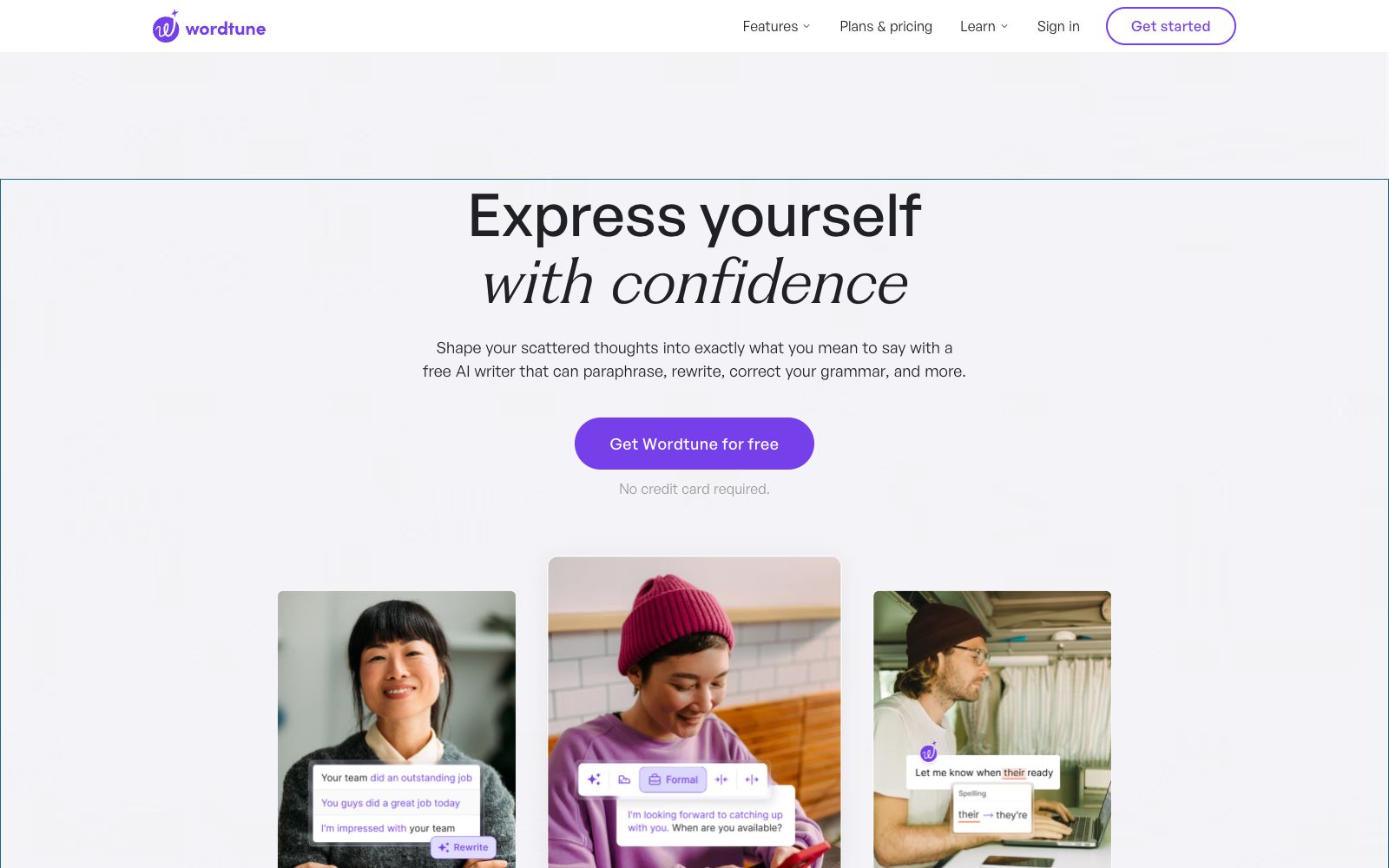
Wordtune is officially positioned as "Express yourself with confidence" and is targeted at English writing scenarios. Its core capabilities are rewriting and polishing: it provides a set of optional rewriting suggestions based on the context to help you express yourself more accurately and authentically, allows one-click switching between formal and casual tones, and also offers spelling, grammar and wording checking, as well as continuation and vocabulary enhancement functions. Officially, it is available for free without the need for a credit card, helping non-native users write English that sounds more like that of native speakers. For non-native writers, the biggest obstacle is often not grammatical errors, but "knowing what you want to say but being unable to find the most appropriate expression"; Wordtune's rewriting suggestions specifically address this pain point by offering a set of synonymous expressions for selection, rather than rewriting the entire text for you.
Who is it for?
- Non-native English speakers who use English as a working or learning language, especially those who need to write emails, reports, theses and social content; writers who want AI-generated content to be more natural and in line with their personal tone; and professionals who frequently switch tones between formal documents and daily communication. In addition, business professionals who need to communicate in writing with overseas clients and colleagues frequently can also use it to adjust their tone to be more natural and appropriate, reducing the problem of "sounding like machine-translated text".
Key features
7Contextual Rewriting Suggestions
Provides multiple rewriting options for the selected sentence and aligns with your writing style, helping you express your ideas accurately and authentically.
Tone Switching
Switch between formal and conversational styles with one click, adapting to different occasions such as emails, papers, and social media.
Advanced Proofreading
Checks spelling, grammar and word choice, polishing the expression while correcting errors.
Continue writing
Continues writing from where you left off, helping you break through writer's block.
Vocabulary Enhancement
The official claims it can strengthen word choice, making expressions closer to those of native speakers and more natural.
Humanizing AI Content
The official states that it can make AI-generated content read more naturally and authentically, reducing its robotic feel.
Multi-platform Integration
Web version and browser extensions cover common writing scenarios such as emails and documents.
How to use wordtune
- Its most valuable feature is the "rewriting suggestions" rather than "generating content from scratch".
- It is recommended that you finish writing on your own first and then ask it to polish your work, which yields far better results than having it write the entire content for you.
- Fix your commonly used tones and styles, and use the proofreading function to conduct pre-publication checks.
- For important documents, it is advisable to verify sentence by sentence that the rewritten meaning aligns with the original intent before sending them out.
- Users who write frequently can pair the extension with the web version to enjoy a consistent experience across scenarios such as emails and documents.
- For high-stakes texts like thesis submissions and business emails, it is recommended to have a native speaker or colleague review them again after polishing.
- double insurance provides greater peace of mind.
Things to know
Traffic & popularity
Data month Sep 2026
wordtune receives about 101.7K visits per month and ranks #431,435 worldwide.
Monthly visits
12 monthsTraffic sources
- Direct51.9%
- Search21.8%
- Referrals11.4%
- Social6.0%
- Mail5.5%
- Other3.4%
Top countries
- United States42.0%
- India11.2%
- United Kingdom4.9%
- Australia4.2%
- Pakistan3.0%
Estimated from third-party traffic data.
In these collections
Similar tools
 QuillBotAn all-in-one AI writing suite covering paraphrasing, grammar checking, plagiarism detection, AI detection, AI Humanizer, translation, and summarization. Its Chrome extension is free, and the official site reports more than 6 million users.
 XiezuocatAn English and Chinese AI writing assistance platform produced by Metasoft, featuring "Speak and Write" voice-to-draft technology, integrating intelligent error correction, rewriting and polishing, automatic continuation, and intelligent image matching. It supports drafting from empty text or uploading Word documents to continue writing.
 HyperWriteAI writing assistant that provides hundreds of writing and research tools such as predictive auto-completion, online search and citation, and AutoWrite generation, enabling a one-stop full process from drafting to polishing within the AI document editor.
 JetwriterA browser-based AI writing assistant that can rewrite, correct, translate, summarize, and explain selected text on any website. It integrates deeply with Gmail and is powered by models including GPT-5.1, Claude, and Gemini.
 RytrA cost-effective AI writing assistant, it offers 40+ content scenario templates, auto-completion and plagiarism detection, supports My Voice personalized tone. The official claims that over 8 million users have saved a total of 25 million hours, and it is available for free.
 LexA modern writing tool with built-in AI, offering AI feedback, version comparison, comments, real-time collaboration, and publishing. According to the official site, it is used by more than 300,000 authors and pairs a focused interface with an AI editor.