


VEED
An online AI video platform for social media and marketing scenarios integrates generation, editing, dubbing and subtitle merging into a single workflow. It supports lip-sync videos, branded templates and automatic subtitles, and its official website states that it serves millions of teams worldwide.
Updated: 2026-10-26
What is VEED?
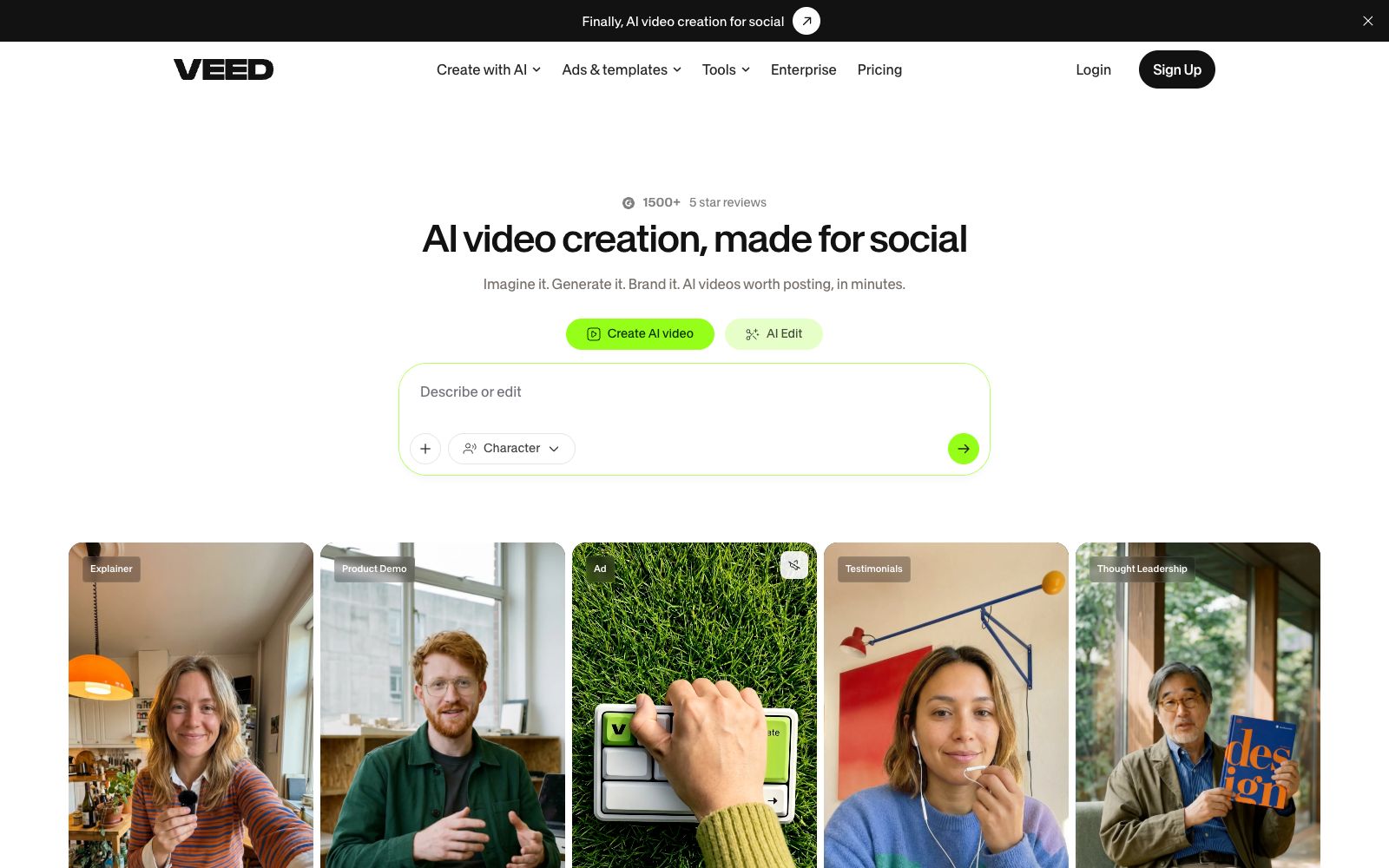
VEED is an AI video platform for social media scenarios. The headline on the homepage of its official website reads, "Finally, AI video creation made for social media," and it summarizes the process into three steps: imagine, generate, and brand. Its target users are clearly stated: marketers and solopreneurs, i.e., marketing teams and individual entrepreneurs. The official website claims it is empowering millions of teams worldwide. Compared to other online editing tools, VEED’s differentiator is that it integrates generation, editing, dubbing, and subtitles into a single workflow, eliminating the need to export files back and forth between multiple tools. The page also lists entry points for several common video types: AI clipping, virtual avatars, product explanations, product demos, advertisements, customer testimonials, and thought leadership content.
Who is it for?
- Growth and material teams engaged in UGC ad placement, who need to continuously produce a large volume of feed-ready videos in batches
- Solo entrepreneurs who don’t have camera equipment, find it inconvenient to be on camera, but still need to maintain a consistent update frequency
- Marketing teams that share a single color palette, font, and logo and require a unified style for their marketing materials
- Newcomers who want to get started as soon as possible and don't want to go through a dozen tutorials before daring to start editing
- Small and medium-sized teams that originally took weeks to produce a single video and want to shorten the cycle to the hour level
- B2B teams create thought leadership and customer testimonial content and value complete watch rates and subtitle experience
Key features
6Generate
The official website states that you can turn any idea into a publishable video in just a few minutes without being on camera, which is ideal for those who don’t have filming equipment on hand.
Subtitles
Subtitles are highlighted as a core capability on the official website. The official statement says the design goal of subtitles is to make people willing to keep watching and hard to skip without taking off the headphones, which is an optimization for the viewing experience.
Brand Kit
The official website states that you can apply your color palette, fonts, logos and audio to every video in one go, and it will be automatically reused every time, ensuring that the materials across multiple platforms look consistent.
Diverse Templates & Category Entrances
The platform provides examples categorized by AI editing, virtual avatars, product explanations, product demonstrations, advertisements, customer testimonials, and thought leadership content, allowing you to pick one to start with nearby.
Social Media Campaign Optimization
The official website defines it as "generate feed-ready videos", emphasizing that the finished clips can be directly put into feed delivery without having to create the video first and then find ways to adjust the dimensions.
Reputation & Third-Party Reviews
The page displays over 1,500 five-star reviews and quotes several user testimonials, mentioning specific features like eye contact correction and noise reduction. Some users also note that they can start using the tool directly without having to go through numerous tutorials.
How to use VEED
- It is recommended to start with the brand kit: configure the brand colors, fonts, and logos all at once, and they will be automatically applied to each subsequent generation, avoiding reworking the visual effects for each video.
- When there is no condition for being on camera, you can directly use the "no camera required" generation process and focus your energy on the script and hooks.
- when you have existing materials, you can first upload the clips and then use features such as noise reduction and eye contact correction to make up for the shortcomings, which are also mentioned in the user self-descriptions on the page.
- It is recommended to manually check the proper nouns and sentence breaks after generating the subtitles, as this has the most direct impact on the completion rate.
- Before formal mass production, use one or two short videos to get the script structure and rhythm right, stabilize the style, and then scale up the launch.
- The specific available features and quotas vary with the package and are subject to the instructions on the official website's pricing page.
- when using others' music, fonts, or portraits in the materials, confirm the scope of authorization before publishing.
Traffic & popularity
Data month Sep 2026
VEED receives about 14.8M visits per month and ranks #2,428 worldwide.
Monthly visits
12 monthsTraffic sources
- Search54.9%
- Direct35.8%
- Social4.0%
- Referrals2.8%
- AI assistants1.7%
- Other0.8%
Top countries
- India15.0%
- United States9.8%
- Brazil6.1%
- Philippines3.2%
- Pakistan3.0%
Estimated from third-party traffic data.
In these collections
Similar tools
 KapwingA modern video editor in the browser that offers capabilities such as generating complete video projects from prompts, automatic subtitling, audio editing, text-to-speech, and Repurpose Studio clipping. According to its official website, more than 30 million creators worldwide use it.
 CapCutCapCut, the international version of Jianying, is a video editing platform covering mobile, desktop and web versions. It provides AI subtitles, text-to-video generation, intelligent templates and special effects tools, comes with a huge collection of creative templates, and is a leading short video editing tool worldwide.
 Huiying SubtitlesHuaying Subtitle is an online subtitle tool under Beijing Blue Pulse. It provides video speech recognition and subtitle addition, subtitle timeline matching, translation and AI dubbing. It can be edited and exported on the web version, and also offers real-time subtitles and an open API.
 ZebracatZebracat is an AI video generator for social media growth. With just text, you can generate short videos with scripts, AI dubbing and visuals, and automatically schedule them. You can keep producing videos without any editing experience.
 VidefyVidefy is a video creation platform for browsers: According to its official website, you can use an AI creative director to generate videos from ideas or materials, as well as perform manual editing. It also enables the generation of images, dubbing, subtitles, digital humans, multilingual versions and variants, followed by testing and scaling up the well-performing versions.
 Hypernatural AIHypernatural AI is an AI video platform from script to finished film, supporting brand materials, characters, custom voices and subtitles, suitable for creating full-length short videos rather than just a few seconds.