

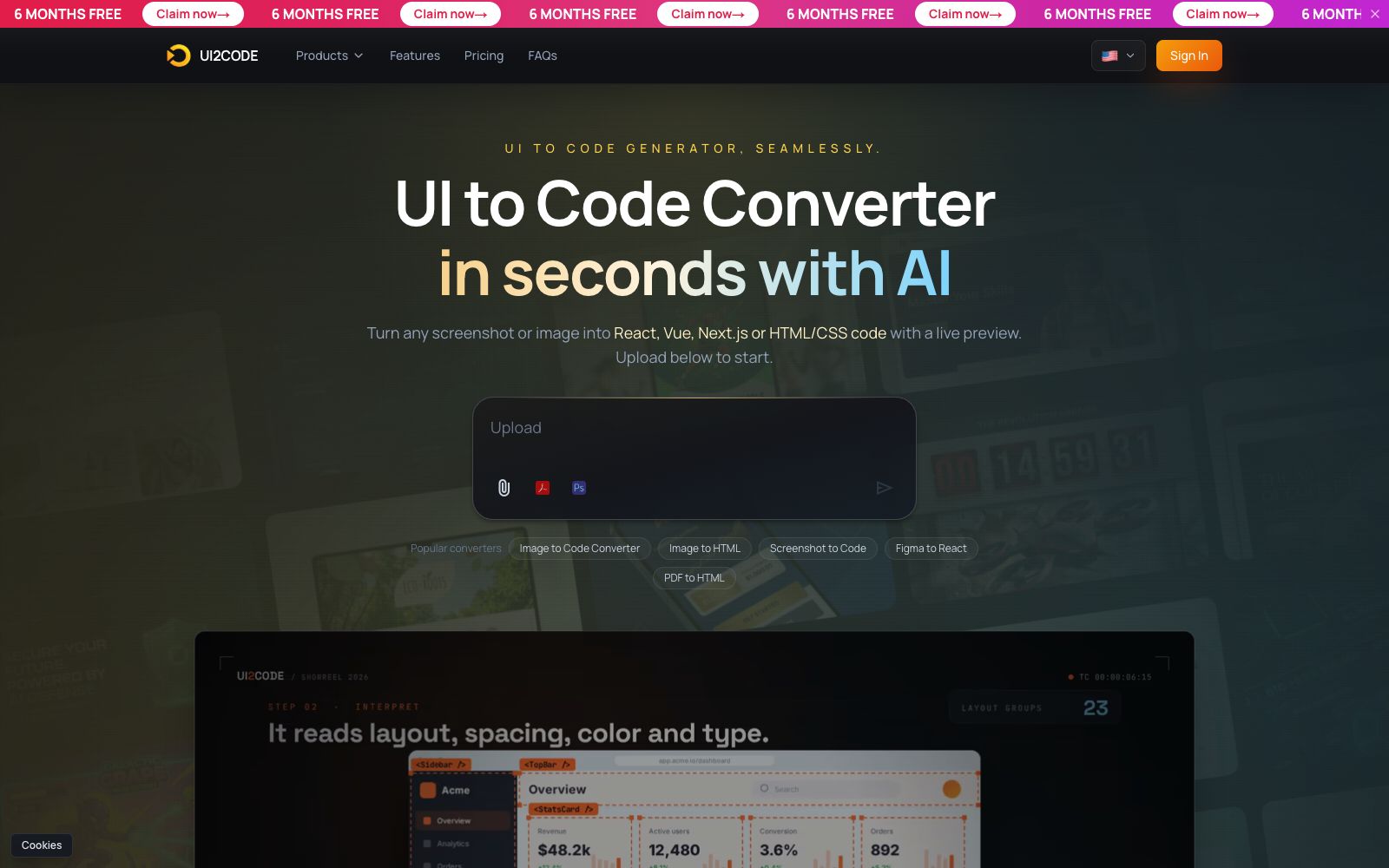

UI to Code AI
A tool that converts screenshots, images, PDFs, or PSDs into front-end code, outputs React, Vue, Next.js, or HTML/CSS with real-time preview, and allows downloading the entire project package or copying individual components.
Updated: 2026-10-27
What is UI to Code AI?
UI to Code AI (referred to as UI2CODE on the platform) does one thing: turn screenshots, images, PDFs, PSDs or Figma artboards into front-end code. The official workflow involves three steps: uploading the design, selecting the tech stack, and getting runnable code. It outputs React, Vue, Next.js or HTML/CSS, with real-time preview. It is designed for scenarios where you only have an image, not a complete design-to-code collaboration platform.
Who is it for?
- Front-end developers who only have screenshots of competitor products or design drafts: They need to quickly build a usable first version of the structure.
- Independent developers who take outsourcing projects or build landing pages: It is especially convenient when clients provide images but no design source files.
- Teams building back-end management systems: For well-structured pages such as tables, forms, and cards, the conversion quality is the most stable.
- For projects requiring complex interactions and animations, don't have high expectations; as stated in the official Q&A, interactive animations may still require manual refinement.
Key features
7Multi-format Import
Supports PNG, JPG, WebP with a maximum single file size of 10MB. Also supports PDF and PSD design files, importing design boards via Figma links, or directly pasting screenshots from the clipboard.
Multi-framework output
Real-time preview included for React with Tailwind, Next.js, Vue, Nuxt, Angular, Svelte, and pure HTML/CSS; only code without preview for Remix, React Native, Flutter, SwiftUI, and Kotlin.
Layout Analysis
The official states that it analyzes layouts, spacing, colors, and fonts, identifies block groupings and maps them into components, instead of compressing an entire page into a single image or a series of absolute positions.
Real-time Preview & Parameter Tuning
The generated results are directly rendered in a sandbox, allowing you to make modifications in the browser before exporting.
Export Method
One-click download of the complete project zip package, or copy a single component and directly integrate it into the existing codebase.
Default Responsiveness
The output is mobile-first with breakpoints added, and the official states that no manual adjustments are needed for tablets and desktops.
Custom Styles
Supports Tailwind, native CSS, and styled-components, with design variables and theme configuration.
How to use UI to Code AI
- Crop the screenshot to a single page or section before uploading.
- Converting one section at a time is far more accurate than converting a long full-page image.
- Split complex pages into navigation, main visuals, lists, and forms for separate conversion, then assemble them in the project to minimize rework.
- After conversion, first check the semantic structure and then the styles.
- Manually organize the deeply nested containers.
- otherwise, the maintenance cost will be high later on.
- Official Q&A clearly states that the generated code can be used for personal and commercial projects without attribution.
- however, the copyright of the images, icons, and fonts in the screenshots is not transferred, and separate licensed materials must be obtained for commercial use.
- Free accounts come with an initial credit.
- Before official use, test the accuracy on two or three real pages to decide whether to pay.
Traffic & popularity
Data month Sep 2026
UI to Code AI receives about 6.1K visits per month and ranks #4,115,594 worldwide.
Monthly visits
12 monthsTraffic sources
- Direct40.5%
- Search34.4%
- Referrals10.0%
- Social6.4%
- Mail2.8%
- Other5.8%
Top countries
- United States19.8%
- India13.8%
- Indonesia12.6%
- Vietnam11.6%
- Pakistan7.7%
Estimated from third-party traffic data.
Similar tools
 CodeMate.aiA private-focused AI programming assistant that provides in-editor coding agents, design-to-application conversion, automated PR reviews, and an AI terminal. The official emphasizes self-hosting and on-device architecture, ensuring code never leaves the local environment.
 Magic PatternsMagic Patterns is a design tool that directly turns requirements into high-fidelity interfaces. It can read your components and design specifications, compare multiple schemes side by side on an infinite canvas, and then hand the selected version to the coding agent, making it suitable for product teams to create functional prototypes.
 BetterBugs.ioA defect recording tool for QA and developers, used as a browser extension. It can record screens with annotations, playback the last two minutes of operations, and automatically attach developer logs. It is suitable for supplementing context when submitting bug reports.
 CopilotKitEmbed the agent into the front-end framework of the product interface, providing dialogue components, generative interfaces and in-app operations, which can connect to multiple agent backends, and is suitable for adding AI assistants to existing products while retaining permissions and audits.
 opcodeA desktop client built for Claude Code, officially described as managing Claude sessions through a graphical interface, creating custom Agents, tracking usage, and transforming command-line operations in the terminal into visual panels.
 SupermavenA speed-focused AI code completion tool, the official claims it supports a 1 million token context, with a response time of about 250 milliseconds. It covers VS Code, JetBrains and Neovim, and comes with a multi-model dialogue panel.