


Trancy
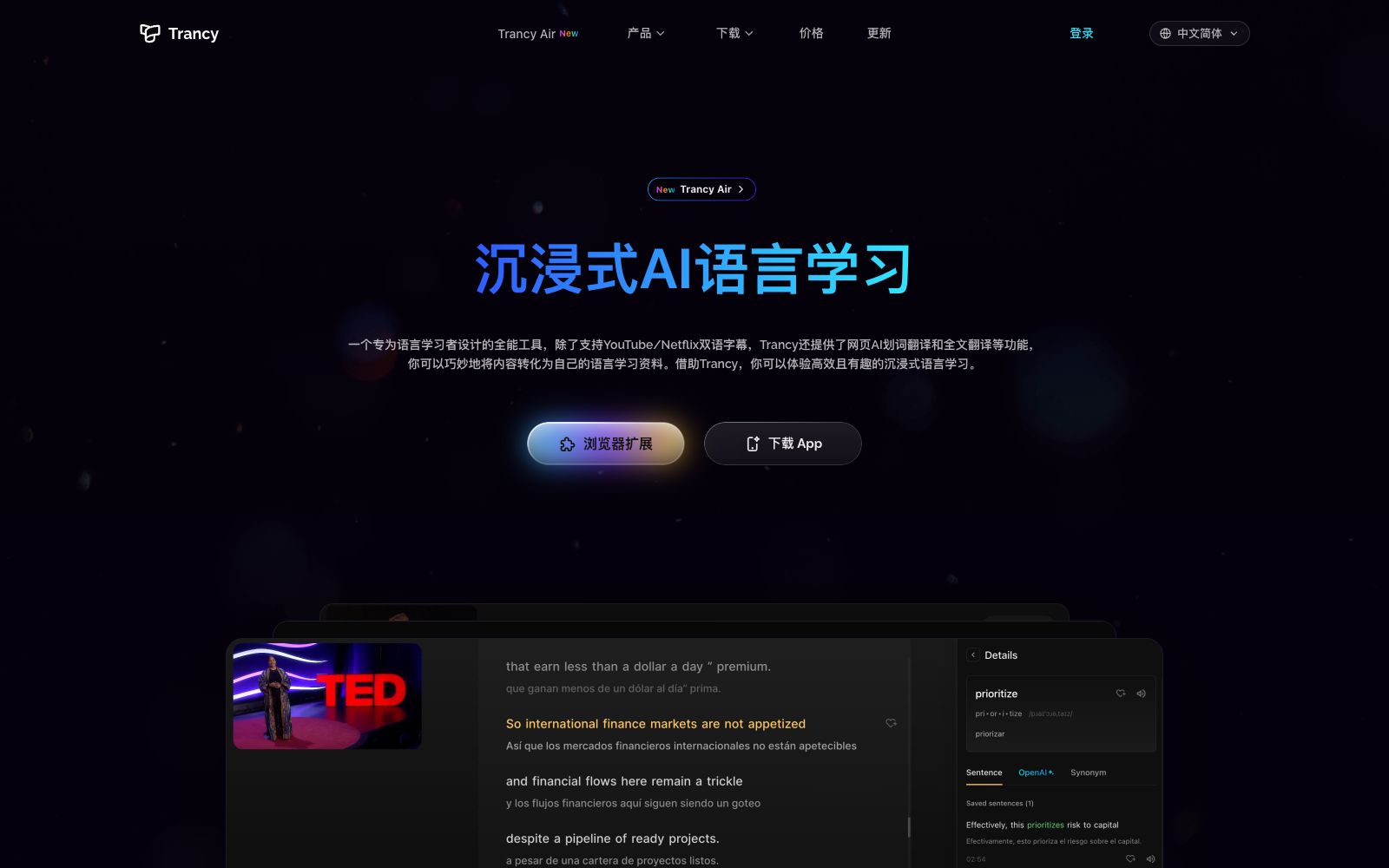
An immersive language learning tool that provides AI-powered bilingual subtitles for platforms like YouTube and Netflix. It supports word-by-word and sentence-by-sentence translation on web pages, full-text immersive translation, and a personalized learning platform.
Updated: 2026-10-26
What is Trancy?
Trancy is a tool that combines translation capabilities with language learning. Its official website is titled "Immersive Translation & YouTube AI Bilingual Subtitles & Language Learning Assistant". It has a three-tier functional structure: the video tier provides bilingual subtitles for platforms such as YouTube, Netflix, HBO Max, TED, edX, and Coursera; the web tier offers word-by-word, sentence-by-sentence, and full-text immersive translation; the learning tier turns these processes into collections, a sentence bank, and a learning center. The core concept emphasized on the official website is—turning the content you have watched directly into your own learning materials. The official website indicates that it now offers products and entry points such as Trancy Air, AI Subtitles, AITalk, and PDF Translator.
Who is it for?
- Students who need a large amount of extensive listening input and want to improve their listening on the premise of understanding
- People who read foreign-language technical documents or news but do not want to switch pages frequently to look up words
- People who already have a habit of collecting and need to organize their collected content into learning materials
- Learners preparing for oral exams who need to accumulate new words and example sentences
- People who are beginners in minority languages and need native language support to make the transition
Key features
8Bilingual Subtitles for Videos
The official website lists platforms such as YouTube/Netflix/TED/edX/Coursera. It supports finding videos of interest on platforms like YouTube, Netflix, and HBO Max. You can quickly understand the content with subtitles and practice your listening and speaking skills at the same time.
Subtitle Reading Mode
Shrink the video to one side and display subtitles in the form of an article, making it easy to focus on sentences and understand contextual relationships; it also allows adjusting subtitle font and size, and quickly bookmarking words and example sentences.
AI Word Lookup & AI Grammar Analysis
The official website states that AI word lookup is powered by OpenAI, providing in-depth definition explanations; grammar analysis is used to break down the structure of difficult sentences and master key phrases.
Intelligent Sentence Segmentation
It uses NLP to organize scattered subtitles into coherent sentences, and the official website states that this measure is to improve the accuracy of subtitle translation.
Web AI Word-by-Word Translation
Select a word for an instant result without switching pages; new words can be added to the vocabulary list; there is also sentence-by-sentence translation for whole sentences, as well as AI sentence structure parsing, AI part-of-speech tagging, and new word highlighting.
Full-Immersion Translation
Bilingual web browsing, quick paragraph translation (hover + shortcut), and optional translation engines including Google, DeepL, Microsoft, and OpenAI; the official website states that customized processing is provided for news websites, technical forums, and social media platforms.
Personalized Learning Platform
Video collections, real-life sentence banks, customizable knowledge bases, and an always-accessible learning center.
More Features
Variable-speed playback, word highlighting, font adjustment, Microsoft pronunciation, external dictionary, keyboard shortcuts, ChatGPT grammar analysis, speech recognition.
How to use Trancy
- It is recommended to first watch a segment of a video using the reading mode, then go back to listen carefully.
- The value of bilingual subtitles lies in "daring to practice listening only after understanding".
- Word-by-word translation is good for quick, casual lookups, while sentence-by-sentence translation is better for reading long texts.
- This is why the official website separates these two features.
- Add words to the vocabulary list after selecting them and clear the list regularly.
- otherwise, the vocabulary list will turn into a collection rather than a review tool.
- When choosing a translation engine, be aware of the stylistic differences between them.
- switching engines for the same subtitle can lead to inconsistent comprehension, so it is recommended to stick to one or two commonly used engines.
- Some features involve external translation engines and AI services, and the data processing methods are subject to the official privacy policy and terms of use.
Traffic & popularity
Data month Sep 2026
Trancy receives about 3.0M visits per month and ranks #19,100 worldwide.
Monthly visits
12 monthsTraffic sources
- Direct79.3%
- Social10.1%
- Search5.5%
- Referrals4.0%
- Mail0.5%
- Other0.6%
Top countries
- China22.1%
- United States12.8%
- Taiwan, China7.5%
- South Korea4.3%
- Vietnam4.1%
Estimated from third-party traffic data.
Similar tools
 Immersive TranslationImmersive Translate is a bilingual AI translation tool developed by domestic developers. It is built with more than 20 translation engines such as ChatGPT, DeepL, and Gemini, and supports bidirectional contrastive translation for web pages, PDFs, video subtitles, images, and comics.
 Language ReactorThis browser extension turns movies and TV shows into language classrooms, offering bilingual subtitles, word lookup by clicking, word frequency recommendations, and listening and shadowing practice. It is suitable for daily use by self-learners who improve their listening skills by watching dramas.
 Lufe AILufe AI is a browser-based AI translation extension that provides bilingual web page comparison, word lookup by selection, and image and PDF translation, making it suitable for foreign language learners to read overseas news and documents.
 Transync AITransync AI is a real-time translation tool for multilingual meetings. It simultaneously translates both parties' speeches and reads out the translations. It supports 60 languages, floating subtitles and meeting minutes, and requires no plugins. It is suitable for foreign trade negotiations, cross-national weekly meetings and overseas classrooms.
 AI TranslatorThis free online tool launched by translation company Tomedes feeds the same sentence to 22 AI models and takes the majority-consistent translation. It also allows users to see the disagreements between models as well as the distribution of accuracy and fluency, making it suitable for business and technical translation that requires cross-verification.
 TranslyAn AI translation app that integrates translation into daily actions offers keyboard translation, real-time voice translation, cross-app audio subtitles, and bilingual subtitles for local videos. The official states that it supports major languages such as English, Chinese, and Japanese.