

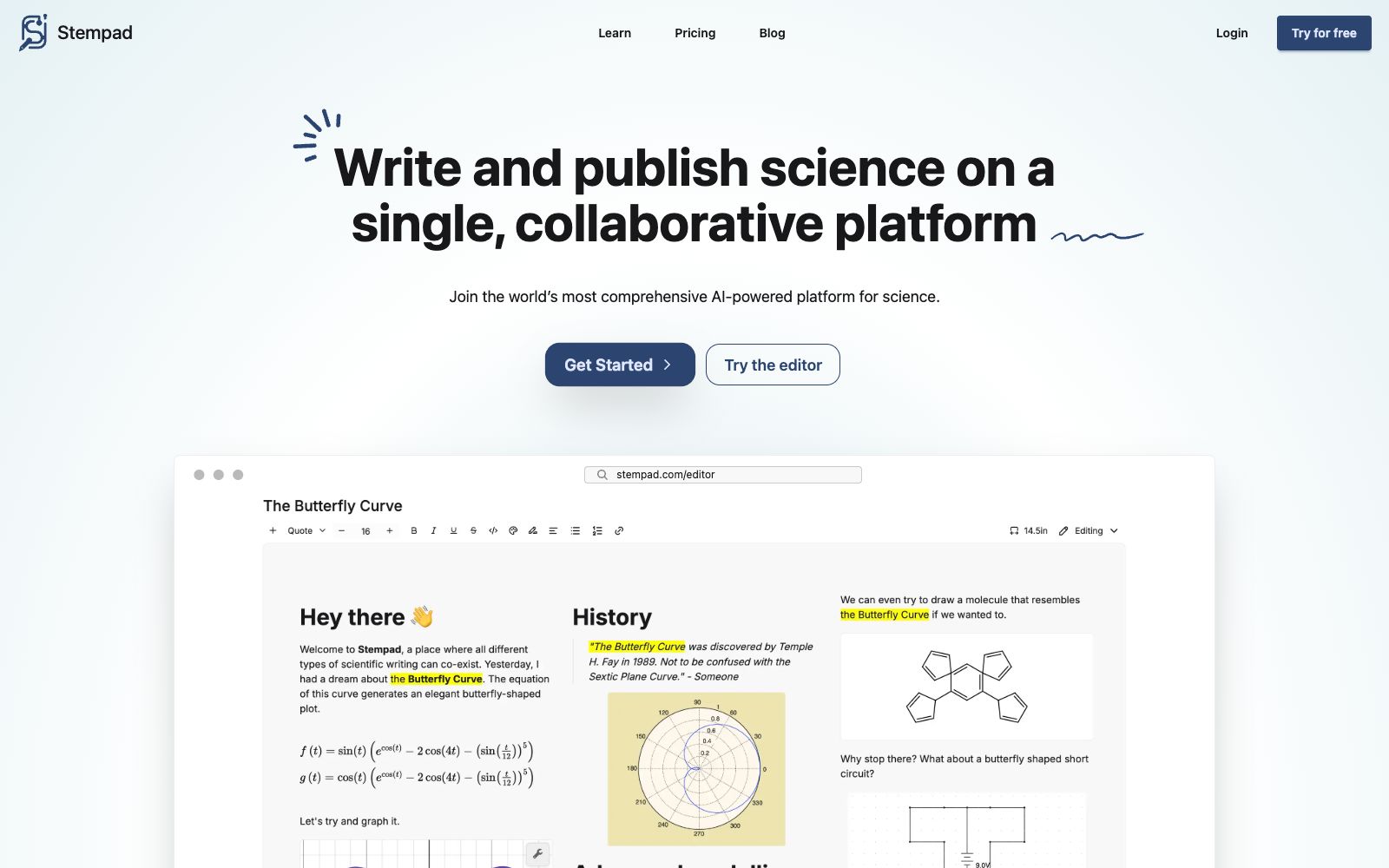

Stempad
A scientific note-taking tool for browsers, whose official website states that writing, publishing and collaboration can be done on one platform. It supports chemical structural formulas, mathematical formulas and charts, and is compatible with PDF, LaTeX and Markdown.
Updated: 2026-10-26
What is Stempad?
The official website title of Stempad is "Fast Online Scientific Notes", and the homepage slogan is "Write and publish science on a single, collaborative platform". It focuses on taking scientific notes quickly in a browser with only a keyboard. Its differentiation lies in packing all the common expressions used in STEM disciplines into one editor: drawing chemical structures, inputting formulas, generating charts from experimental data, and hand-drawn schematic diagrams.
Who is it for?
- Students majoring in chemistry and biology who need to take notes with formulas and draw structural formulas at the same time.
- Graduate students in STEM fields who find LaTeX difficult to learn but require professional typesetting.
- Teachers who need to take quick notes in class and organize them into lecture notes after class.
- Study groups that need to publish or share notes with classmates and collaborators.
- Scientific researchers who already use Notion or Obsidian and want to add scientific typesetting.
Key features
6Scientific Note-Taking
The official website states that you can write quickly using only a keyboard without having to switch back and forth between multiple software programs.
Chemical Structure Drawing
Official user reviews specifically mention the built-in capability to draw chemical structures.
Formulas and Formatting
The official website states that compared to solutions with LaTeX integration, formula input is more intuitive and automatically formatted.
Chart Generation
Can directly generate charts from experimental data, and this is also mentioned in official user reviews.
AI Assistance
The official website lists AI capabilities such as "Get assistance at every step", "Get any answers", "Search in any format", and "Keep your projects on track".
Integration and Compatibility
According to the official website, it can integrate with Google Drive, Notion, Canvas, Blackboard, Overleaf, Benchling, Obsidian, and Jupyter, and is compatible with PDF, LaTeX, and Markdown.
How to use Stempad
- 1First, try writing a passage in the official website's online editor to confirm the typing experience of formulas and structural formulas before deciding whether to pay for it.
- 2When migrating from Overleaf or Obsidian, first export and import content in Markdown or LaTeX format and check if the formulas are intact.
- 3The official website states that you can publish and collaborate; confirm the link permissions before sharing to prevent unfinished experiment records from being made public.
- 4When it comes to original experimental data and unpublished results, pay attention to the compliance requirements of cloud storage.
- 5The official website offers free trials and demo applications; educational users can pay attention to its school and teaching-related programs; please refer to the official website for the latest pricing and rights.
Traffic & popularity
Data month Sep 2026
Stempad receives about 12.8K visits per month and ranks #1,187,676 worldwide.
Monthly visits
12 monthsTraffic sources
- Direct39.5%
- Search33.7%
- Referrals10.2%
- Social6.3%
- Mail3.3%
- Other7.0%
Top countries
- United States59.5%
- India35.4%
- Finland5.1%
Estimated from third-party traffic data.
Similar tools
 MathpixMathpix is a document conversion platform for scientific research. Its official website states that it can convert PDFs and images into LaTeX, Word, Excel, and ChemDraw, covering formulas, handwritten content, and tables, and provides an OCR API.
 ProcessOnAn online drawing tool and knowledge sharing community that supports AI one-click generation of mind maps and flowcharts, can draw various diagrams such as Gantt charts, ER diagrams, UML, and network topology diagrams, and also supports real-time multi-person collaboration and template cloning.
 scienceOSscienceOS is an AI research tool for scientists, offering scientific chat that can converse with 230 million papers, multi-document Q&A with a maximum upload of 4,000 PDFs, and a project management workspace.