


Riverflow 2.0
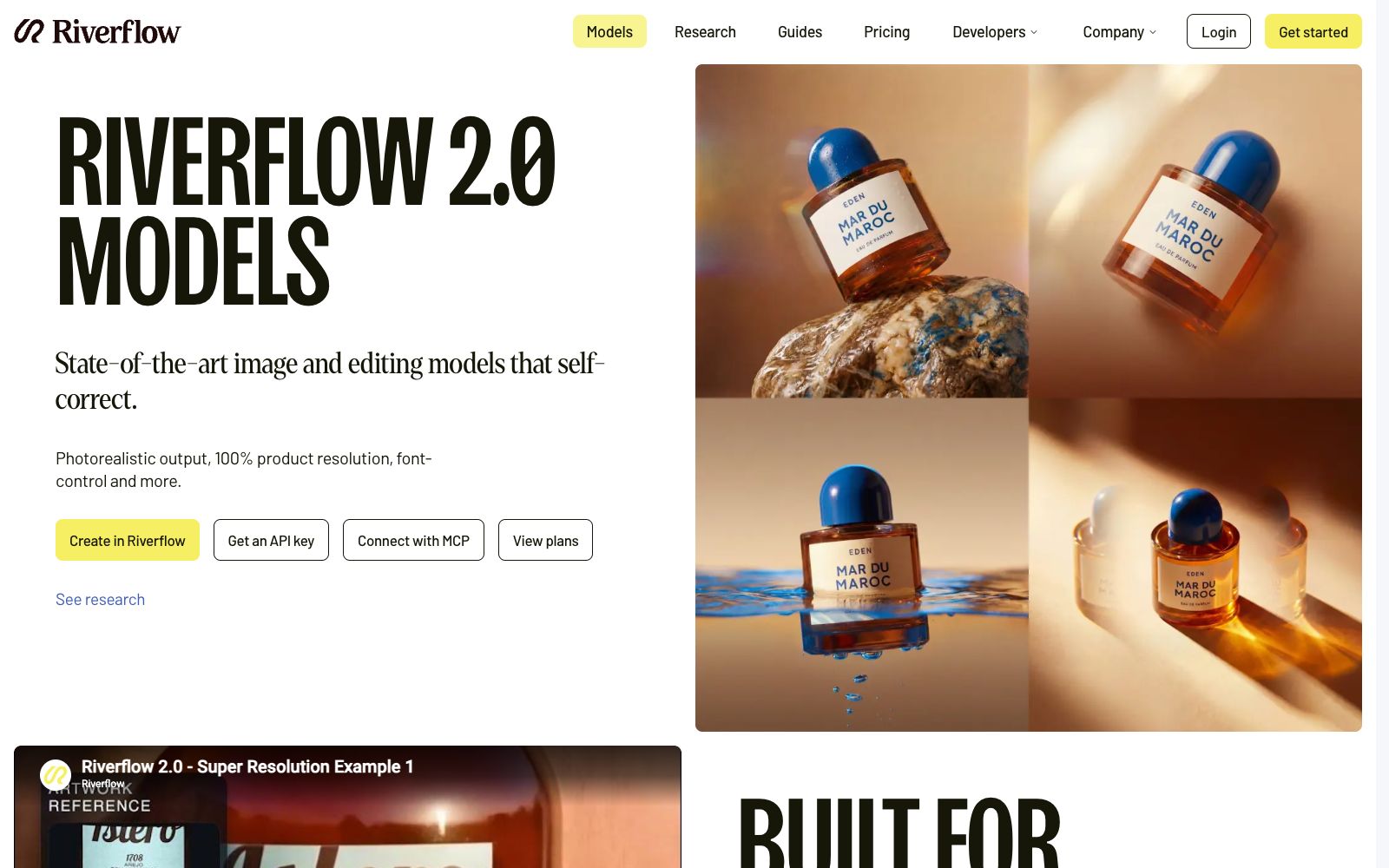
An image generation and editing model for commercial visuals, focusing on the restoration of product details, font control, and style consistency. The official version states that it can correct garbled text in images using reference pictures, and it provides API and MCP access.
Updated: 2026-10-27
What is Riverflow 2.0?
Riverflow 2.0 is a series of image generation and editing models launched by Riverflow, with the key keyword emphasized by the official being self-correction. Unlike only pursuing visually appealing images, it takes product details, text and cross-image consistency as primary goals, and is positioned to deliver deliverable commercial materials for marketing and creative teams. It categorizes such problems as accuracy rather than visual appeal, so the acceptance criteria are also more practical: are there any typos, are the products correct, and do the two images look like they belong to the same set?
Who is it for?
- Brand and Launch Teams: Generate batch advertising images that require products to be undistorted and copy to be error-free.
- E-commerce visual teams: Create main images and scene images, requiring consistent style across multiple images.
- Design studios: Creating proposal drafts for clients that require quick revisions while preserving brand typography.
- Developers: Integrate image generation capabilities into internal tools via API or MCP.
- Campaign operations teams needing batch restyling: Use the same layout with different products and copy.
Key features
6Super-resolution Correction
The official states that this capability identifies where text in images is broken or arbitrarily generated, then corrects it using reference images. It is suitable for detailed labels, serial numbers, multi-product frames and complex real-life scenarios, targeting content that needs to be read accurately rather than decorative text.
Font Control
The official lists font control as an independent feature, designed for visuals that require the accurate presentation of brand typefaces and layouts, to avoid fake characters that look correct but are misspelled.
Product Detail Restoration
The official states that it can stably generate product details, achieve 100% product resolution, and reduce distortion of packaging, materials and logos during generation.
Style Consistency
A unified style summary can be applied to a batch of product images to maintain consistent lighting and color tones. In official examples, only a short description of lighting and color tones in natural language is provided, and the system unifies the entire batch of images based on this description.
Context Awareness
The official lists three types of scenarios: advertisements, infographics, and UI drafts. It organizes visual elements according to brand and information structure, rather than simply stacking decorations.
API Integration
Can be called via API and MCP, making it easy to integrate into existing content production workflows and internal toolchains. You can also check the official research page and developer documentation first.
How to use Riverflow 2.0
- 1For images involving products and text, be sure to provide reference images, as the error-correction capability relies on reference materials.
- 2First finalize the style summary before running in batch, which is more time-efficient than adjusting the prompt words for each image individually.
- 3After generation, zoom in to check the labels and packaging seams; these two areas are the most likely to reveal generation artifacts, and the text should still be verified character by character.
- 4Official Q&A mentions Riverflow 2.5. Check the latest instructions and differences before selecting a version; lock the version for long-term projects to avoid style drift caused by switching models midway.
- 5Use the same style summary for a batch of images; cross-image consistency is more important than refining a single image. Commercial licensing and billing shall be subject to the official website.
Traffic & popularity
Data month Sep 2026
Riverflow 2.0 receives about 297.7K visits per month and ranks #86,528 worldwide.
Monthly visits
12 monthsTraffic sources
- Direct47.2%
- AI assistants16.4%
- Search13.8%
- Social7.5%
- Display ads7.1%
- Other8.0%
Top countries
- United States72.6%
- United Kingdom16.5%
- France1.2%
- Qatar1.1%
- United Arab Emirates1.0%
Estimated from third-party traffic data.
Similar tools
 ZawaAn AI brand design tool for small teams (formerly X-Design) that can generate logos, posters, packaging mockups and social media materials. The official claims it supports batch processing and maintains brand visual consistency.
 Image to PromptImage to Prompt is a free image reverse prompt tool. Upload an image to generate structured descriptions that can be used for drawing models. It supports multi-model adaptation and multi-language output, making it suitable for recreating styles and organizing materials.
 Style AIOnline AI image tool that can convert photos into styles such as Ghibli, Pixar, pixel, and sticker with one click. You can also edit images with one sentence, merge multiple group photos, and generate images and short videos.
 SJinnSJinn is an AI agent for image and video creation. You can input descriptions to generate images, videos, audio and 3D content. It also provides tool mode, canvas mode and template skills, making it suitable for creative teams that need one-stop material production.
 RodinAI 3D model generator that supports generating UV-enabled models from text or images, provides three spatial controls and local editing (bounding box, voxel, and point cloud), and can be exported to mainstream modeling software for further processing.
 ImageFusion AIOnline AI image fusion tool: Upload up to 5 images and select a preset style or reference image to synthesize one image. The official states that it supports PNG/JPEG output and multiple aspect ratios. The finished products can be used for social media avatars, e-commerce and marketing materials.