


PDF.ai
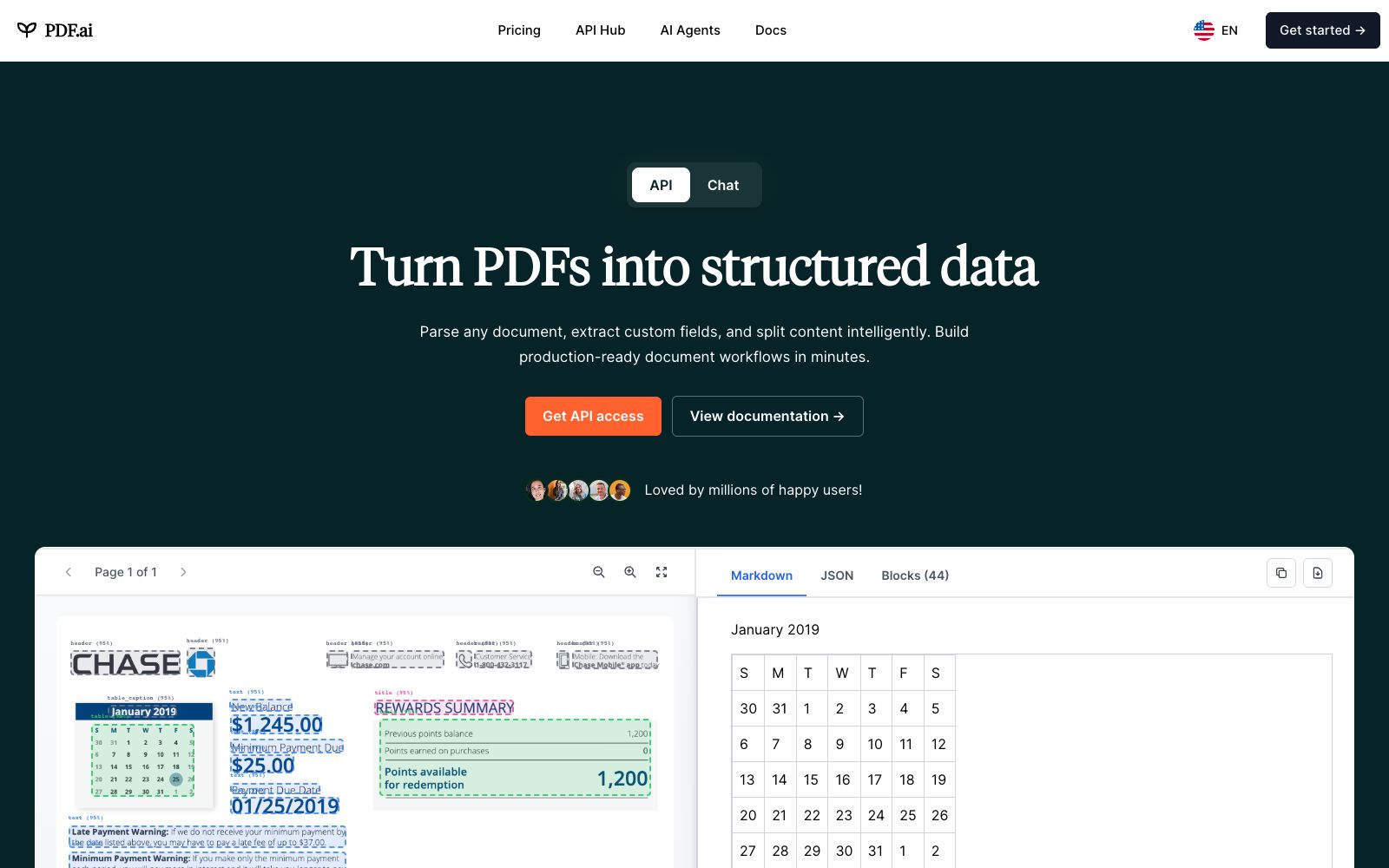
A platform that supports PDF dialogue and provides PDF APIs, which can answer questions, generate summaries and find answers. It can also parse documents, extract data and split files in its own workflow. The official website provides online tools and interface documents.
Updated: 2026-10-26
What is PDF.ai?
The official website title of PDF.ai directly writes the two lines together: "Chat with PDFs & PDF API (parse, extract, split)". The former is a function for ordinary users to upload PDFs, ask questions, and get summaries, while the latter is an interface for developers to integrate document parsing, extraction and splitting into their own systems.
Who is it for?
- Analysis roles who need to go through a large number of research reports, contracts and specifications every day and need to quickly skim through them first
- Development teams that need to integrate PDFs into their existing systems and use APIs for parsing and extraction
- Legal professionals and document organizers who handle long documents and need to process them in sections
- People who want to temporarily process PDFs in a browser and don't want to install software
- Readers who often encounter PDFs on web pages and need to verify information instantly
Key features
7PDF Chat
The official description states that you can ask any PDF questions, get summaries, and find answers.
AI Summary
Compresses long documents into key points, making it suitable for quickly determining whether a report is worth reading in detail.
Parsing API
The official parse page states that it can convert PDFs into structured Markdown or JSON, and with OCR and layout detection, it can extract titles, paragraphs, tables, and diagrams.
Splitting Tool
The split page on the official website states that it can use AI to automatically identify the document structure for splitting, and can also split according to custom page ranges.
Extraction & Toolkit
The official website offers a collection of PDF tools, which are stated in the meta information to be free and usable directly in a browser, including merging, splitting, converting to images, and more.
API Hub
The official website has an API page that provides development documentation and code examples, including interfaces for chatting, parsing, extraction, and document analysis.
Browser Extension
The official website also offers a Chrome extension, referred to as the ChatPDF extension in the meta information, which can be used directly while browsing web pages.
How to use PDF.ai
- 1Ask structural questions first before specific details; the summary can help you figure out which direction to dig deeper into.
- 2OCR and layout detection have limitations when dealing with scanned documents and complex tables, and you should verify key data against the original text.
- 3Before processing business documents with the API, confirm the service terms and data retention instructions of the provider.
- 4Free tools have usage limits. Check the quota and file size limits before batch processing.
- 5Split long documents first before asking questions; you are more likely to get accurate answers than if you upload them all at once.
- 6For materials involving contracts or personal information, be sure to handle them in accordance with the compliance requirements of your organization.
- 7Official features and package descriptions may be adjusted, and integrations that rely on APIs should be built with room for flexibility.
Traffic & popularity
Data month Sep 2026
PDF.ai receives about 1.4M visits per month and ranks #39,249 worldwide.
Monthly visits
12 monthsTraffic sources
- Search61.0%
- Direct31.2%
- Referrals4.6%
- Social2.2%
- AI assistants1.0%
Top countries
- Brazil20.2%
- Indonesia6.7%
- United States6.4%
- India5.7%
- Spain3.0%
Estimated from third-party traffic data.
Similar tools
 ChunkrA parsing interface for retrieval augmentation and document pipelines, which the official says can convert PDFs, images and tables into structured data usable by models, and provides layout analysis, OCR and structured extraction.
 AskYourPDFAn AI tool platform for PDFs and websites that supports conversational Q&A for any PDF, embeds AI customer service on web pages, and automatically fills out forms using AI. The official claims there are over 5 million users worldwide.
 ChatDOCChatDOC is an AI reading tool for conversing with PDF files. Officially, it can summarize long documents, explain concepts, quickly locate information, and its answers come with source citations. It supports formulas, cross-page tables and image recognition.
 MinerUIntelligent document analysis platform for Agents and RAG, supporting PDF, Word, PPT, Excel and image analysis, and capable of outputting structured results such as Markdown, JSON, and LaTeX.
 Extend AIA document processing infrastructure for AI agents that parses, extracts and segments complex documents using dedicated vision models. The official claims it processes millions of pages daily and leads on benchmarks, making it easy for engineering teams to integrate.
 OtioOtio is a research workbench for large volumes of materials. Officially, it allows you to collect PDFs, videos and web pages into a unified database, conduct cross-model conversations and provide page-level citations, and supports long-term projects and note-taking.