


Otio
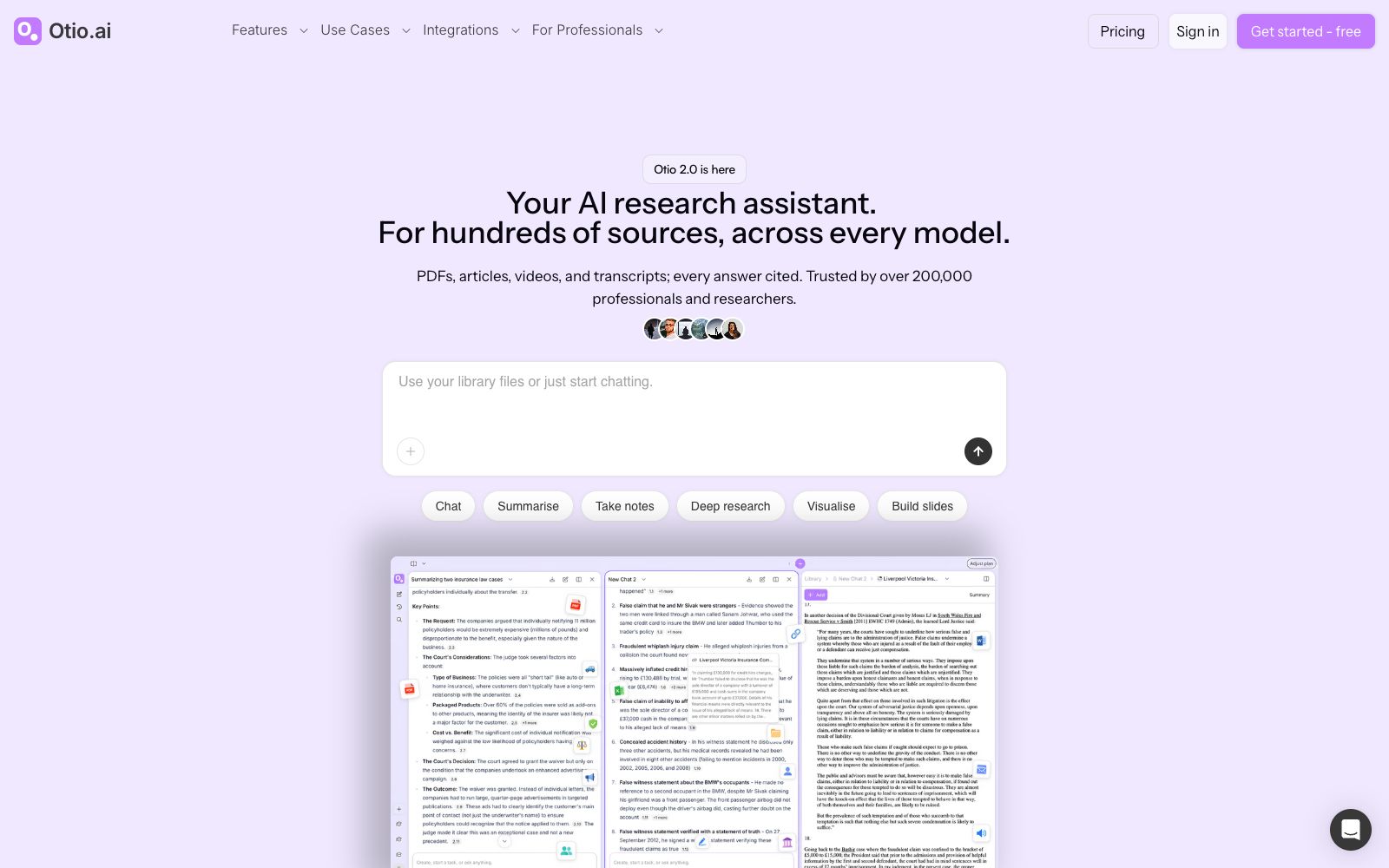
Otio is a research workbench for large volumes of materials. Officially, it allows you to collect PDFs, videos and web pages into a unified database, conduct cross-model conversations and provide page-level citations, and supports long-term projects and note-taking.
Updated: 2026-10-26
What is Otio?
Otio's official website positions itself as an AI research workbench capable of hosting hundreds of sources, with its focus not on writing but on organizing materials effectively. It integrates PDFs, articles, videos, and transcripts into a single database, providing cited sources when answering queries. It emphasizes that conversations will not be reset, there is no upper limit on files, and work will not be lost. The official claims that over 200,000 professionals and researchers use it, and cross-model conversations are one of its selling points.
Who is it for?
- Graduate students and scholars who need to find viewpoints and conduct literature reviews across dozens of academic papers.
- Legal professionals who handle large volumes of case files and precedents and require traceable citations.
- Analysts who conduct policy, ESG and financial industry research and need to work on projects that span months.
- Students in medicine and pharmacy who need to read textbooks and research papers.
Key features
6AI PDF Reader
The PDF reading and Q&A capability listed in the official feature list allows for in-depth exploration of details around a single document.
Video & Podcast Summarization
The official website lists the capabilities of video summaries and podcast abstracts, which convert audio-visual content into readable key takeaways.
AI OCR & PDF Extraction
Extracts searchable content from scanned documents and PDFs, and handles irreplaceable old documents.
Multiple AI Models
The official states that it can be used across multiple AI models, allowing users to switch between different models to answer questions within the same database and provide page-level citations.
Spaces & Dual Chat
The official website mentions spatial organization, two-column dialogue, and context-aware conversation, which are suitable for parallel progress by theme.
Verified Citations and Deep Research
The official listing includes verified citations, open-ended reasoning, in-depth research, as well as visualization and slide generation.
How to use Otio
- 1Create spaces by project first, then add materials to them, which saves a lot of time compared with organizing them afterward.
- 2First, synthesize information across multiple sources to gather the main themes, then start writing to avoid getting stuck in line-by-line reading right away.
- 3Citations can be traced to specific pages, but you should still spot-check the original text to confirm that the statements have not been rewritten or overgeneralized.
- 4The official website mentions integration with Zotero, Dropbox, OneDrive, and Box. Confirm the sync scope and two-way update behavior before importing.
- 5The official states that conversations will not be reset and there is no upper limit on files, but the specific package rules and prices shall be subject to the official pricing page.
- 6Before uploading confidential or undisclosed research materials, please confirm the confidentiality requirements and institutional regulations first.
- 7The official website has scenario pages categorized for professionals, academics, medical students, ESG analysts, and policy workers; you can first check the relevant scenario pages before getting started.
Traffic & popularity
Data month Sep 2026
Otio receives about 31.9K visits per month and ranks #1,228,429 worldwide.
Monthly visits
12 monthsTraffic sources
- Search47.0%
- Direct36.3%
- Referrals7.8%
- Social3.2%
- AI assistants3.0%
- Other2.8%
Top countries
- United States13.5%
- Germany6.9%
- India4.8%
- Indonesia4.5%
- Canada4.3%
Estimated from third-party traffic data.
Similar tools
 ChatDOCChatDOC is an AI reading tool for conversing with PDF files. Officially, it can summarize long documents, explain concepts, quickly locate information, and its answers come with source citations. It supports formulas, cross-page tables and image recognition.
 AskYourPDFAn AI tool platform for PDFs and websites that supports conversational Q&A for any PDF, embeds AI customer service on web pages, and automatically fills out forms using AI. The official claims there are over 5 million users worldwide.
 iAskA free question-and-answer search engine for students and researchers, its official website focuses on being free of hallucinations and providing authoritative citations. It supports document analysis, web and file summarization, and can be used as a homework tutoring and information inquiry tool.
 HumataHumata is an AI assistant that turns documents into a conversational knowledge base. After uploading files such as PDFs, you can ask questions and get answers with citations, and it supports cross-file retrieval and web embedding.
 PDF.aiA platform that supports PDF dialogue and provides PDF APIs, which can answer questions, generate summaries and find answers. It can also parse documents, extract data and split files in its own workflow. The official website provides online tools and interface documents.
 scienceOSscienceOS is an AI research tool for scientists, offering scientific chat that can converse with 230 million papers, multi-document Q&A with a maximum upload of 4,000 PDFs, and a project management workspace.