


Noteey
A visual note-taking application that organizes ideas and materials on an infinite canvas, supporting PDF annotation, video notes, drawing, flowcharts and mind maps, presentation mode, and deep links. The official focus is on offline-first and local backup.
Updated: 2026-10-26
What is Noteey?
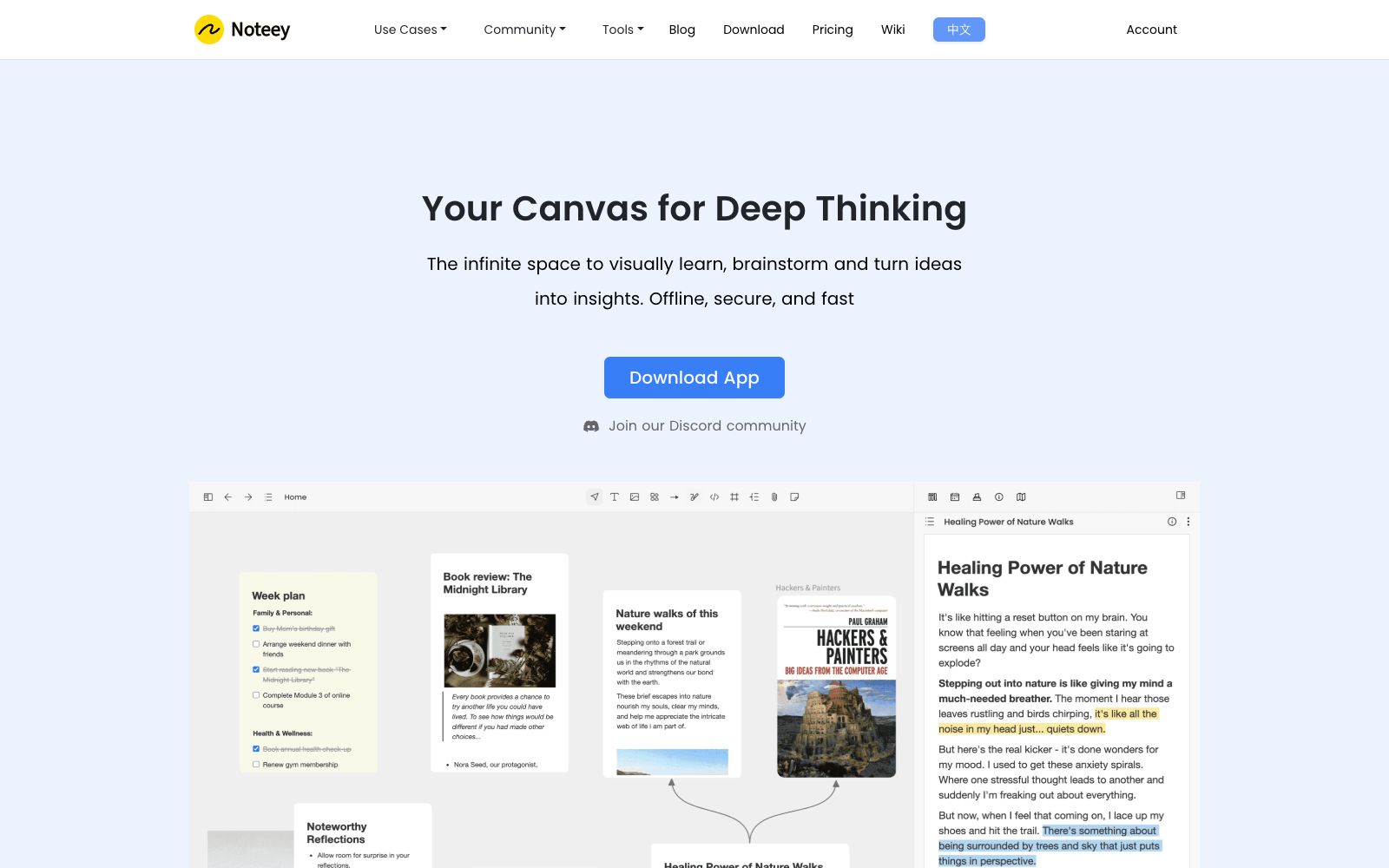
Noteey is a visual note-taking app provided by noteey.com. Its official website describes itself as a "visual note-taking app for organizing your thoughts" and further positions it as a comprehensive visual knowledge system. It places notes, materials, and images on the same infinite canvas. The official emphasizes offline-first, local backup, and sharing features. The website offers multilingual versions, including Chinese.
Who is it for?
- Students and researchers who read papers and textbooks, need to annotate the original text and create visual notes.
- Creative professionals and designers who want to place inspirations, reference images and materials on the canvas for comparison.
- Lecturers and trainers who need to use their notes directly for presentations.
- People who require data localization and offline availability and do not want to be tied to the cloud.
Key features
7All-in-one infinite canvas
An infinite canvas that hosts notes, images, links and files, serving as the main interface for organizing content.
PDF Annotations
Annotate PDFs directly, ideal for reading academic papers and textbooks.
Video Note Taker
The official website positions video note-taking as an independent feature, accompanied by a suite of tools for summarizing videos and PDFs.
Drawing Tool, Flowchart and Mind Map
Provides visual expressions such as freehand drawing, flowcharts and mind maps.
Presentation mode
Present the content on the canvas directly as a presentation, eliminating the need to create a separate set of slides.
Deep Linking & Floating Windows
The official lists deep linking and floating windows to facilitate jumping between and comparing content.
Offline First
The official team emphasizes offline availability and provides local backup and sharing features.
How to use Noteey
- 1The canvas tends to expand endlessly, so it is recommended that you divide it into blocks from the very beginning and define the scope of each theme using colors or borders.
- 2Compress large scanned documents before importing PDFs, as putting too many large files in the canvas will affect fluidity.
- 3The presentation mode is great for explaining your ideas, but it's safer to export the content or create a separate version before officially presenting it to others.
- 4The official emphasizes local backup, but you should still export a copy regularly on your own and not rely on a single device.
- 5The video note-taking tool involves capturing content from third-party platforms; please pay attention to the platform's terms and copyright.
- 6Deep links point to locations within the local library; confirm that the recipient has the same content before sharing.
Traffic & popularity
Data month Sep 2026
Noteey receives about 726.0K visits per month and ranks #66,192 worldwide.
Monthly visits
12 monthsTraffic sources
- Search76.2%
- Direct13.1%
- Referrals7.7%
- Social2.8%
- AI assistants0.2%
Top countries
- South Korea23.4%
- United States13.0%
- India5.1%
- Japan5.0%
- Brazil4.3%
Estimated from third-party traffic data.
Similar tools
 ScrintalA visual note-taking tool for learning and research, centrally managing PDFs, notes, images and videos on an infinite canvas. It supports bidirectional links and real-time collaboration, and comes with an AI assistant as well as macOS and Windows clients.
 PixmaxPixmax is an all-in-one content workflow platform for AI short drama, manhua drama and advertising creators. Officially, it aggregates various mainstream models such as video, image, text and audio with an infinite canvas, and provides visual workflows, film and television-level asset management and team collaboration.
 Qianlu AIQianlu AI Canvas is an infinite canvas design tool for visual creators. It supports text-to-image, image-to-image, intelligent background removal, watermark removal, image upscaling to HD and 4K AI video generation, and offers team collaboration.
 Speech To NoteA voice-to-text note-taking tool, officially said to convert dictation into editable notes on Mac, Windows, mobile terminals and web terminals, supporting multiple languages, offline mode and various templates.
 MioraMiora is an AI agent creation studio with memory. Officially, it claims that inputting a one-sentence brief will output a complete set of visuals that align with the brand tone. Images, videos, UI/UX and 3D designs are all created on the same infinite canvas, and it supports a memory and skill marketplace.
 GoodnotesGoodnotes is a handwritten note-taking application for tablet users. It supports handwriting, typing, sketching and voice recording, and offers productivity features such as AI summarization, mind maps and meeting minutes, covering both personal and enterprise scenarios.