


Cleft
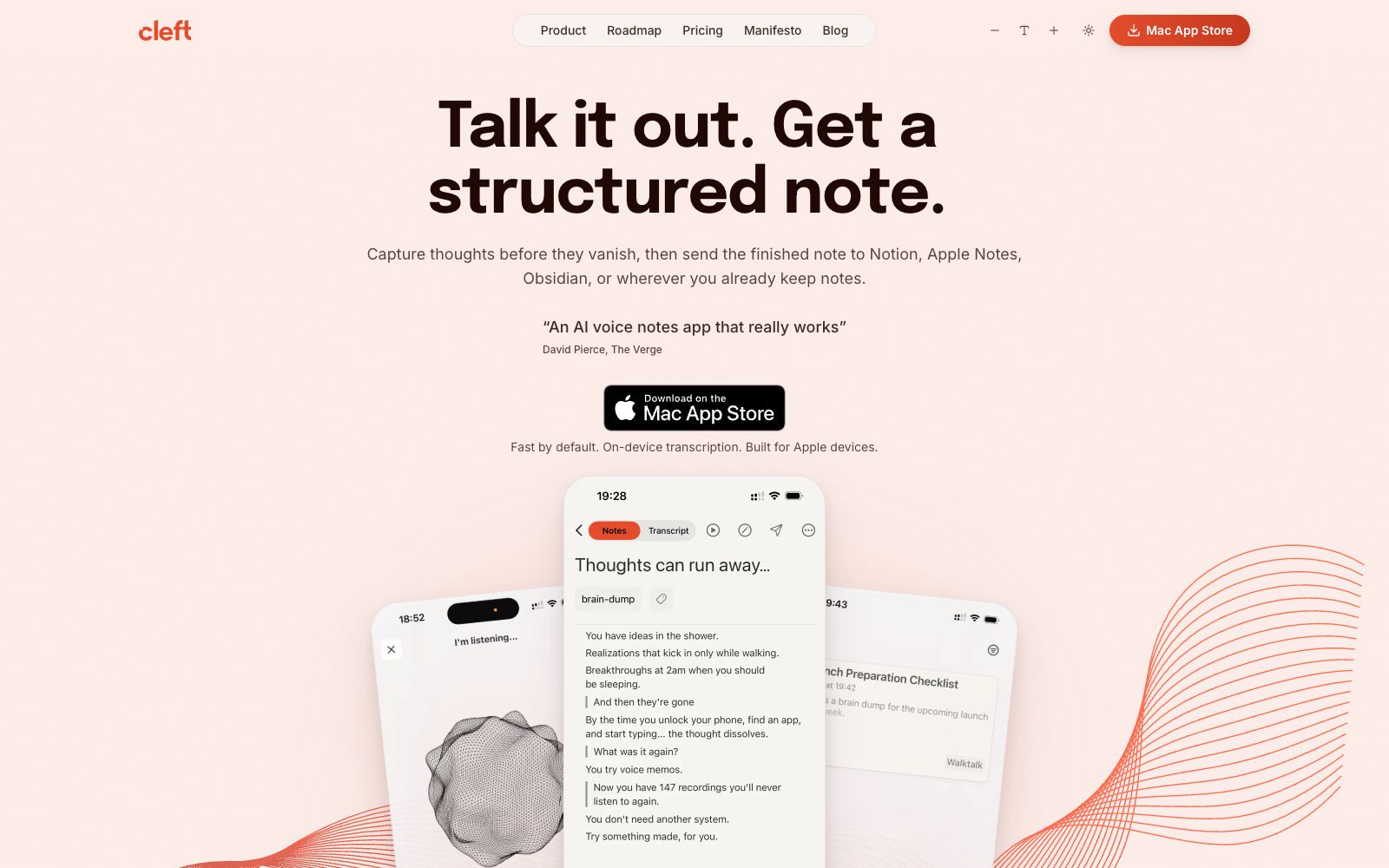
A voice-first note-taking app built exclusively for Apple devices, it performs on-device offline transcription and organizes dictations into summaries, to-do lists and transcripts, and can be sent to Notion, Obsidian, etc., with one click.
Updated: 2026-10-26
What is Cleft?
Cleft is a voice-first note-taking tool (officially positioned as "Voice-first note-taking for people who think faster than they type") designed for people who "think faster than they type", and it is exclusively built for Apple devices. It performs transcription locally on the device and supports offline capture. It organizes the content you speak casually into structured notes with summaries, to-do lists and transcripts, and then syncs them to the note-taking apps you already use. The Verge called it "a really great AI voice note-taking app".
Who is it for?
- Creators and thinkers who get frequent inspirations during commutes, driving or walking but don't want to stop to type.
- Personal knowledge managers who use the entire Apple ecosystem, are used to putting to-do items into Apple Reminders, and store notes in Obsidian or Notion.
- Privacy-sensitive users who need to quickly turn verbal ideas into structured minutes and care about data staying on their local device.
- In-car users who want to safely record meeting points or random thoughts in the CarPlay scenario.
- Writers and researchers who use a Markdown workflow and want voice drafts to go directly into Bear and Logseq.
Key features
6Device-side Transcription
The official claim is that audio recordings are converted into text locally (Transcribes locally), allowing offline recording and transcription without uploading to the cloud.
Structured Organization
Cleft automatically identifies key points and action items, organizing fragmented spoken words into a clear structure without the need for manual formatting.
Multi-format Notes
You can switch to generate bullet point lists, paragraph-style notes, or clean verbatim transcripts close to the original words, with support for custom styles.
Apple Ecosystem Coverage
Supports iPhone, iPad, Mac, Apple Watch, and CarPlay, allowing you to dictate notes directly in the car using CarPlay.
Multi-app Export
The official version supports sending finished drafts to more than a dozen apps including Notion, Apple Notes, Apple Reminders, Obsidian, Bear, Logseq, Things 3, and Todoist.
Offline Availability
You can record and transcribe without Wi-Fi, and your notes are synced with encryption, emphasizing that "you own your own ideas."
How to use Cleft
- First, install Cleft from the App Store (for iPhone, iPad, and Mac).
- For your first use, just dictate what you want to record in three simple steps: speak it out, let Cleft organize it, and choose your note format.
- Try the on-device transcription and basic structuring with the free version first.
- if you need more custom styles or higher usage limits, check the official website's Pricing, with the specific free limits subject to the official page.
- Since transcription is done locally and available offline, feel free to record sensitive content.
- however, be mindful of the security settings of the target apps for exports outside the Apple ecosystem.
- Simply select the action items from your spoken words and send them to Apple Reminders or Todoist, so that your "next steps" truly appear where you can see them every day.
- For heavy writers, you can directly send Clean Transcript or Markdown to Obsidian and Logseq to retain bidirectional links, keeping your personal knowledge graph coherent.
Traffic & popularity
Data month Sep 2026
Cleft receives about 5.6K visits per month and ranks #3,327,352 worldwide.
Monthly visits
12 monthsTraffic sources
- Direct39.2%
- Search32.0%
- Referrals10.4%
- Social6.2%
- Display ads3.8%
- Other8.3%
Top countries
- United States100.0%
Estimated from third-party traffic data.
Similar tools
 TalknotesTalknotes is an AI voice note-taking app that can convert voice recordings into structured text, generate to-do lists, transcripts, blogs, etc. It supports more than 50 languages and is available on Web, iOS and Android platforms.
 DictanoteThe note-taking app with built-in voice input allows you to switch between typing and dictation at any time. The official version supports dictation in over fifty languages, comes with voice commands and shortcuts, and also has an extension from the same team for any web-based input method.
 Speech To NoteA voice-to-text note-taking tool, officially said to convert dictation into editable notes on Mac, Windows, mobile terminals and web terminals, supporting multiple languages, offline mode and various templates.
 Pixno AI NotesPixno is an AI note-taking assistant that can convert photos, PDFs, audios and videos into structured text notes, support export to applications such as Notion and Obsidian, and cover scenarios such as textbooks, recordings and slides.
 Dedao BrainDedao Brain is an AI recording and creation tool launched by Dedao (Luoji Siwei). It focuses on automatically turning voice recordings into notes, and uses Grow, Comment, Question and Polish to refine ideas into works.
 JamieA privacy-first AI meeting recording tool that generates multilingual structured notes, transcripts and to-do lists without the need for meeting bots, complies with GDPR and can sync with Notion and other platforms.