

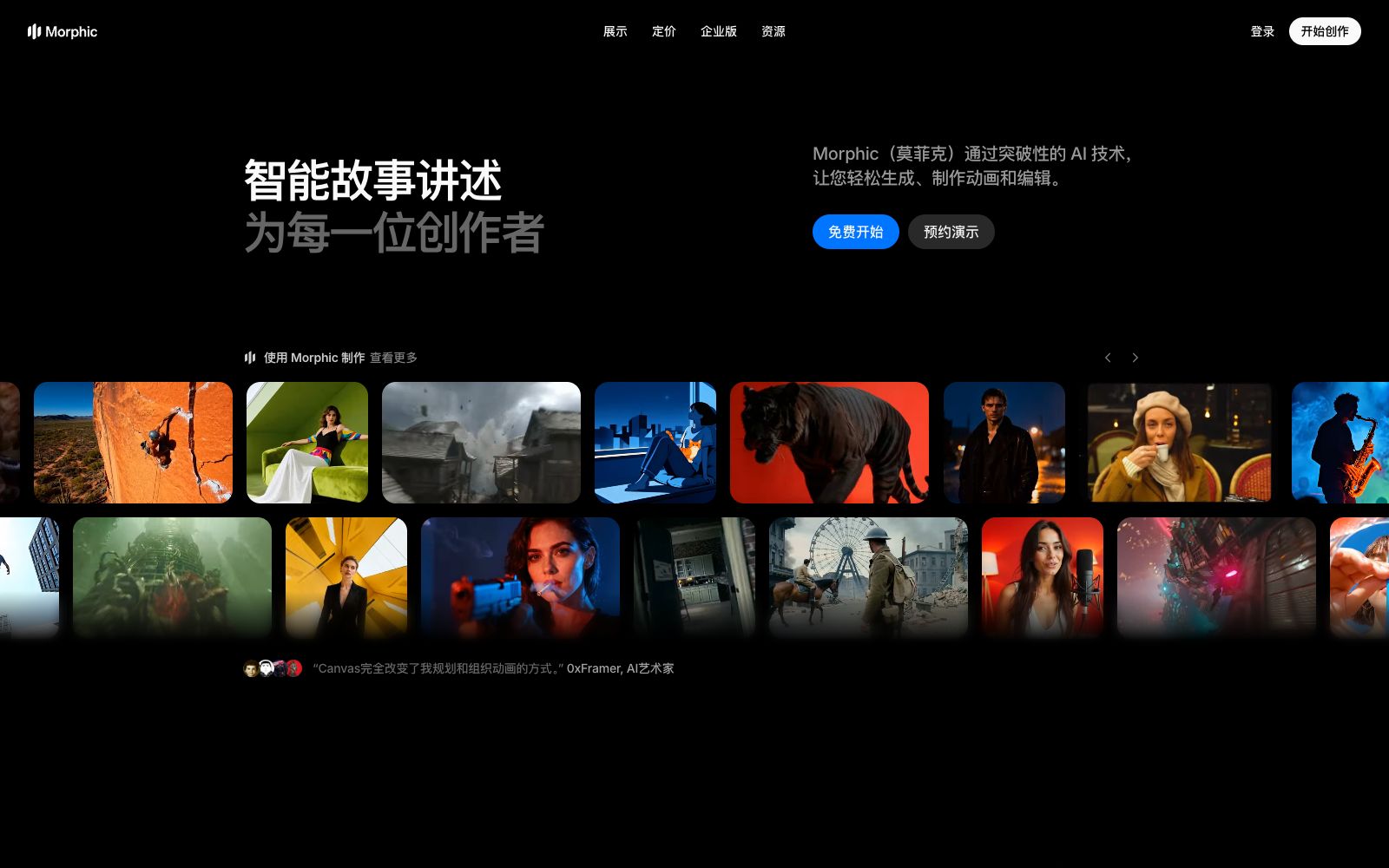

Morphic
An AI creation platform for team members, it connects ideas, storyboards and finished works through three workspaces: Copilot, Canvas and Compose, and provides a large number of out-of-the-box creative workflows.
Updated: 2026-10-26
What is Morphic?
Morphic's official website positions itself as "reimagining storytelling," with its core being the integration of generation, animation production, and editing into a single workspace: Compose is responsible for content generation, Canvas hosts the process of shaping ideas, and Copilot serves as a conversational imagination partner. Its difference from one-time generation tools lies in its emphasis on workflows: dozens of directly runnable workflows are featured on the homepage.
Who is it for?
- Independent creators who need to string together an entire short film from script to side products in one go
- Marketing and e-commerce teams creating UGC ads, virtual try-on experiences, and short product showcase videos
- Animators who want to "modify only parts, rather than re-rendering the entire segment"
- Small creative teams and production companies that rely on fixed workflows for collaborative delivery
- Artists who want to convert original comic and illustration manuscripts into dynamic clips to test the dynamic effect
Key features
5Compose (Generation)
Officially described as generating any content based on prompts, connecting images, actions and sounds to form clips that can be directly advanced.
Precise Editing
The official description states that you can select objects, perform segmentation and enlargement, and guide the process through prompts.
Consistency Maintenance
The same character and style can be reused across multiple scenarios, ensuring the character's tone and appearance remain consistent.
Out-of-the-box Workflows
The official website lists templates such as "Time Freeze Effect", "Put Yourself in a Movie", 3x3 Storyboards, Virtual Try-On, Motion Transfer, UGC Ads, Character Age Progression, and MV Generation.
Frame-to-Video
Officially, you can select 2–5 frames of a scene, and the system will automatically generate the transitional content in between to form a video, which is suitable for the tweening needs of existing storyboards.
How to use Morphic
- For beginners, it is recommended to start directly with the workflow templates on the homepage (such as "3x3 Storyboard" and "One Shot"), first understand the input-output structure and then create your own process.
- The official website mentions that Seedance 2.5 has been launched, supporting 30-second one-take shots, native audio, and up to 50 reference inputs.
- For long-take related needs, you can prioritize trying this combination.
- For character consistency, use the dual lock of "reference character + same style".
- relying solely on text descriptions often leads to obvious degradation after two or three camera cuts.
- The official website offers an enterprise version, a creator fund, and discounts.
- Before commercial use, it is recommended to confirm the difference in benefits between different account types and refer to the latest instructions on the official website.
- For team collaboration, pay attention to the ownership of material rights, categorize and store reference images and finished products by project, and avoid being unable to trace the source after team members leave.
Traffic & popularity
Data month Sep 2026
Morphic receives about 476.5K visits per month and ranks #86,808 worldwide.
Monthly visits
12 monthsTraffic sources
- Search70.4%
- Direct20.0%
- Referrals4.1%
- Social2.3%
- AI assistants1.6%
- Other1.7%
Top countries
- United States16.4%
- India9.7%
- South Korea8.4%
- Indonesia6.6%
- Brazil6.2%
Estimated from third-party traffic data.
Similar tools
 MootionAn AI video generation tool focusing on character consistency and complete storytelling. It can convert text, scripts, ideas, or images into visuals with shot hierarchy and synchronized audio. Its official website lists scenarios such as social media, education, children's stories, and advertising.
 PixVerseAISHI Technology has launched an AI video generation platform that provides self-developed video models such as V6. It supports text-to-video, image-to-video, template special effects and character consistency, and opens CLI, API and canvas workflow, targeting two scenarios: creators and enterprises.
 SkyReelsSkyReels is an AI video generation platform launched by Kunlun Tech. Centered on storytelling narrative, it provides capabilities such as text-to-video, image-to-video, and multimodal reference-to-video. According to the official statement, it can generate both video and audio simultaneously, and supports character consistency and plot continuity across storyboards.
 DzineDzine is an all-in-one AI creative suite for creators and teams. Its official website states that it brings images, videos and design together on the same canvas for collaboration, supporting real-time collaboration, character consistency and a variety of generation and editing tools.
 OiiOiiThe official website claims it to be the "world's first animation agent". Hand over your ideas to a team of AI agents, which will successively create characters, storyboards and scenes, and synthesize short films. It is mainly targeted at 2D animation creation.
 MovieFlowAn AI video platform that generates narrative short films by inputting a single sentence or a complete screenplay. It breaks down stages such as screenwriting, storyboarding, and shooting into callable Agents. It also provides two editing methods: canvas and workflow, with multiple video and image models to choose from.