


Microsoft Designer
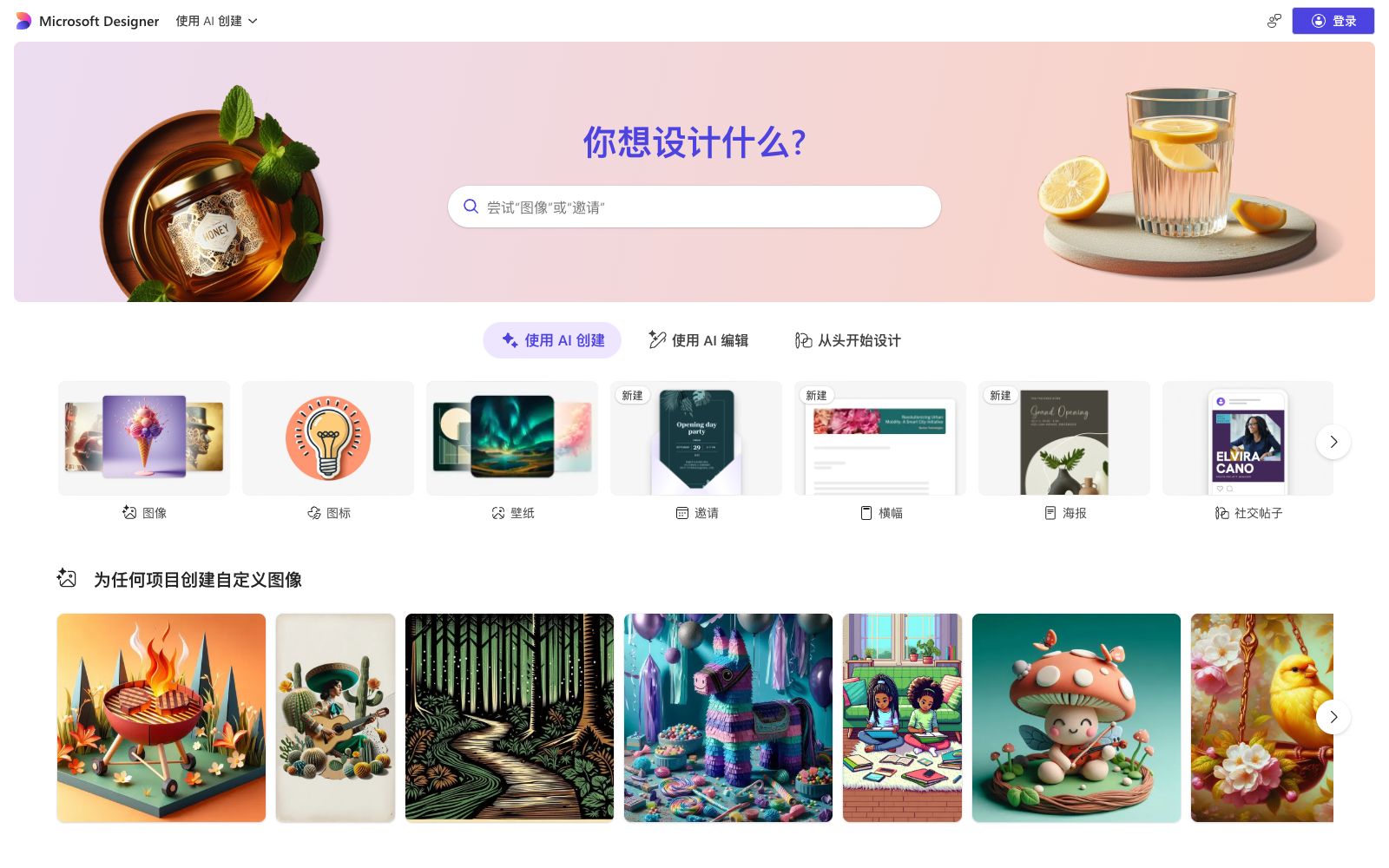
An AI graphic design tool launched by Microsoft, which can generate posters, social media posts, invitations and custom images with prompt words. It supports AI editing and manual design from scratch, and covers a rich range of template types such as images, icons and wallpapers.
Updated: 2026-10-26
What is Microsoft Designer?
Microsoft Designer is a graphic design application launched by Microsoft. Its official positioning is "Create stunning designs in an instant": it helps users create professional-quality content such as social media posts, invitations, digital postcards and graphics, and turn your ideas into unique designs. It offers three creation paths: "Create with AI", "Edit with AI" and "Design from scratch", covering a wide range of template types including images, icons, wallpapers, banners, posters, greeting cards and stickers, making it accessible even for those with zero design background.
Who is it for?
- Individuals and small teams who need to quickly produce social media graphics and event materials but are not professional designers; users who regularly use Microsoft accounts and the Office ecosystem and want to integrate design tools with their daily workflows; and beginners who want to try AI design at a low cost and explore prompt writing.
Key features
6Prompt-Generated Design
Input a description to directly generate a finished design, covering social posts, invitations, posters, greeting cards, backgrounds, avatars, collages, emojis, clip art and other types, suitable for quick image creation and daily content updates.
AI Editing
Make local modifications to existing images based on prompt words, such as adjusting the main subject, background, or style in a photo according to descriptions. The official provides a large number of "editing prompt" examples for reference.
Text-to-Image
Generate custom images from text descriptions, supporting parenthesis placeholder-style stylized prompt writing. You can specify the subject, color scheme, composition and artistic style simultaneously, for example, "an origami-style steak with a warm autumn color palette".
Template and Material Library
Rich in template types such as images, icons, wallpapers, invitations, banners, letter patterns, and coloring book pages, suitable for various event materials and daily content; each type of template comes with a corresponding AI creation entry. Select the type first and then fill in the description, which is more controllable than generating content with pure text.
Design from Scratch
You can also skip AI entirely and manually layout and design on the canvas to meet the needs of fine-tuning and original creation.
Microsoft Ecosystem
Integrated with the Microsoft account system, accessible upon login, facilitating collaborative work with the entire Microsoft suite.
How to use Microsoft Designer
- The more specific the description, the more controllable the result: Specify the subject, color scheme, style, composition and atmosphere in the prompt, and the output will be closer to expectations.
- both Chinese and English prompts can be used.
- Starting from a template is faster to implement than pure text generation.
- First, build a good framework with a template, then use AI to edit or manually fine-tune the final touches, balancing efficiency and quality.
- If the output style is unstable, collect or screenshot the satisfactory results as style references for subsequent designs.
- When batch-making materials of the same series, fix a set of prompt templates and then replace keywords to achieve a more unified style and higher efficiency.
Things to know
Traffic & popularity
Data month Sep 2026
Microsoft Designer receives about 3.6M visits per month.
Monthly visits
12 monthsTraffic sources
- Direct44.5%
- Search31.0%
- Referrals12.2%
- Social5.2%
- AI assistants4.6%
- Other2.5%
Top countries
- United States20.5%
- India7.5%
- Brazil4.2%
- Germany4.1%
- United Kingdom4.0%
Estimated from third-party traffic data.
In these collections
Similar tools
 Gaoding AIA domestic online design platform with a vast number of templates and AI assistance. You can create posters, PPTs, and e-commerce materials even without knowing PS. It integrates AI functions such as background removal, watermark removal, AI inpainting, product retouching, and video creation. The materials are officially licensed and available for commercial use.
 Power BIA business intelligence platform launched by Microsoft, it connects and unifies enterprise data, empowers everyone's self-service BI with credible semantic models and Copilot's natural language insights, and can be embedded into Microsoft 365 workflows.
 FotorFotor is a free online photo editor. Officially, it offers features such as AI enhancement, AI photo retouching, background removal, and text-to-image conversion. It also supports converting images to anime, coloring old photos, and batch processing, covering daily photo editing and creative design needs.
 PromptHeroAn English AI prompt library and search site, the official introduction includes prompts covering a variety of mainstream models and generated image examples. Users can search, collect and reuse prompts by model and theme, and also share their own works and prompts.
 Meitu AI DesignA free online design platform officially launched by Meitu Xiuxiu, focusing on e-commerce and marketing scenarios. It can one-click generate product image posters and intelligently remove backgrounds and replace backgrounds. It covers e-commerce design, posters, videos, self-media marketing, brand design and PPTs.
 CanvaOnline design collaboration platform with a vast collection of templates and genuine materials covering scenarios such as posters, PPTs, resumes, and social media images. It includes built-in AI generation, AI background removal, and enterprise-level brand management.