


TTSMaker
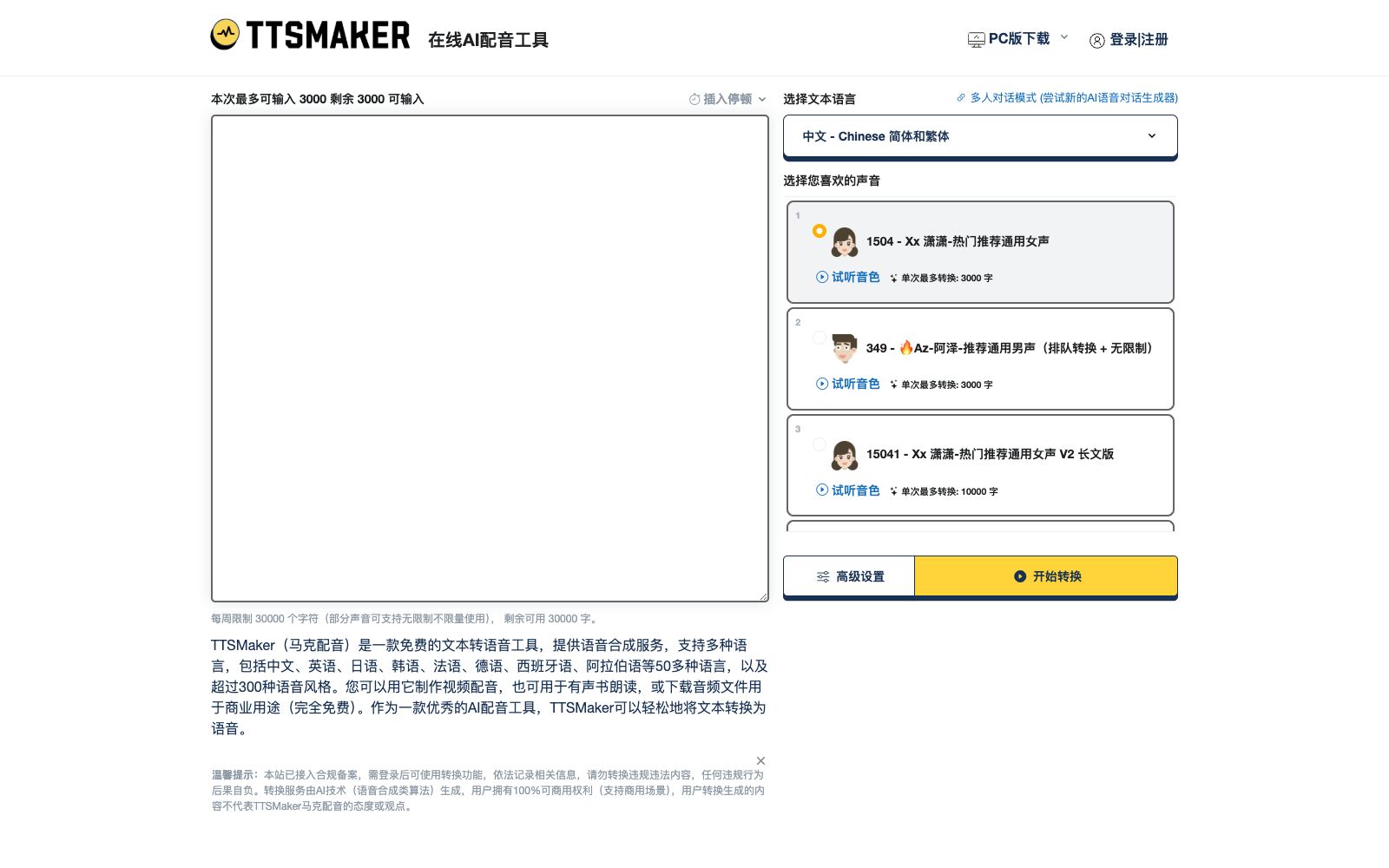
Free online text-to-speech tool (Mark Dubbing), officially claims to support more than 50 languages and over 300 voice styles. It allows online trial listening and MP3/WAV downloading, provides free character quota every week, and states that the generated content can be used commercially.
Updated: 2026-10-26
What is TTSMaker?
TTSMaker (Mark Dubbing) is a free online text-to-speech tool. You can open the webpage, enter text, and synthesize speech without installing software or setting up a development environment. The official claims it supports more than 50 languages and over 300 voice styles, covering common languages as well as a variety of emotional and scenario-based tones. Compared with voice services that require API access to use, its positioning is more lightweight: the synthesized results can be directly previewed on the webpage, and you can download them as MP3 or WAV files after confirming the effect, which is suitable for people who just want to quickly get a finished dubbing. The official states that there is a free character quota every week and declares that the generated content can be used for commercial purposes.
Who is it for?
- Creators of short videos, voice-over videos and commentary videos who need to quickly get a finished voiceover
- People making courseware, training materials and corporate internal training videos to convert scripts into voiceovers
- Teams with multilingual content needs to create versions of the same copy in different languages
- Individual users who don't want to integrate an API and just want to open a webpage to complete a one-time dubbing
- Early-stage projects with limited budgets who want to test the effects using free credits first
Key features
6Text-to-Speech Synthesis
You can generate speech by entering text. The official claims that it supports more than 50 languages and can handle multilingual dubbing needs.
300+ Voice Styles
The official claims to offer more than 300 voice styles, allowing users to select suitable tones based on gender, emotion, speaking speed, and usage scenarios.
Online Preview
After synthesis, preview the audio on the webpage first, confirm the sentence breaks, intonation and pronunciation before deciding to download, avoiding repeated file exports.
MP3 / WAV Download
The output supports two common audio formats, MP3 and WAV, which can be directly imported into editing software or used in the publishing process.
Weekly Free Character Quota
The official offers a weekly free character quota, which is consumed by the number of characters, and synthesis is free within the quota.
Commercial Use Statement
The official states that the generated audio content can be used commercially, and the specific scope of authorization is subject to the official website's instructions.
How to use TTSMaker
- First, use the free weekly character quota for testing: synthesize the same copy with several different timbres one by one, then decide which voice to use officially after comparison to avoid spending the entire quota on a single style at once.
- For long texts, it is recommended to split them into small segments for synthesis separately, which makes it convenient to adjust the pronunciation and pauses for a specific segment alone and also reduces the cost of reworking the entire segment.
- Be sure to listen to the synthesized audio before downloading, focusing on polyphonic characters, numbers, English abbreviations, and punctuation pauses—these are the places most prone to errors.
- Choose the export format according to the purpose: MP3 for online release to save file size, and WAV for retaining more details when you need to edit later or perform audio processing.
- The official states that the generated content can be used commercially, but the authorization scope and language quota may be adjusted according to the official website rules.
- It is recommended to check the official website instructions again before releasing commercially.
Traffic & popularity
Data month Sep 2026
TTSMaker receives about 31.3K visits per month and ranks #1,390,179 worldwide.
Monthly visits
12 monthsTraffic sources
- Direct59.5%
- Search23.9%
- Social8.3%
- Referrals7.7%
- Display ads0.7%
Top countries
- China86.3%
- United States4.6%
- Vietnam1.0%
- Hong Kong, China0.9%
- Taiwan, China0.8%
Estimated from third-party traffic data.
In these collections
Similar tools
 LuvvoiceA free online text-to-speech tool, its official website claims to support more than 70 languages and 200 voices. It allows online auditioning and downloading the results as MP3 files, and also provides document-to-speech conversion and voice cloning functions.
 FreeTTSA free audio toolset in the browser, which provides speech-to-text, voice separation, voice enhancement and online audio editing in addition to text-to-speech, suitable for users who don't want to install software and only process audio occasionally.
 Langlang DubbingAn online text-to-speech dubbing platform, the official claims it has built-in more than 1,100 AI anchors, supports more than 80 languages and more than 10 emotional styles, and can be used for audiobooks and short video dubbing.
 VoicemakerAn online text-to-speech tool, its official website claims to offer 2000+ AI voices covering 130 languages, supports exporting to MP3/WAV, suitable for scenarios like YouTube short videos, and also provides voice cloning, voice-to-voice conversion, and speech-to-text functions.
 SpeechmaOnline text-to-speech platform, the official website claims to offer 580+ high-quality AI voices, support 60+ languages, process long texts in a single session, provide commercial authorization, and open APIs for developers to call.
 Lanzao AIThe AI dubbing and voice cloning platform launched by CloudMinds, according to the official, offers AI voice actors with different genders, accents and languages. It supports text-to-speech, AI copywriting and exclusive voice cloning, enabling quick dubbing for short videos and audiobooks.