


Manus
A general-purpose agent positioned as an action engine not only provides answers but also executes tasks and automates workflows; the web application directly produces slides, websites, games and videos, and can be integrated with email and collaboration tools.
Updated: 2026-10-26
What is Manus?
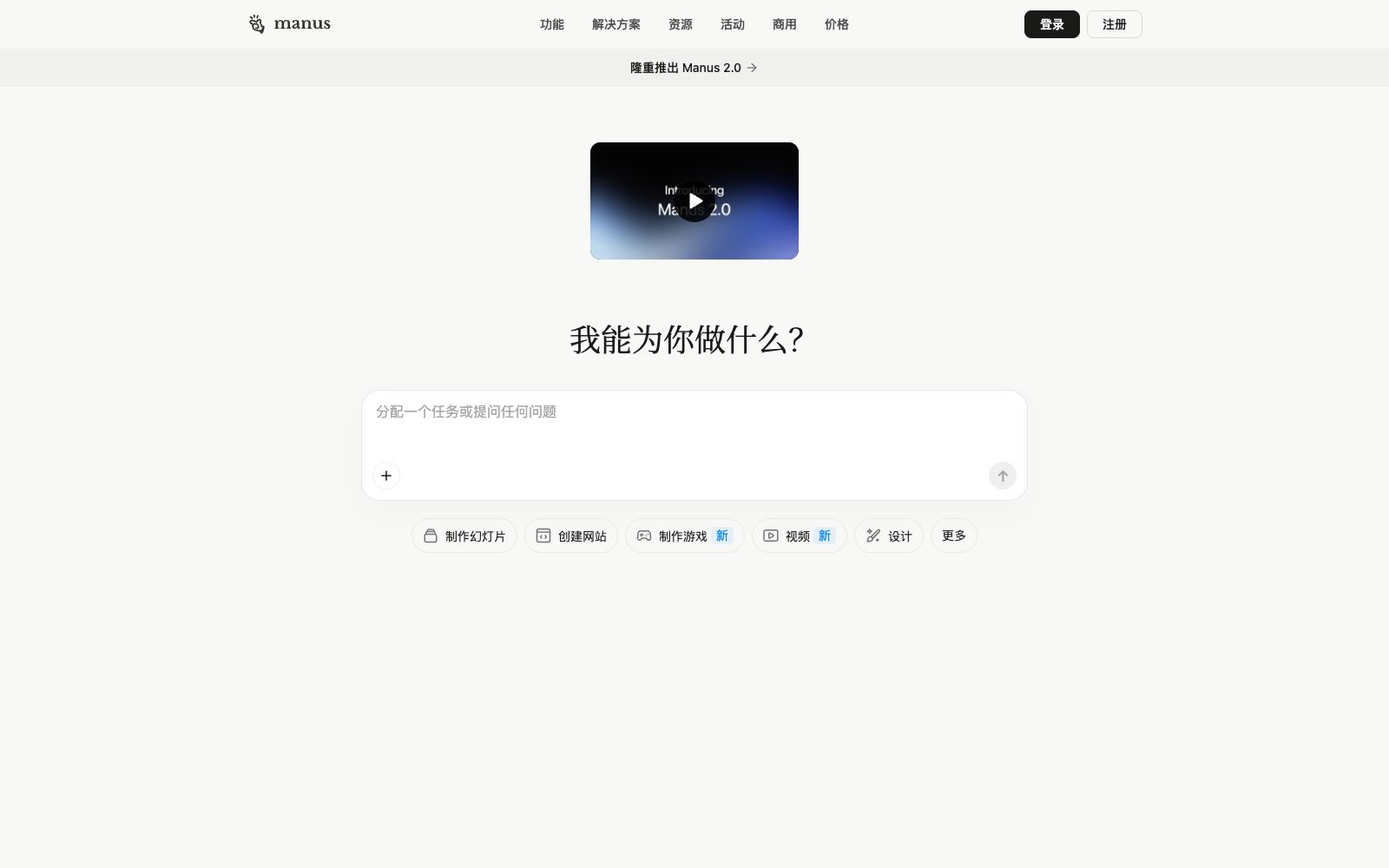
Most AI products give you answers, but what Manus aims to deliver is finished work. The official homepage features a restrained one-sentence slogan: Less structure, more intelligence. Right below it is a more concrete positioning: an action engine that can execute tasks, automate workflows, and expand your capabilities. The homepage also displays the announcement for the launch of Manus 2.0, along with a row of question-marked entry points—creating slides, building websites, making games, videos, and designs.
Who is it for?
- Someone who wants a directly deliverable slide, web page or game prototype rather than just a prompt.
- People who want to outsource repetitive workflows and need them to run automatically on a schedule.
- People in the team who do marketing or content creation and need to produce materials in batches.
- People who want to use it across web, mobile and desktop platforms; the official website lists mobile apps, desktop applications and My Browser.
- People who are used to choosing tools by making comparisons, there is a comparison page on the site with ChatGPT, Lovable, and Replit.
Key features
8Web App
The first entry in the official product list and the starting point for most tasks.
AI Slides & AI Image Generator
Exists as an independent finished-product tool, not just an add-on to conversations.
Game Development
A complete production line on par with website creation, enabling the building of playable content.
Video & Audio
The official website lists a video editor and an AI music generator, both marked as new projects.
Manus Browser Operator
A tool that performs operations in the browser and undertakes tasks requiring real page interactions.
Wide Research
A functional entry for large-scale research, used for systematic data collection.
Mail Manus & Slack Integration
Delivers outputs directly to email and collaboration tools, eliminating manual handoffs.
Automation
Listed as a separate product item on the official website, it is used to codify repetitive workflows.
How to use Manus
- First, clarify your goals clearly.
- The official emphasis is on intent-driven rather than structured configuration.
- describing the desired outcome clearly is more important than learning the interface.
- A dedicated pricing page and commercial entry (Team Plan, Startup, Playbook) is listed on the site.
- individuals can first use the free quota to figure out which tasks it can handle reliably.
- Integrations with Mail and Slack come with real data permissions.
- confirm the scope before connecting and do not grant full authorization just for convenience.
- It can directly generate websites and mini-programs.
- You need to check the code security and dependencies yourself, and do not take it as a reliable output by default.
- In-site documentation, release notes, and Trust Center are all available in the navigation menu.
- if you encounter abnormal behavior, check these three places first.
- when downloading the client, make sure to go to the official download page.
Traffic & popularity
Data month Sep 2026
Manus receives about 12.7M visits per month and ranks #3,743 worldwide.
Monthly visits
12 monthsTraffic sources
- Direct56.9%
- Search21.8%
- Referrals7.1%
- Social6.7%
- AI assistants2.8%
- Other4.6%
Top countries
- Brazil19.8%
- United States12.5%
- India5.6%
- Japan4.0%
- Egypt3.2%
Estimated from third-party traffic data.
Similar tools
 RunableA general AI agent for small businesses and personal projects, according to its official website, can think, plan and execute end-to-end on its own, directly produce results such as websites, presentations, videos, canvases and applications, and also has a growth module.
 KroWorkKroWork is a macOS desktop AI Agent. You can create persistent desktop applications through conversations. The official states that it is built with 20+ Skills, supports autonomous web operation and IM remote control.
 SkydiveSkydive is a cloud-based AI agent platform that allows you to chat with the same agent across web pages, chat tools, and emails. According to its official website, each agent has its own computer to complete end-to-end tasks, and it provides various role templates.
 EigentOpen-source desktop multi-agent workspace that enables AI agents to operate browsers and local applications to complete real tasks. The official version supports custom model selection, approval of key steps, and traceability of execution trajectories.
 AutoGPTTurn AutoGPT into a team of AI experts: select sales, SEO writing, social media and administrative assistants by position, assign tasks in natural language, have the general manager Otto coordinate and summarize progress daily, and also provide an open-source self-hosted version.
 RomeOpen-source agent operating system: describe your goals through conversation, and the Agent can build tools by itself, save actions, retain context and have cross-task reusability. It supports self-hosting and can be connected to your existing cutting-edge coding models and subscription plans.