

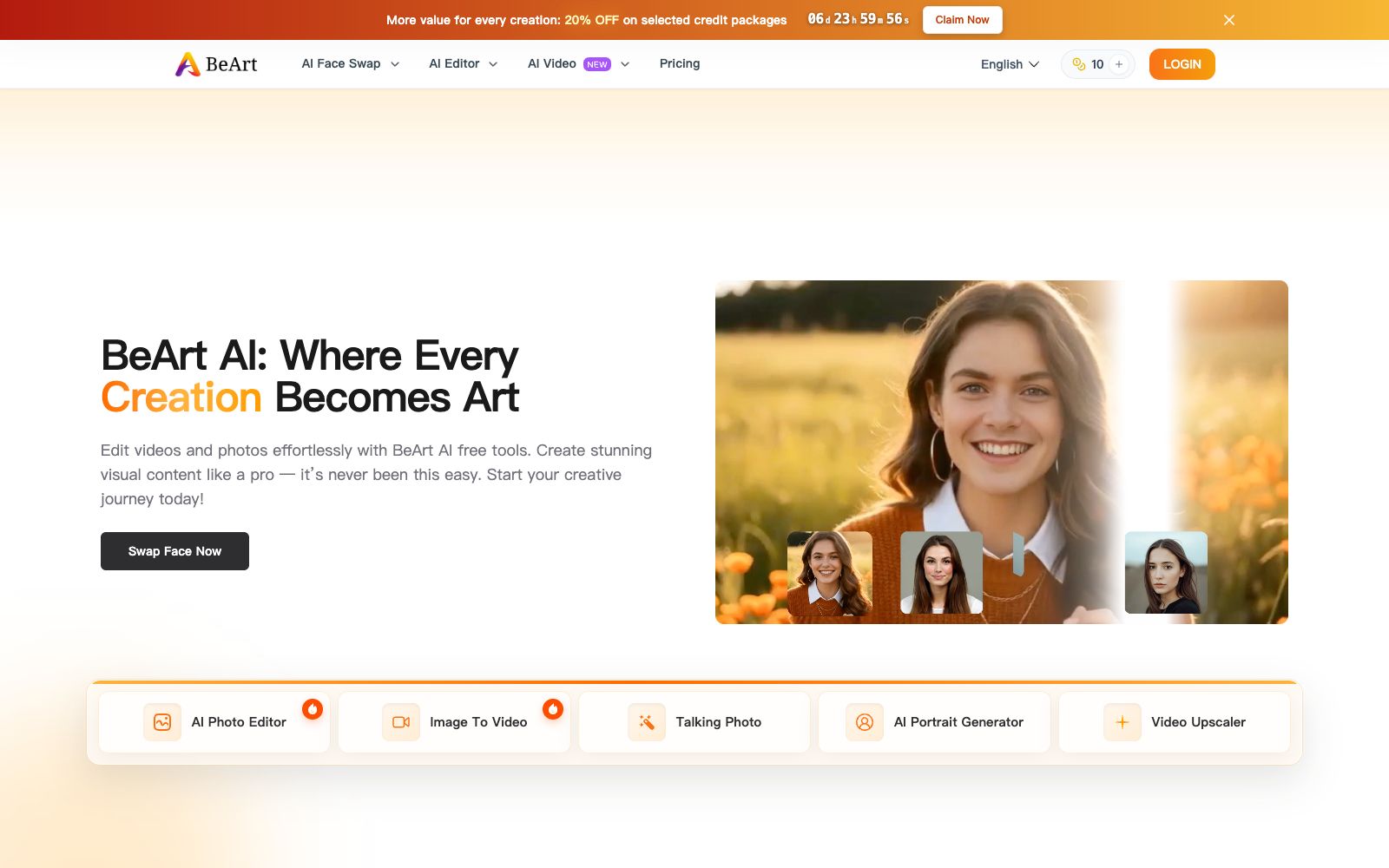

BeArt AI
An online image and video processing platform focused on face swapping, it also offers tools such as portrait editing, portrait generation, video upscaling, lip-syncing and image deblurring. The official states that it can be used for free without registration.
Updated: 2026-10-26
What is BeArt AI?
The official website of BeArt AI describes itself as "Where Every Creation Becomes Art" and clearly promotes the slogan "Use without registration". The tool line takes face-related processing as the core and expands to portrait generation, video generation and image quality enhancement. The FAQ on the website also emphasizes that the platform does not save users' work data, all data is cleared within one day, and the team cannot access users' privacy.
Who is it for?
- Entertainment creators who need a batch of face-swapping materials for making short fun clips and prank videos
- Users who want to turn static portrait photos into speaking and animated effect images for greeting or interactive materials
- Family users who have blurry old videos and want to upscale the resolution and deblur them
- Light users who find it inconvenient to register for an account and only want to temporarily process a single image
Key features
7AI Face Swap (Photo)
Officially referred to as a free face-swapping app, it focuses on the natural fusion effect after applying a face.
Video Face Swap and Multi Face Swap
The official website offers video face swap, multi-face image and multi-face video versions respectively, along with Batch Face Swap and Head Swap.
AI Photo Editor and AI Portrait Generator
The former is used for general photo retouching, while the latter generates portraits according to specific styles.
Video Upscaler and Unblur Image
Enhances video resolution and restores blurry images.
AI Lip Sync and Talking Photo
Align the lip shapes of people in images or videos with the given audio.
AI Video / Image To Video and AI Hug Generator
Generate short video content from images.
Multilingual Site
The official website offers more than ten language options at the top, including Simplified Chinese and Traditional Chinese.
How to use BeArt AI
- The official FAQ states that the platform does not save users' work data, and uploaded content will be cleared within one day, but it is still recommended to submit sensitive portraits with caution.
- The official website supports direct use via browsers, and it also mentions cross-platform availability on mobile phones and computers.
- For batch tasks, it is recommended to first use a small amount of materials to verify the speed.
- When face swapping and lip-syncing involve other people's portraits, be sure to obtain explicit authorization, and reconfirm whether the usage is compliant before public release.
- The official website supports multi-language switching.
- It is recommended to unify the language interface for team collaboration to avoid inconsistencies in the function names seen by different members.
- Policies such as "no registration required" and "free" may change with official adjustments.
- Please refer to the official website's current instructions for long-term use or commercial purposes.
Traffic & popularity
Data month Sep 2026
BeArt AI receives about 90.0K visits per month and ranks #430,451 worldwide.
Monthly visits
12 monthsTraffic sources
- Direct77.2%
- Search15.4%
- Referrals3.8%
- Social3.1%
- AI assistants0.4%
Top countries
- Russia32.1%
- Japan15.7%
- United States4.3%
- Bulgaria3.5%
- Thailand3.3%
Estimated from third-party traffic data.
Similar tools
 AI Face SwapA watermark-free face swap tool that runs in the browser with no sign-up. It handles photos, multiple faces in one shot, video and GIFs, plus batch swapping and gender swap. Uploads are auto-deleted after one day according to the official FAQ.
 PicsmanAn online image and video processing tool station that offers text-to-image, image-to-image, background removal, magic erasure, image quality enhancement, batch editing, and video generation. The official states that it is built with multiple image and video models, allowing you to start creating for free.
 IMGUpscalerImgUpscaler is an online image quality enhancement tool. Its official website states that it can boost the image resolution to 16K, repair pixelation and blurry details, supports single and batch processing, and can be used without registration.
 a2e.aiAn aggregated AI image and video generation platform that offers image-to-video conversion, face swapping, head replacement, lip sync, and voice cloning. It comes with a variety of mainstream video models built-in, and provides easy-to-invoke APIs and flexible billing.
 Chaoneng HuabuAn AI creative generation tool focused on portrait photography produced by Baidu Netdisk, the official website states that it is committed to making everyone's image creativity come true, and provides online shooting style and retouching creations for photographers and ordinary people.
 PincelPincel is a browser-based AI image, video and audio toolset for enterprises, with more than 50 features such as AI photo retouching, object removal, virtual try-on for clothing and makeup, and portrait generation. It emphasizes brand security, and new users get 20 credits upon registration.