


IMGUpscaler
ImgUpscaler is an online image quality enhancement tool. Its official website states that it can boost the image resolution to 16K, repair pixelation and blurry details, supports single and batch processing, and can be used without registration.
Updated: 2026-10-26
What is IMGUpscaler?
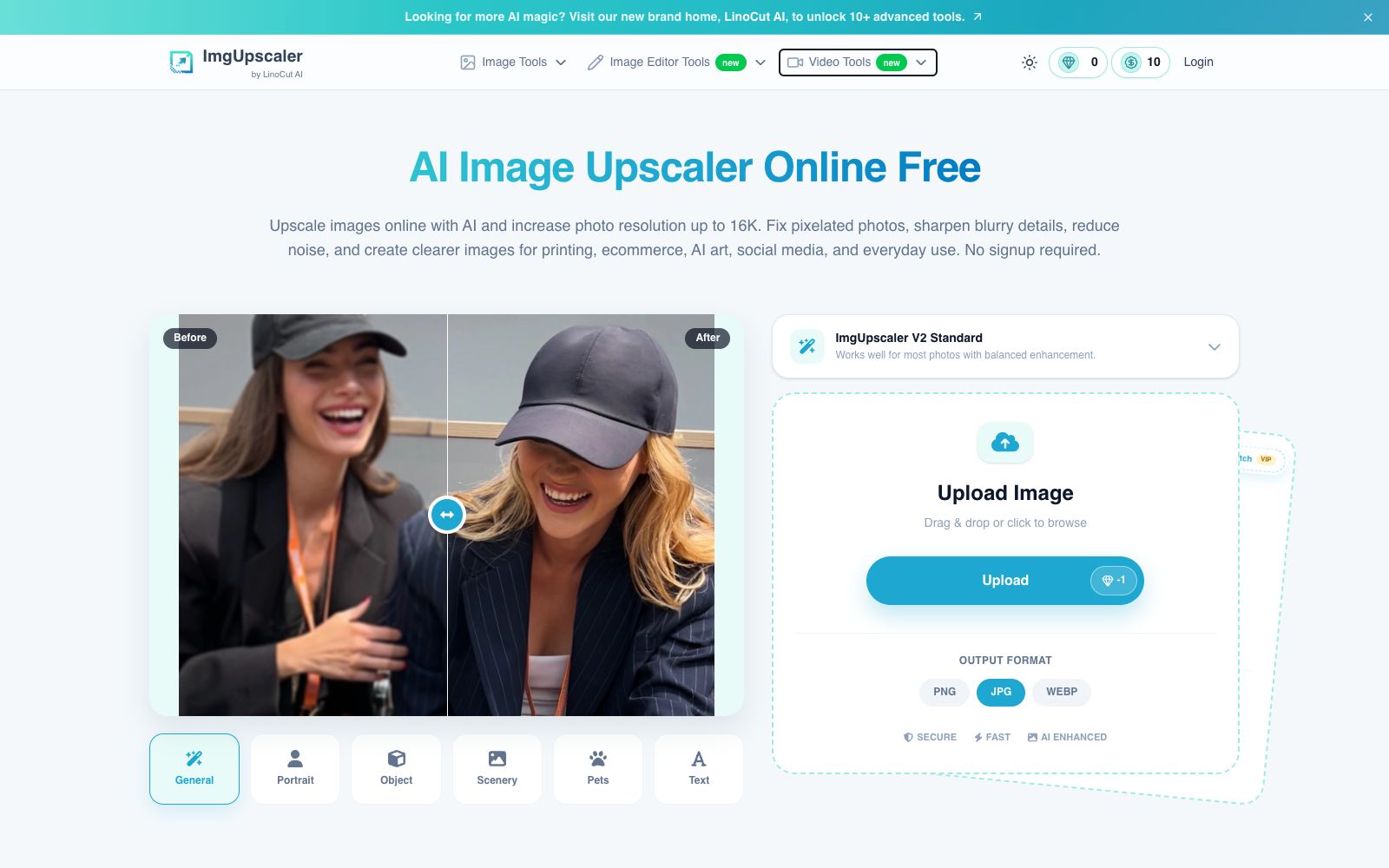
ImgUpscaler is an online tool focused on "upscaling blurry images to make them larger and clearer". Its official website title is "AI Image Upscaler Online Free | Upscale Images to 16K", and it is marked as produced by LinoCut AI. It has a very narrow positioning: it does not do creative generation, but only solves the problems of insufficient resolution, many noise points and blurry details. The official website emphasizes that it can be used without registration. The output options are PNG, JPG and WEBP, with separate entrances for single images and batch processing (2 to 20 images). The homepage compresses the three steps of uploading, selecting a mode, and generating images into one page, making it a single-functional tool that can be used without reading a tutorial.
Who is it for?
- Photographers and archivists who only have low-resolution old images and need to print them or make display boards
- E-commerce sellers who need to enlarge product images to meet platform requirements
- Creators who want to upscale their AI-generated artworks after creating them
- Office scenarios where scanned documents have blurry text and need enhancement for recognition
- Bloggers who create pet and portrait content and want the texture of fur and skin to remain natural after upscaling
Key features
9Upscale to 16K
The official website states that it can online enhance image resolution, with a maximum support of 16K.
Fix Pixelation and Reduce Noise
The official description states it fixes pixelated photos, sharpens blurry details and reduces noise.
Scene Modes
The upload area offers presets such as General, Portrait, Object, Scenery, Pets, and Text for selection.
Batch Processing
The official website provides a batch entry where you can drag and drop multiple images at once for unified upscaling.
Supporting Image Tools
The official website lists old photo restoration, image quality enhancement, deblurring, sharpening, face enhancement, coloring, text enhancement, super-resolution and other features.
Video Tools
The official website lists new entry points such as video enhancement, video upscaling, AI video generation, and image-to-video.
ImgUpscaler V2 Standard Mode
Described on the official website as a well-balanced enhancement level for most photos.
Optional output format
The upload section offers three export formats: PNG, JPG, and WEBP.
Supporting Editing Tools
The official website lists tools such as image converters, photo editors, and tools for modifying text and colors in images.
How to use IMGUpscaler
- 1First upscale a sample image to confirm the effect, then process it in batches to avoid reworking the entire batch
- 2For portraits, pet photos, and text-containing images, select the corresponding mode separately, which is more stable than using the general mode uniformly
- 3Upscaling is about "adding details" rather than "restoring the truth", and it is not suitable for relying on it for judicial evidence collection purposes
- 4The free quota and commercial packages are subject to the official website's pricing page; double-check before making a payment
- 5The magnification ratio is not the bigger the better; when the original image has too little detail, high-magnification enlargement may easily result in a blurry mess
- 6For print output, confirm the pixel count corresponding to the target size before selecting the enlargement level.
Traffic & popularity
Data month Sep 2026
IMGUpscaler receives about 775.2K visits per month and ranks #75,846 worldwide.
Monthly visits
12 monthsTraffic sources
- Direct53.7%
- Search37.5%
- Social3.8%
- Referrals3.1%
- AI assistants1.1%
- Other0.8%
Top countries
- Russia10.3%
- United States9.9%
- India9.6%
- Brazil4.4%
- Germany4.0%
Estimated from third-party traffic data.
Similar tools
 UpscaylA cross-platform open-source AI image upscaling tool. The desktop version is free, using multiple upscaling models to enhance resolution while preserving color details; the cloud version offers up to 16x upscaling, face enhancement and batch processing.
 jpgHDjpgHD offers AI image upscaling, old photo restoration, colorization, scratch removal and other processing services. It supports super-resolution, magic photos and lossless enhancement, with a free limit of 3000px. There are also pay-as-you-go packages and multi-platform apps available.
 VanceAIVanceAI provides a web-based and Windows desktop AI image and video processing toolset. The official version lists models such as upscaling, sharpening, denoising, background removal, and old photo restoration, and supports batch and local offline processing.
 Pica AIA lightweight image tool website focusing on photo quality enhancement, online face swapping and old photo restoration. It also has an entry for generating professional headshots. The official website prompts that the photo quality enhancement function has been upgraded and integrated into Artguru, which can be directly experienced on the web version.
 PhotoRestore.ioPhotoRestore.io uses AI to restore old photos, offering enhancement, colorization, upscaling and background removal. It focuses on face protection (marked areas are not automatically reconstructed), provides 2 free credits every month, and images are automatically deleted after 24 hours.
 ImageColorizerOnline old photo restoration tool, offering black-and-white photo coloring, faded photo restoration, blurry photo enhancement, portrait retouching, and scratch and spot removal. You can start with free credits and then upgrade to a paid package, suitable for restoring old family photos.