


MaiEr HuiJi
A meeting recording tool under iFlytek, officially said to integrate real-time speech transcription and real-time translation, suitable for scenarios such as office meetings, student online courses, and customer interview recording, and supports multi-device synchronization.
Updated: 2026-10-26
What is MaiEr HuiJi?
Mai'er Huiji is an application under iFlytek. According to its official website description, it integrates real-time speech-to-text and real-time translation functions. It supports transcribing while recording, and after the recording ends, the audio and text are synchronized to both computer and mobile terminals. The data is stored in the cloud, making it convenient to review on the go. In addition to the software itself, the official website also mentions its usage scenarios in combination with iFlytek's hardware products such as AI recording cards, AI smart pens, and AI office notebooks, and provides access to enterprise-related meeting and transcription capabilities.
Who is it for?
- Office workers and managers who have back-to-back meetings and need to prepare meeting minutes immediately after each session.
- Students who take online courses or attend lectures and want to keep a revisable transcript.
- User researchers and journalists conducting customer interviews who need verbatim transcripts for analysis.
- Users who are already using iFlytek recording hardware and wish to integrate software and hardware.
Key features
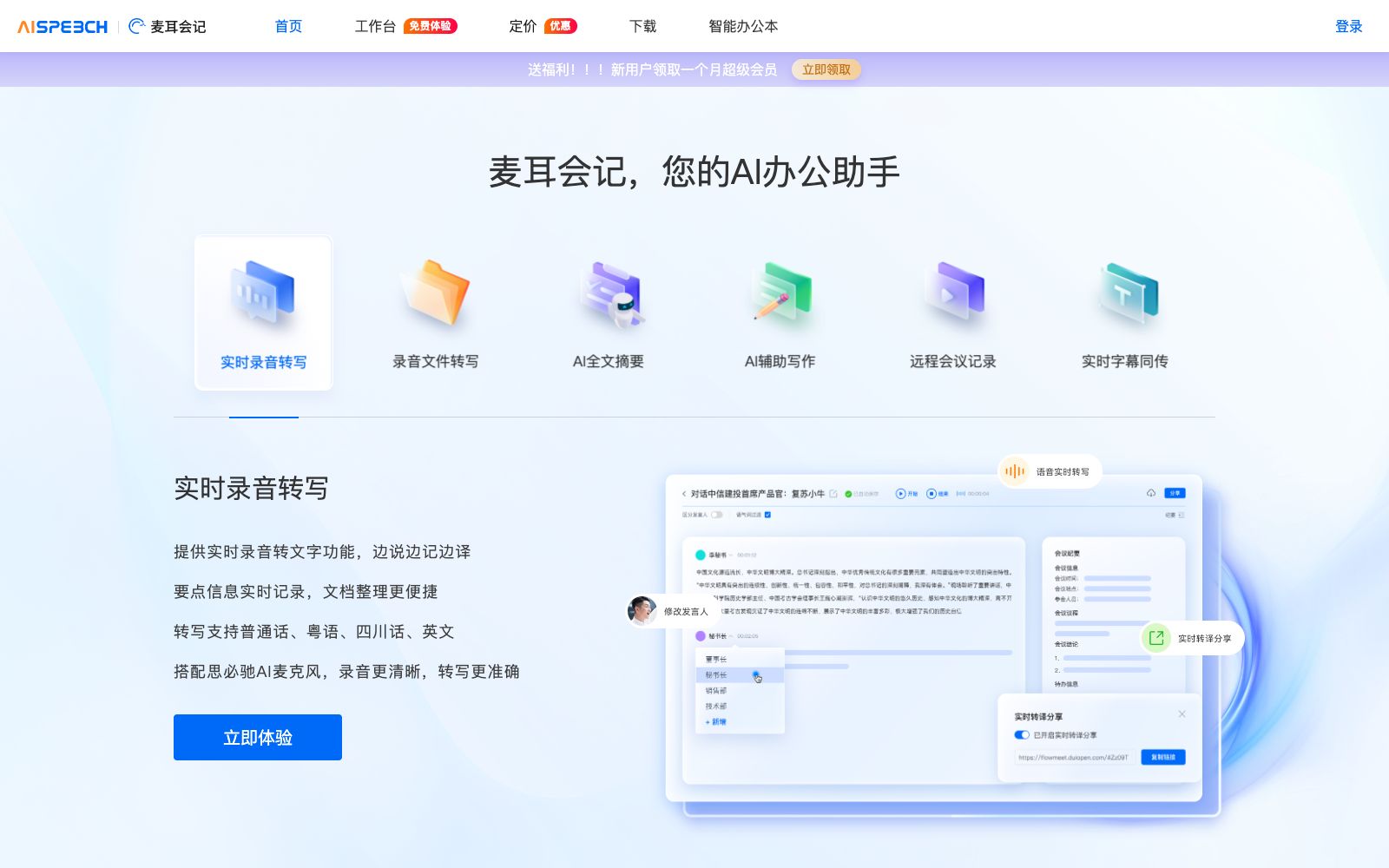
6Real-time Audio Recording and Transcription
The official website states that it can transcribe in real-time while recording, allowing users to see the text results during the meeting.
Real-time Translation
Another key capability promoted by the official platform. The official note states that switching languages or initiating translation will restart the recording and transcription process.
AI Subtitle Simultaneous Interpretation
The official website lists a switch for subtitle simultaneous interpretation and notes that it cannot be enabled at the same time as meeting recording.
AI Organization
The official website states that after starting the organization, AI insights and AI notes will be generated, and the content marked on the page is generated by AIGC.
File Transcription
Supports uploading audio recording files for transcription. The official states that it can be used to organize meeting recordings and interview content, and also supports file transcription of handwritten notes.
Multi-device Synchronization and Export
The official website states that audio and text are synchronized to multiple devices in real-time. You can download transcription records, recognized content and audio files, and share meetings.
How to use MaiEr HuiJi
- 1Confirm that the microphone permissions are normal before the meeting. The official website provides instructions for handling disabled recording devices and network exceptions.
- 2Real-time transcription and subtitle simultaneous interpretation are mutually exclusive; choose one based on needs, and switching midway will cause recording to restart.
- 3The official website notes that real-time transcription cannot be enabled on multiple devices simultaneously; do not turn it on both on your phone and computer.
- 4For meetings involving customer and employee privacy, obtain consent from all participants before recording and confirm the retention period of cloud storage.
- 5The collated content marked as AIGC-generated is for reference only. Please manually verify any content involving amounts, liabilities, and time points.
- 6The meeting topic has a character limit and does not support some special characters. Please follow the naming conventions when creating it.
- 7The official website notes that meetings will end automatically if the recording time is too long, and it is recommended to split the long meeting into multiple sessions and start a new one halfway.
- 8When you need to transcribe existing recordings, use the file transcription feature, which is more stable than real-time transcription and does not occupy the device's microphone.
- 9Confirm that the audio and text have been successfully synchronized before the meeting ends. The official website notes that you may need to restart if there is a network exception.
Traffic & popularity
Data month Sep 2026
MaiEr HuiJi receives about 177 visits per month.
Monthly visits
12 monthsTraffic sources
- Direct54.3%
- Referrals33.7%
- Search9.9%
- Social1.0%
- Mail0.4%
- Other0.6%
Top countries
- China82.0%
- Singapore18.0%
Estimated from third-party traffic data.
Similar tools
 TactiqAI meeting notes extension for Google Meet, Zoom, Teams. It provides real-time transcription during meetings, one-click summary and to-do list generation, supports over 60 languages, and enables automated push notifications via Slack and other platforms.
 iFlytek TongchuanThe AI simultaneous interpretation service under iFlytek provides multilingual real-time transcription and translation, floating subtitles, live broadcast subtitle display and meeting record sharing. According to the official website, it has experience in ten thousand meetings and supports terminology customization.
 TicNoteAn AI note-taking tool under Mobvoi, which can collect meetings and calls with one click with card-shaped recording hardware, automatically transcribe and generate multilingual summaries and action items, and you can ask the recording content for sorting through the intelligent agent.
 InterMINDA collaborative space for real-time translation for multilingual teams: meeting voices, subtitles, chats, documents and meeting reviews are all presented in each member's own language. Visitors can join via a link without an account, and it can be used alongside Teams, Slack and Google Workspace.
 WordlyWordly is a real-time AI translation and subtitle platform for conferences and events. It supports dozens of languages, integrating simultaneous interpretation, subtitles, transcription and summaries into one, enabling low-cost multilingual barrier-free communication for both offline and online events.
 Minutes AIAI audio recording transcription and note-taking tool. Officially, it can generate formatted notes from real-time audio, uploaded files or video links, supporting transcription and playback, conversing with audio, and one-click export and sharing.