


Vheer
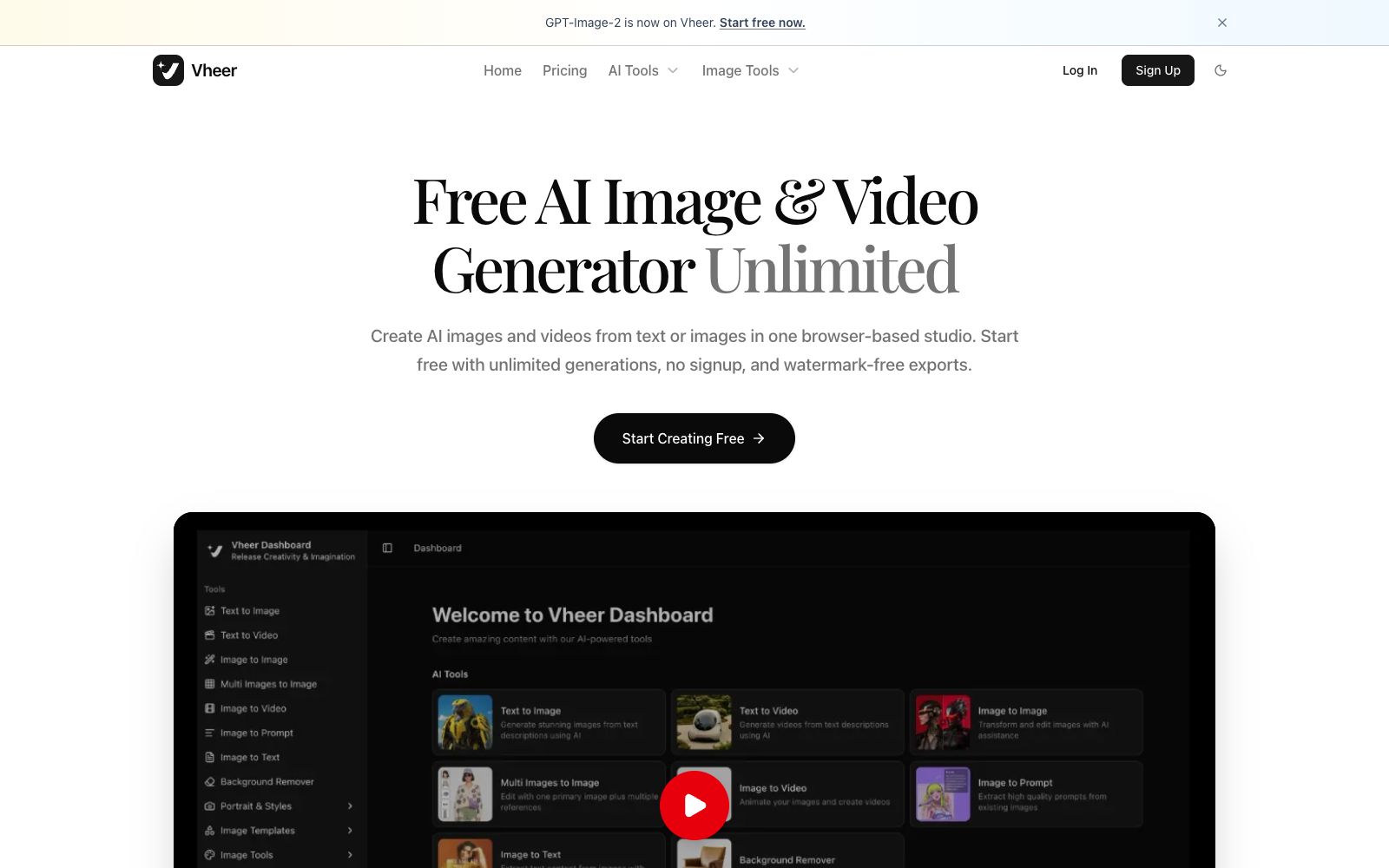
Vheer is an all-in-one AI creation tool platform for browsers. Its official website states that it allows free, unlimited generation of images and videos without registration, exports without watermarks, and also offers a set of lightweight image processing tools.
Updated: 2026-10-26
What is Vheer?
The positioning of the official homepage of Vheer is "Free AI Image & Video Generator - Unlimited, No Signup", meaning that you can generate images and videos for free by opening the webpage, and the exported files have no watermarks. It combines two things: one is the generation capabilities such as text-to-image, image-to-image, text-to-video, and image-to-video, which are connected to multiple third-party models; the other is a set of lightweight, browser-only small tools, such as inversion, grayscale, flip, blur, face blur, batch resizing, HSL adjustment, 9-grid cropping, stroke, palette extraction and collage. It writes the four words "free, unlimited, no registration, no watermark" into the homepage description at the same time, which is quite user-friendly for users who only want to process one image quickly and do not want to leave account information.
Who is it for?
- New users who want to try the effects without registration or login
- Operators who need to quickly perform routine image preprocessing (resizing, converting to grayscale, cutting into nine grids)
- Creators who make social media graphics and short content and don't want to be bothered by watermarks
- Prompt engineering enthusiasts who need to reverse-engineer prompts from existing images
- Content editors who need to pixelate faces in photos for privacy before publishing
Key features
7Text to Image and Image to Image
The official description states generating images from text or transforming existing images with AI.
Multi Images to Image
Supports editing one main image together with multiple reference images.
Video Generation
The official website lists two entry points: Text to Video and Image to Video.
Reverse Tools
It provides Image to Prompt and Image to Text, which can reverse-prompt from images or extract text using OCR.
Background Remover
One-click background removal, listed in the tool list.
Image Utilities
The official website lists invert, grayscale, black and white threshold, flip, blur, face blur, resize, HSL, cropping, stroke, background blur, color palette extraction and collage.
Face Blur
The official description states that it detects and blurs human faces in a single image, making it suitable for de-identification before publication.
How to use Vheer
- 1No login means your works and history may not be saved; download and save important outputs in a timely manner.
- 2The scope of free and unlimited usage is subject to the official policy adjustments, so please check the official website description again before official use.
- 3The face blurring tool is suitable for privacy processing before publication, but manual checks should still be done prior to release
- 4When generating content involving others' portraits or material copyright, obtain authorization before releasing it.
- 5Pure browser-based tools consume no computing power, and their processing speed is usually much faster than that of generation tasks
- 6The model list is updated along with the official website; if you cannot find a specific model, check the Models page first.
Traffic & popularity
Data month Sep 2026
Vheer receives about 264.8K visits per month and ranks #159,469 worldwide.
Monthly visits
12 monthsTraffic sources
- Direct52.2%
- Search35.5%
- Social6.2%
- Referrals4.0%
- AI assistants1.4%
- Other0.7%
Top countries
- United States13.2%
- India9.0%
- Indonesia5.6%
- Brazil5.2%
- Spain4.5%
Estimated from third-party traffic data.
Similar tools
 VideoPlus.aiIt is a leading online image-to-video tool that requires no registration and leaves no watermark. It also provides text-to-video, reference image-to-video and animation generators. The terms of service on its official website state that it is governed by the laws of Hong Kong and charges based on consumption quota.
 CraiyonFree text-to-image tool (formerly DALL·E mini) allows you to generate art, photos, illustrations and other images by entering text, and also provides vertical generation portals and image search for logos, anime, tattoos, interior design and more.
 Raphael AIRaphael AI is a login-free online image generation platform. The official claims it is 100% free with unlimited usage. It is built with multiple image models and provides supporting tools such as editing, background removal, image expansion, upscaling, and watermark removal.
 Image to PromptImage to Prompt is a free image reverse prompt tool. Upload an image to generate structured descriptions that can be used for drawing models. It supports multi-model adaptation and multi-language output, making it suitable for recreating styles and organizing materials.
 PicsmanAn online image and video processing tool station that offers text-to-image, image-to-image, background removal, magic erasure, image quality enhancement, batch editing, and video generation. The official states that it is built with multiple image and video models, allowing you to start creating for free.
 ImgKitsThis image processing website covers hundreds of online small tools. In addition to text-to-image generation and image editing, it also includes category-specific generators for logos, wallpapers, posters, tattoo designs, memes and more. The official states that all are available for free.