


Pixelcut
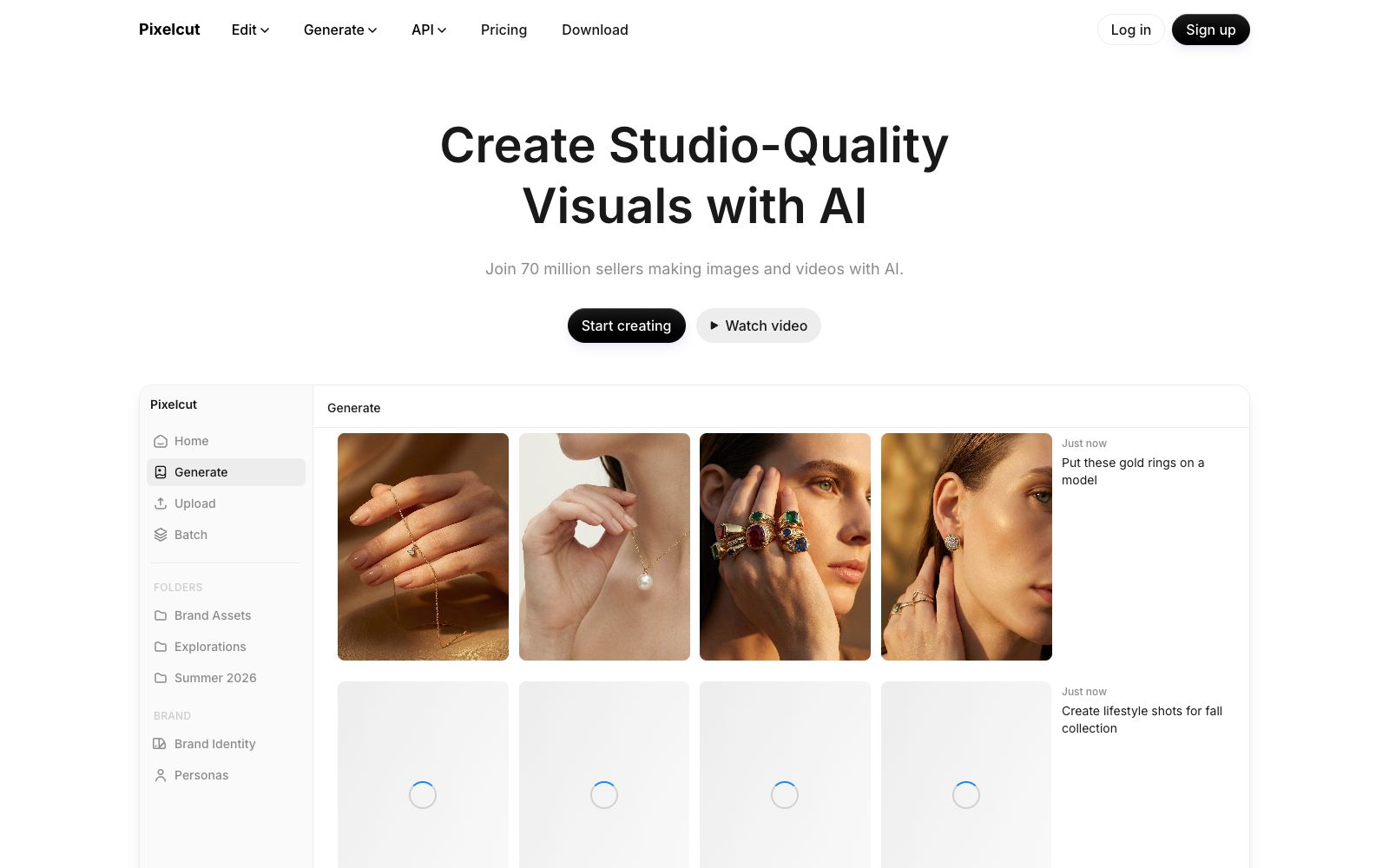
An online AI visual tool for creators, brands and merchants, with 70 million users according to its official website. It offers background removal for images and videos, up to 16x magnification, image expansion, generative retouching and shadows, and supports batch editing, consistency of brand materials and API.
Updated: 2026-10-26
What is Pixelcut?
Pixelcut is an online AI visual workspace for creators, brands and merchants. The first screen of its official website positions itself as "Create studio-level visual content with AI", and the page shows that 70 million creators, brands and merchants are already using it. Different from small tools that only offer a single effect, background removal, upscaling, image expansion, retouching, shadow adjustment and batch processing are all completed in the same workspace, and it is equipped with more e-commerce-oriented capabilities such as product image generation, AI actors and UGC ad videos. The official states that its Creative Agent can understand prompts, automatically plan and call models like Nano Banana Pro and Sora 2 to execute tasks without the need for complex prompt writing. There are also Brand Assets and Personas modules in the platform to maintain consistency in brands and characters across multiple images and multiple videos.
Who is it for?
- E-commerce sellers and independent site operators who need unified white-background images, scene images, and model images
- Marketers creating social media materials who can batch-produce dozens of images with resized and background-changed effects in one go
- Designers who have old and small images and need to upscale them before printing orad delivery
- Small brands and affiliate marketers who want to create voiceover and UGC ad videos with AI
- Small and micro enterprises that require multi-person collaboration and unified brand assets (the official website provides team seats and Brand Assets)
Key features
6Background Removal
Officially, it offers high-quality in-house background removal for both images and videos, with unlimited uses available in paid tiers.
Upscale (Magnification)
The official states that the resolution can be boosted by up to 16 times, and users can choose from multiple models including Topaz.
Expand (Image Expansion)
Use the in-house image expansion tool to extend the frame beyond the original canvas, ideal for re-composing shots, adapting to vertical screen ratios or filling empty spaces.
Retouching (Photo Retouching)
Precisely erase or modify image elements using generative fill, corresponding to Magic Eraser, Pro Eraser, and Generative Fill on the pricing page.
Batch Editing
Perform the same set of edits on hundreds of files at once; the pricing page shows that the Pro plan offers 1,000 batch exports per month and the Business plan offers 2,000 batch exports per month.
AI Product Photos and AI Actors
Generates product images and keeps characters consistent across different scenes, and also offers Personas for custom characters and AI UGC Ads voice-over videos.
How to use Pixelcut
- First try the free tier for background removal and upscaling to confirm the output effect before deciding to upgrade — the official pricing page shows that the free tier allows watermark-free exports, but the number of background removal and upscaling times is limited.
- The pricing page indicates that the Pro tier costs $8 per month on an annual basis, including 600 AI credits, unlimited background removal and upscaling.
- the Business tier costs $24 per month on an annual basis, with 3600 credits and 10 team seats.
- Prices and credits are subject to adjustment, subject to the official website's current page.
- Before batch processing, first use one or two images to fix the style, size and background, then apply to the entire batch of files, which can save a lot of repeated credit consumption.
- Both Pro and Business tiers are marked to include commercial usage authorization, but for content involving human portraits, brand logos and third-party materials, you still need to confirm the scope of authorization yourself.
Traffic & popularity
Data month Sep 2026
Pixelcut receives about 5.8M visits per month and ranks #8,488 worldwide.
Monthly visits
12 monthsTraffic sources
- Search47.7%
- Direct41.2%
- Social5.5%
- Referrals3.6%
- AI assistants1.1%
- Other0.9%
Top countries
- India20.0%
- United States8.1%
- Indonesia6.5%
- Russia5.2%
- Colombia4.0%
Estimated from third-party traffic data.
Similar tools
 PhotoroomAI retouching and product image workbench for e-commerce, which can automatically remove backgrounds, replace backgrounds, generate scene images and marketing materials. The official website positions it as a complete set of AI visual solutions that "make products sell at first sight".
 Cutout.proAI image editing and video generation platform, providing background removal, portrait matting, object removal, image quality enhancement, colorization and image-to-video, aggregating models such as Nano Banana Pro and Seedream, and offering independent APIs.
 ClipdropAI image editing toolset, which can complete background removal, object removal, image enlargement, image expansion, background replacement and text erasure in seconds. It supports size adaptation for various platforms and provides an API for developers to quickly integrate into products.
 PebblelyPebblely is an AI product image generation tool for e-commerce. According to its official website, it can turn a single product image into various marketing materials without Photoshop, and it offers 100+ templates and batch generation functions.
 ImgLargerImgLarger is an online AI image enlargement and enhancement tool website. Its official website states that it can enlarge images up to 8 times and provide super-resolution. It also offers functions such as image expansion, sharpening, background removal, and old photo restoration. New users get 100 free points every month upon registration.
 BgSubA domestic online AI matting and background replacement tool, the official claims that images are not uploaded and processing is completed locally. It supports background removal, background replacement, AI color adjustment, free adjustment and artistic filters.